
If you’re driving traffic to your site but not seeing the leads or sales you expect, you're facing a common—and fixable—problem. The impulse is to start changing button colors or rewriting headlines, hoping something sticks. That's just guesswork.
A better approach is to think like an engineer diagnosing a system. The first step isn’t to find a solution; it’s to find the root cause. Why are your visitors leaving without taking action?
This diagnostic phase is the most critical part of improving your website's performance. It’s where you stop guessing and start making decisions based on real data. Without a clear diagnosis of what is broken and why, any changes you make are shots in the dark.
Start with Your Baseline Conversion Rate
Before you can improve, you need a starting point. What is your current conversion rate? A "conversion" is any key action you want a user to take on your website.
This could be:
- Making a purchase
- Filling out a contact form
- Requesting a quote
- Subscribing to a newsletter
The calculation is simple: (Total Conversions / Total Visitors) x 100 = Conversion Rate. If 500 people visit your site in a month and 10 of them request a quote, your conversion rate is 2%. This number is your baseline—the metric you’ll measure all future improvements against.
For context, the average ecommerce conversion rate across all industries is between 2.5% and 3.0%. This means for every 100 visitors, only two or three become customers. Top-performing sites often hit 3.5% to 5% or higher, showing that small, incremental gains can have a massive impact on your bottom line.
Set Up Your Diagnostic Toolkit
Once you have your baseline, it's time to gather the right data. A proper diagnosis relies on seeing exactly how users interact with your site. Thankfully, you don’t need a massive budget for this. You can start with powerful tools that are often free.
Your goal isn't just to see what users are doing, but to understand why they are doing it. Tools like heatmaps and session recordings turn abstract data into observable human behavior, revealing the frustration and confusion that analytics alone can't show.
This visual timeline breaks down the three core steps of our diagnostic process.
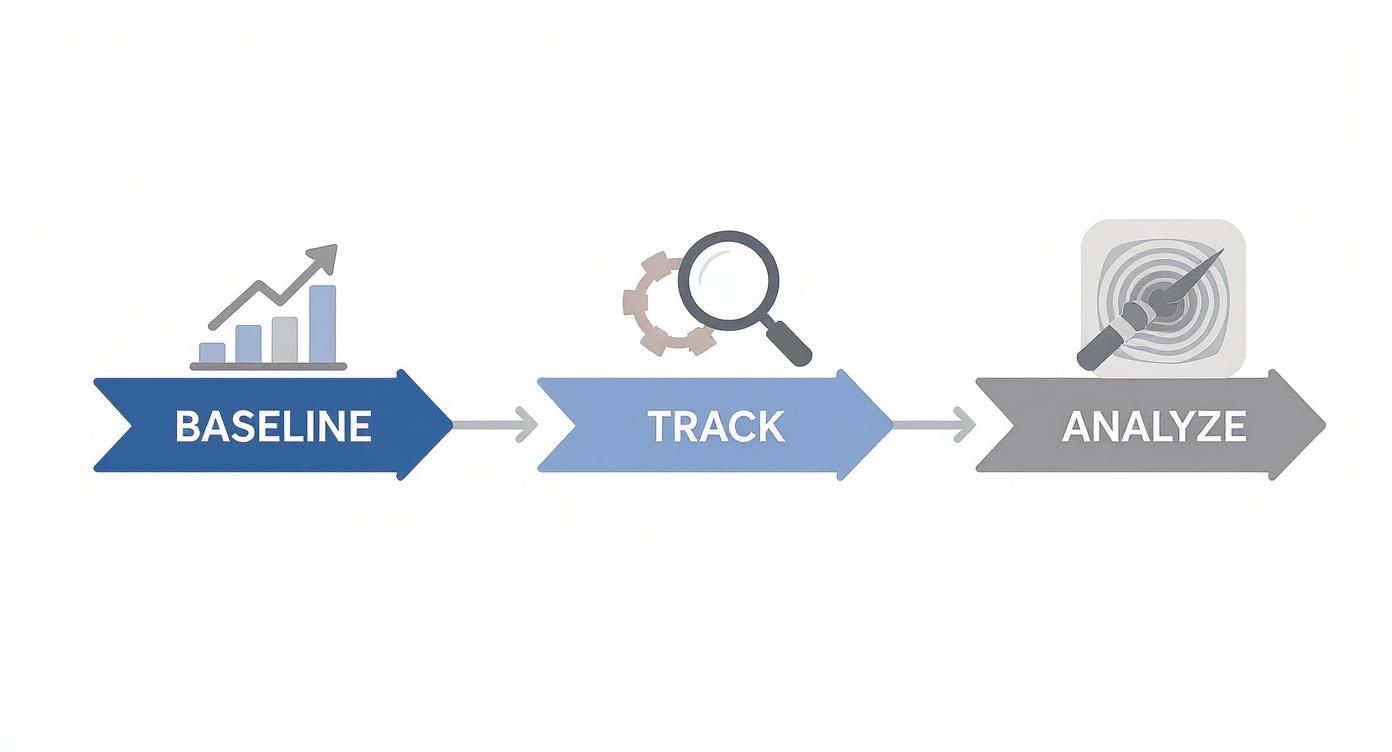
It’s a simple system: start with the high-level numbers (Baseline), drill down into specific user actions (Track), and then uncover the behavioral insights (Analyze).
Here are the essential tools for your toolkit:
- Google Analytics 4 (GA4): This is non-negotiable. You need it to track where visitors come from, which pages they visit, and where they drop off. Be sure to set up conversion goals to track form submissions, clicks on your phone number, or completed purchases.
- Heatmap Software (e.g., Hotjar, Microsoft Clarity): Heatmaps give you a visual map of where users click, move their mouse, and scroll. They instantly reveal which parts of your page get attention and which are completely ignored.
- Session Recording Tools: Think of these as a DVR for your website. They record anonymized user sessions, letting you watch a visitor’s entire journey. You’ll see exactly where they hesitate, get stuck, or become frustrated. This is foundational for building a conversion-centric guide to technical content SEO that actually works.
To get you started, here's a quick checklist to guide your initial 30-day analysis.
Initial 30-Day Diagnostic Checklist
This table breaks down the core areas to investigate during your first month of data collection.
| Diagnostic Area | Questions to Ask Yourself | Tool to Use |
|---|---|---|
| Overall Traffic | Where are my best visitors coming from? | Google Analytics 4 |
| User Engagement | Are people sticking around or leaving immediately? | Google Analytics 4 |
| Conversion Funnel | Where in the process are people dropping off? | Google Analytics 4 |
| On-Page Behavior | Are users seeing our most important content? | Hotjar or Microsoft Clarity |
| User Frustration | Where are users clicking with no result? | Hotjar or Microsoft Clarity |
| Mobile vs. Desktop | Is our mobile experience hurting conversions? | Google Analytics 4 |
| Key Page Performance | Are our most important pages losing visitors? | Google Analytics 4 |
This checklist isn't exhaustive, but it provides a solid framework for identifying the most obvious friction points on your website before you start making changes.
High-Impact Fixes to Boost Conversions Now
Once you've diagnosed the core issues, it's time to implement solutions. You don’t need a massive website overhaul to see a real lift in conversions. Instead, we’re going to focus on high-impact, low-effort fixes that get you results—fast. This is about making smart, targeted tweaks based on what you’ve learned.
We see it all the time—businesses pour money into driving traffic but neglect the simple fixes that turn visitors into leads. Think of it like tuning up an engine. You’ve found the misfiring spark plugs; now let’s replace them for immediate performance gains.

Sharpen Your Messaging and Calls to Action
Your headline and your Call to Action (CTA) do most of the heavy lifting. If they don't immediately connect with your visitor's needs, you've already lost them. Does your headline speak directly to their problem, or does it just describe what you do?
A manufacturer looking for a custom part isn't just buying a piece of metal; they're buying precision, reliability, and on-time delivery that prevents a production line from shutting down. Your headline needs to hit that nerve.
Your CTA must be just as sharp—clear, compelling, and specific. Vague phrases like "Learn More" or "Submit" create friction and uncertainty. What happens next? Use action-oriented language that sets a clear, confident expectation.
- Weak CTA: "Submit"
- Strong CTA: "Get My Free Quote Now"
- Weak CTA: "Contact Us"
- Strong CTA: "Schedule a 15-Minute Demo"
Question to ask yourself: Does my CTA reduce anxiety or create it? A great CTA answers the question, "What will I get when I click this?" and reassures the visitor they're making a smart move.
Tame the Silent Conversion Killer: Page Speed
A slow website is a notorious conversion killer. Research shows that conversion rates can drop by over 12% for every extra second your page takes to load. People are impatient, especially on mobile. A slow site feels unprofessional and frustrating, eroding trust before they read a word.
Fixing this doesn't have to be a huge technical project. Start with the basics:
- Compress Your Images: Large, unoptimized images are the #1 cause of slow pages. Use a free tool like TinyPNG to shrink file sizes without losing quality.
- Enable Browser Caching: This tells a visitor's browser to save parts of your site, so it loads much faster on return visits. Most modern website platforms offer a simple way to enable this.
- Minimize On-Page Elements: Do you really need that fancy animation or third-party script? Every element adds to the load time. Be ruthless. Cut anything that isn't essential to getting the conversion.
Radically Simplify Your Forms
We’ve seen lead forms with 15+ fields asking for everything from a fax number to a middle initial. This is a massive roadblock. Every field you add creates friction and increases the odds of abandonment. In fact, one study found that 27% of users will abandon a form if it’s too long or complex.
What is the absolute bare minimum information you need to start a conversation? For most businesses, it’s a name, an email, and maybe a phone number. You can always gather more details later in the sales process.
A Quick Form Optimization Checklist:
- Remove Optional Fields: If it's not required, get rid of it.
- Use Clear Labels: Don't get clever. "Email" is always better than "How can we reach you?"
- Consolidate Fields: Instead of separate "First Name" and "Last Name" fields, just use one "Full Name" field.
- Ensure Mobile Friendliness: Test your forms on a phone. Are the fields easy to tap and type into?
The goal is to make it as easy as possible for a potential customer to say, "I'm interested." These practical fixes are your first step toward building a website that doesn't just attract visitors—it actively converts them into valuable leads and customers.
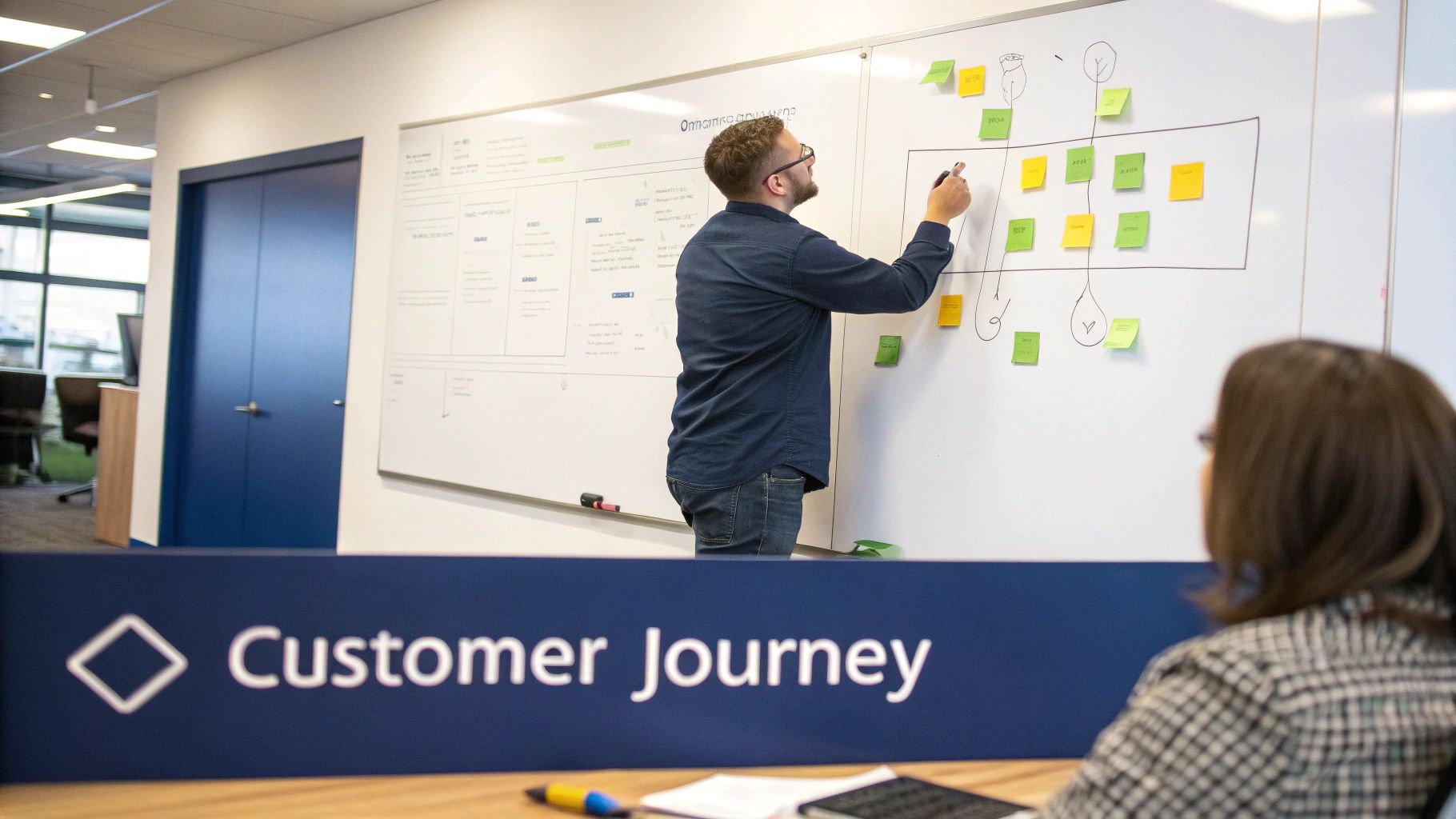
Building a High-Converting Customer Journey
Pouring money into a great ad campaign only to send traffic to a confusing landing page is like planning a cross-country road trip and forgetting to put gas in the car. It’s a total waste of your budget. The secret to improving website conversion rates isn’t about one magic page; it’s about engineering a smooth, logical journey from the first click to a signed deal.
That journey starts the second a prospect sees your ad. They have a specific need, and your landing page absolutely must meet it head-on. If your ad promises "High-Precision CNC Machining," your page had better not be a generic "About Us" spiel. We call this message match, and it's the bedrock of building instant trust.
We see this disconnect all the time. A local service business might run an ad for a "Free HVAC Inspection," but the landing page is a chaotic mix of new installations, repair services, and financing options. The user came for one thing, but you're throwing five at them. That confusion creates friction and kills conversions.
Anatomy of a High-Converting Landing Page
Think of your landing page as your best salesperson, working 24/7. It has one job: convince the visitor to take a single, specific action. It’s not a brochure; it’s a focused conversion machine. To build one that works, you need these core elements.
- A Crystal-Clear Value Proposition: Right away, answer the question: "What's in it for me?" This should be the first thing a visitor reads, no scrolling required.
- Compelling Copy: Speak directly to your visitor's pain points. Use their language. Frame your service as the clear solution to their problem.
- Trust Signals: This is your proof that you can deliver on your promises. Testimonials, customer logos, case studies, and industry certifications are incredibly powerful. Research shows testimonials alone can boost conversions by 34%.
- A Single, Obvious Call-to-Action (CTA): There should be zero doubt about what you want the user to do next. One page, one goal. That means stripping out distracting navigation links or secondary offers that could pull them away.
Zooming Out to Fix Your Funnel
A perfect landing page is a fantastic start, but it's just one stop on the journey. You need to look at the entire sales funnel to find and plug the leaks. A "funnel" is simply the path a prospect takes from awareness to becoming a customer. The real question is, where are people dropping off?
For example, a manufacturing client of ours was getting plenty of quote requests but wasn't closing many deals. The problem wasn't the website; it was the follow-up. Leads would sit in an inbox for days before anyone responded.
We fixed this by automating their process. Now, every new lead instantly gets a confirmation email and is assigned to a sales rep in their CRM. The transformation? Their conversion rate from lead-to-customer shot up.
Your job isn’t just to capture the lead; it’s to guide them through the entire decision-making process. Every step after the initial form submission is another opportunity to lose them.
This is where you bridge the gap between marketing and sales. Once a lead comes in, what happens next? A confirmation email? A prompt follow-up call? Mapping this process helps you deliver a consistent, professional experience that builds confidence and closes more deals. For a deeper look, check out our guide on how to turn your contact list into a revenue engine.
Using A/B Testing to Make Smarter Decisions
So, you’ve plugged the obvious leaks and implemented high-impact fixes. Now it’s time to shift from one-off changes to a system of continuous improvement. This is where A/B testing comes in.
Forget randomly testing button colors. Real A/B testing is about making smart, educated guesses—what we call hypotheses—based on the data you’ve already gathered. It’s how you stop arguing about what might work and start proving what does work with real user data.
Forming a Smart Hypothesis
Every solid test starts with a clear hypothesis rooted in an observation. It’s a simple formula: "Based on [this data/observation], we believe that changing [this element] will result in [this outcome] because [this reason]."
Let's walk through a real-world example we've seen countless times.
- Observation: Our heatmaps show that most visitors aren't scrolling far enough to see our customer testimonials.
- Hypothesis: We believe that moving one powerful testimonial right below the main headline will increase quote requests because it builds immediate trust when a user is making a snap judgment about our credibility.
See the difference? That’s a testable, measurable idea—not a shot in the dark. It’s a calculated move based on a real problem you’ve diagnosed.
What Should You Test First for the Biggest Impact?
Your time is precious, so focus on the elements that directly influence a user’s decision to convert.
Here’s where we tell our clients to start:
- Your Headline and Value Proposition: This is your first impression. Test a benefit-driven headline (e.g., "Prevent Costly Downtime with Our CNC Parts") against a feature-focused one (e.g., "Precision CNC Machining Services").
- Your Call to Action (CTA): This is mission-critical. Test the button copy, its color, and its placement. A simple tweak from "Submit" to "Get My Free Quote" can feel less committal and boost clicks.
- Page Layout: This is a bigger swing, but it can pay off. Does a clean, single-column layout that funnels the user's eye to the CTA convert better than a multi-column design?
- Trust Signals: How are you showing you're the real deal? Try testing video testimonials against static quotes, or showcasing logos of well-known clients higher up the page.
- Your Offer: Sometimes the problem isn't the page; it's the offer itself. Test a "Free 15-Minute Consultation" against a "Free Project Estimate" to see what your audience values more.
How to Run Your Test and Interpret the Results
You don't need a massive budget for this. Many modern website platforms have A/B testing features built in. If not, tools like Google Optimize (while being sunsetted, its principles are now integrated into platforms like Google Analytics 4) have made this process accessible.
The single biggest mistake we see is ending a test too early. A few conversions on day one might feel like a win, but it’s just noise. You must let the test run long enough to reach statistical significance—the point where you can be confident the results aren't a random fluke.
Most testing tools will tell you when you’ve hit a significance level of 95% or higher. That's your green light.
Once the test concludes, you have a data-backed winner. If your hypothesis was right, roll out the change. If it was wrong, you still won—you learned something valuable about what your audience doesn't want. This repeatable cycle of hypothesizing, testing, and learning is the real engine of long-term conversion growth.
Connecting Your Website to Your Sales Process
Getting a lead to fill out a form is a huge win, but it's only half the battle. If that lead sits in an inbox for hours—or worse, days—you're actively losing business. The speed and quality of your follow-up are just as critical as the website that generated the lead.
This is the moment where marketing must hand the baton to sales. A clunky, manual handoff is where opportunities fall through the cracks. Today, hooking your website forms directly into a Customer Relationship Management (CRM) system isn't a luxury; it’s a requirement for growth.
Why Manual Lead Management Is a Losing Game
Are you still copying and pasting lead info from an email into a spreadsheet? If so, you’re creating delays that are costing you customers. A slow response doesn’t just feel unprofessional; it tells a potential customer their problem isn't your priority.
We see this exact problem constantly. A hot lead comes in on a Friday afternoon, but the right person doesn't see it until Monday. By then, that prospect has already spoken to three of your competitors. The lead isn't just cold; it's gone.
The Hard Truth: The moment a lead submits a form is when their interest is at its absolute peak. Every minute you wait, that interest decays. Automating the connection ensures you engage people when they are most ready to talk.
Building a Seamless Bridge Between Marketing and Sales
The solution is to build a system where your website and sales process talk to each other automatically. This guarantees every inquiry gets a prompt, professional response without relying on someone to manually check an inbox.
Platforms like HubSpot or GoHighLevel are designed for this exact purpose. By connecting your website forms directly to your CRM, you can trigger automated actions the second a lead comes in.
Here are the first automations we recommend you build:
- Instant Confirmation Email: Automatically send an email to the prospect confirming you received their request. Tell them what to expect next (e.g., "Our team will reach out within the next business hour").
- Immediate Team Notification: Create a task or send an internal notification (via email or Slack) to the right salesperson, giving them all the lead's details instantly.
- New Contact Creation: The system should automatically create a new contact record in your CRM, logging the source of the lead and all the information they provided.
These simple steps eliminate human error and drastically shorten your response time. You can explore a deeper dive into these strategies in our guide to business-to-business marketing automation.
Essential Integrations for Lead Management
A key step is picking the right platforms to streamline your lead capture and follow-up process. It’s all about aligning the tool's function with what your business actually needs. Here's a quick breakdown of how these systems fit together.
| Platform | Primary Function | Best For |
|---|---|---|
| Website Forms | Captures lead information (e.g., Gravity Forms, WPForms). | The initial point of contact for gathering prospect data directly on your site. |
| GoHighLevel | An all-in-one marketing and sales platform for SMBs. | Businesses that need CRM, email, SMS, and sales pipelines integrated in one system. |
| HubSpot | A powerful CRM platform with extensive marketing, sales, and service tools. | Companies looking for a robust, scalable solution with deep analytics and integrations. |
| Zapier | An integration tool that connects different apps and services. | Creating custom connections between your website and CRM if a direct integration isn't available. |
Ultimately, this isn't just a technical task. Connecting your website to your sales process transforms it from a simple brochure into an active, lead-generating machine that works hand-in-hand with your sales team. This alignment is where you stop losing opportunities and start improving your lead-to-customer conversion rate.
Answering Your Top Questions About Improving Conversion Rates
Once you start digging into your website's performance, questions are bound to pop up. This is a new way of looking at how your website works for your business. Here are a few of the most common questions we hear from business owners.
We'll keep the answers clear and straightforward—no jargon, just practical advice you can use.
What Is a Good Website Conversion Rate?
This is the number one question we get, and the honest answer is: it depends. A "good" conversion rate varies widely depending on your industry, business model, and traffic sources. If you need a number to aim for, a solid general benchmark is 2-3%.
Of course, highly optimized sites can blow past this, sometimes hitting 5% or more. The food and beverage industry might see average rates near 6%, while a manufacturer of high-end industrial equipment could be happy with 1%. The most important number isn't a universal average; it's your own baseline.
The real goal isn't to hit a generic industry average. It's to build a system for consistently improving your own conversion rate month after month. Focus on beating your own benchmark by 10% this quarter. That's how you win.
How Long Does It Take to See Results?
Some changes can make an impact almost immediately. For the 'quick wins' we talked about—like improving page speed or simplifying a contact form—you could see a measurable lift in just a few days to a week. These fixes remove obvious roadblocks for your visitors.
For bigger strategic shifts that demand A/B testing, like redesigning a key landing page or experimenting with a new offer, you'll need more patience. A properly run A/B test needs to collect enough data to be statistically sound, which often takes 2-4 weeks. A true CRO strategy is an ongoing process, not a one-and-done task.
What Are the Most Important Metrics to Track?
Your overall conversion rate is the headline number, but the real story is in the details. To get the full picture of your website’s health, you need to look at a handful of key performance indicators (KPIs).
Here are the metrics we always start with:
- Bounce Rate: What percentage of visitors land on a page and leave without doing anything? A high bounce rate on a critical landing page is a huge red flag.
- Exit Rate on Key Pages: This shows you the last page someone saw before they left. A high exit rate on your checkout page or quote form tells you exactly where your funnel is leaking.
- Average Session Duration: How long are people actually sticking around? If this number is low, it could mean your content isn't engaging or your site is a pain to navigate.
- Cart Abandonment Rate: For any e-commerce business, this is a must-watch. It tells you how many people add products to their cart but bail before buying.
The key is to segment this data. Are your mobile conversion rates tanking compared to desktop? Does traffic from paid ads convert better than organic search? Slicing up the data like this is how you find your weakest links and biggest opportunities.
Do I Need Expensive Tools to Get Started?
Absolutely not. While there are powerful enterprise-level tools out there, you can get incredible results with a simple, free toolkit. You don't need a huge software budget to start making smarter decisions.
The two essentials are:
- Google Analytics 4: This is your command center for tracking user behavior, traffic sources, and conversion goals. It's free and more powerful than most people realize.
- Microsoft Clarity or Hotjar: Both have generous free plans that give you access to heatmaps and session recordings. This is how you see why users are doing what they’re doing.
At the end of the day, the most important "tool" isn't software; it's a systematic approach. A commitment to diagnosing problems, forming a hypothesis, testing a change, and measuring the result will always be more valuable than any expensive subscription.
Ready to stop guessing and start building a marketing system that delivers predictable results? At Machine Marketing, we specialize in diagnosing hidden growth opportunities and implementing a clear roadmap for improvement.
Book a discovery call with us today to see how we can build a reliable lead generation engine for your business.
https://machine-marketing.com
