
If your customer data lives in a jumble of spreadsheets and your sales process feels like you’re making it up as you go, you don’t just need software—you need a system.
Implementing a Customer Relationship Management (CRM) system correctly is a strategic transformation, not just another IT project. It’s about building a customer-focused operating system that becomes one of your most valuable business assets. In this article, we’ll show you how to diagnose your operational gaps and build a CRM system that actually drives results.
Why You Need a System, Not Just Software
We see this all the time: a business owner invests in a fancy CRM tool, hoping it’ll magically fix a leaky sales funnel or chaotic follow-ups. A few months later, they’re still dealing with the same old problems.
Why? Because buying the software doesn't fix the root cause of the chaos. The real problem is usually the absence of a standardized, repeatable process for handling every single customer interaction.
Think of it this way: a high-performance engine (your CRM software) is useless without a chassis, wheels, and a steering wheel to tell it where to go. Your "system" is the vehicle that gives the software purpose and direction.
Diagnosing Your Operational Pains
Before you can build a solution, you have to get crystal clear on the diagnosis. Are you seeing any of these common frustrations in your business? They are often symptoms of a deeper, systemic problem.
We can map these common pains directly to the solutions a proper CRM system provides. Use this table to see where your own operations might be breaking down.
| Common Business Problem | Symptom You're Experiencing | How a CRM System Solves It |
|---|---|---|
| Lead & Opportunity Management | Promising leads fall through the cracks because follow-up is inconsistent or forgotten entirely. | Centralizes all leads and automates follow-up tasks, ensuring no opportunity is missed. |
| Data & Information Silos | Customer history is scattered across emails, spreadsheets, and sticky notes, making it impossible to get a full picture. | Creates a single source of truth where every team member can access a complete customer profile and interaction history. |
| Sales Pipeline Invisibility | You can't accurately forecast revenue because there's no real-time view of where deals stand. It’s all guesswork. | Provides a visual sales pipeline, allowing you to track deal stages, identify bottlenecks, and forecast with confidence. |
| Marketing & Sales Disconnect | Marketing generates leads, but sales complains they're low-quality. There's no feedback loop. | Connects marketing efforts to sales outcomes, showing which campaigns generate the best leads and highest ROI. |
| Customer Service Breakdowns | Clients have to repeat their issues to different team members, leading to frustration and poor experiences. | Tracks all customer support tickets and communications in one place, giving agents the full context they need to help effectively. |
Recognizing these symptoms is the first step. The goal isn’t just to organize data; it’s to build a robust framework that drives every customer-facing part of your business.
The Transformation: Create a single source of truth—a centralized hub where every customer interaction, from the first website visit to the final invoice, is tracked, managed, and improved upon.
This isn't just about tidying up your contacts list. It's about engineering a more efficient, profitable, and customer-centric operation. The global CRM market is projected to reach over $249 billion by 2032 for a reason: businesses are realizing a CRM is a fundamental operational asset. You can dig into more CRM statistics and trends to see the full picture.
Ultimately, learning how to implement a CRM system correctly means committing to a new way of doing business—one that puts consistency, data, and the customer experience at the heart of everything you do.
Laying the Groundwork: Defining Goals and Mapping Your Process
Jumping into CRM software demos without a clear plan is a common and expensive mistake. Before you even look at a single platform, you need a blueprint. What does success actually look like for your company? This starts with a crucial internal discovery phase.
The goal here is simple: diagnose the real-world operational pains before you prescribe a software solution. To do this, you need to get your sales, marketing, and customer service teams talking. Their daily frustrations are a goldmine of information that will guide your entire CRM implementation.
From Frustrations to Measurable Goals
Start by asking the right questions. Don't focus on software features; focus on process bottlenecks and communication breakdowns. This approach turns vague complaints into specific, quantifiable objectives that a CRM can actually solve.
Here are some questions to ask your teams:
- For the Sales Team: What takes up the most time with manual data entry? How long does it typically take to follow up with a new website lead? Where in the sales process do deals most often stall out?
- For the Marketing Team: How do we know which campaigns are generating qualified leads versus just clicks? What’s our process for handing off a lead to sales, and how do we track what happens next?
- For the Service Team: Where do we keep customer history and support tickets? How often do customers have to repeat their issue to different people? What's our average time to resolve a problem?
The answers give you a clear starting point. If your lead response time is 48 hours, a clear goal becomes "Reduce lead response time to under four hours." If your teams can't track a customer's history, the goal is to "Create a unified customer profile accessible to all departments." This is how you build a real business case for the system.
Key Takeaway: A successful CRM implementation isn't measured by features. It's measured by its ability to solve specific, pre-defined business problems and move the needle on key metrics like response time, conversion rates, and customer satisfaction.
Mapping Your Customer Journey
Once you have your goals, the next step is to map out your entire customer journey. This isn't just a marketing exercise; it's a practical way to identify every single touchpoint you need the CRM to track. Get a whiteboard and trace the path from stranger to customer.
For a manufacturing client, a typical journey might look like this:
- Awareness: A prospect finds one of your technical blog posts through a Google search.
- Consideration: They download a spec sheet from your website, filling out a form.
- Inquiry: A sales rep gets the lead notification and makes the first call.
- Nurturing: The prospect is added to an automated email sequence with relevant case studies.
- Closing: After a demo and a formal quote, the deal is won.
- Support: The customer submits a support ticket six months later.
This visualization is critical because it shows you exactly what data you need to capture and what automations you need to build at each stage. It clarifies how a new lead flows from marketing to sales, which is a foundational element for using a CRM for lead generation.
This whole process is about a mindset shift—moving from chaos to a structured, unified system.
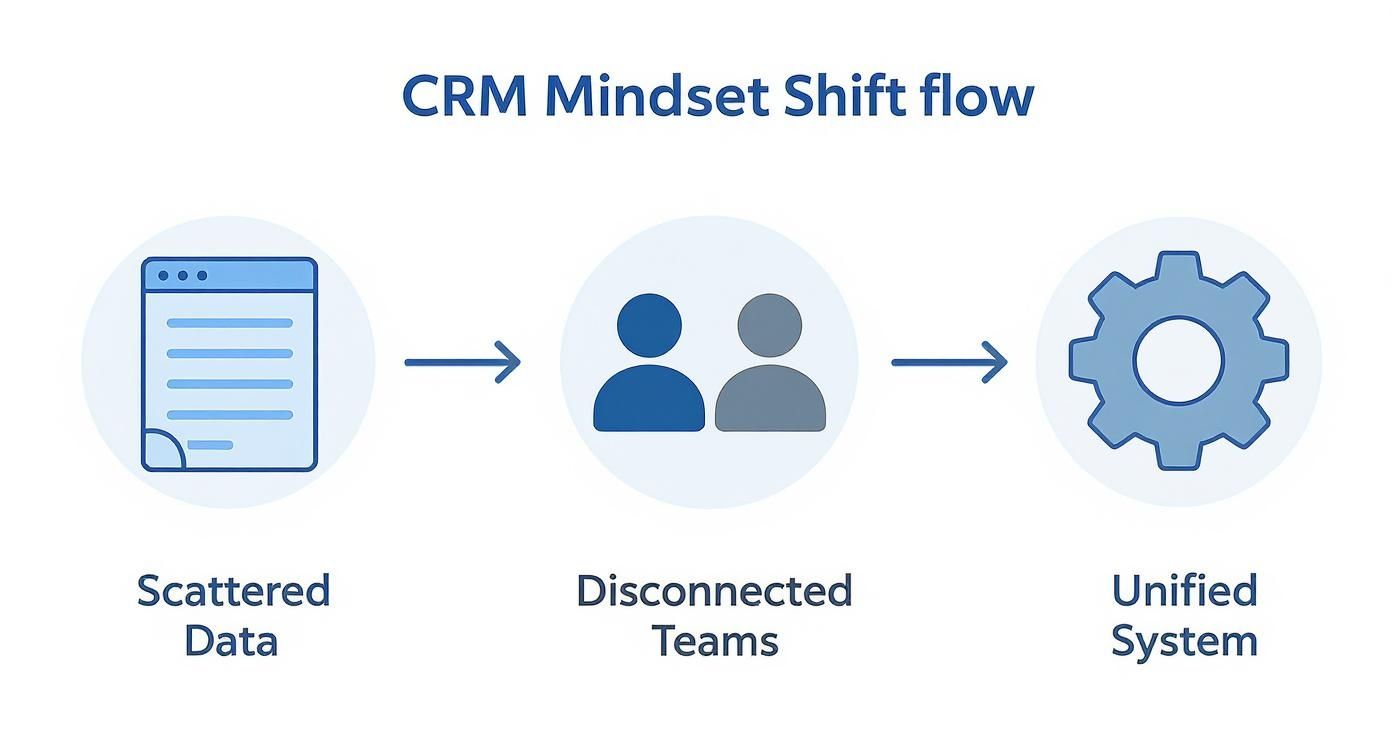
This foundational work transforms scattered data and disconnected teams into a single, cohesive operational machine. Without it, you’re just buying expensive software—not building a powerful business asset.
Choosing the Right CRM Platform for Your Business
Now that you've mapped your goals and customer journey, it’s time to pick the tool. The CRM market is crowded, making it easy to get mesmerized by flashy features that don’t solve your core problems.
Let’s be transparent: choosing a CRM isn't about finding the universally "best" one. It's about finding the one that fits your business model and solves your specific challenges. This means looking beyond the monthly price and focusing on the critical factors that determine long-term success.
Key Evaluation Criteria for Any CRM
As you research, every potential CRM needs to pass through these four filters. A platform might look amazing in one area but fail in another, so you must take a balanced view. Don't just take the vendor's word for it—dig into real user reviews and demand demos that address these exact points.
Here’s what to look for:
-
Ease of Use: This is non-negotiable. If the system is clunky and confusing, your team just won't use it. Look for an intuitive interface. Can you find a contact record in two clicks? Does building a simple sales report feel straightforward? A complex CRM that requires a full-time admin is usually overkill for a growing business.
-
Integration Capabilities: Your CRM must be the central nervous system of your operation. That means it has to connect seamlessly with the tools you already rely on, like your email marketing platform, accounting software, and website forms. Bad integrations create data silos—the very problem you’re trying to fix.
-
Scalability: The CRM you pick today should support your growth for the next three to five years. Ask potential vendors how their platform handles more users, a bigger contact list, and a higher volume of data. The last thing you want is a platform that penalizes you for success.
-
Total Cost of Ownership (TCO): The sticker price is just the tip of the iceberg. Your TCO includes subscription fees, one-time setup costs, data migration expenses, team training, and fees for any "essential" add-ons. A "cheaper" platform can get expensive fast if every critical feature costs extra.
For a much deeper dive into the selection process, our guide on how to choose a CRM system gives you a comprehensive checklist to work from.
Finding the Right Fit for Your Business Model
Not all CRMs are built the same. Some, like Salesforce, are powerful tools designed for massive enterprise sales teams but often come with a serious learning curve and a hefty price tag.
On the other hand, all-in-one platforms like GoHighLevel are built for agencies and service-based businesses that need marketing automation, sales pipelines, and communication tools—email, SMS, calls—in one unified package.
Here's a peek at the GoHighLevel dashboard, which pulls sales pipelines, reporting, and marketing tools into a single view.
This unified approach can eliminate the need for half-dozen disconnected software subscriptions, which simplifies your tech stack and reduces overall costs.
The future of these platforms is also being shaped by artificial intelligence. By 2025, it's estimated that over 70% of CRM systems will use AI for tasks like predictive lead scoring and automated follow-ups. According to research from EmailVendorSelection, 51% of businesses now see generative AI as the most important trend in the CRM space.
To help you compare your options side-by-side, we’ve put together a simple framework. This isn’t about finding a “winner,” but about clarifying which platform best aligns with what you actually need.
CRM Platform Comparison Framework
Use this framework to evaluate different CRM options against your specific business requirements and goals.
| Evaluation Criteria | Platform A (e.g., GoHighLevel) | Platform B (e.g., HubSpot) | Platform C (e.g., Salesforce) |
|---|---|---|---|
| Core Features | All-in-one marketing & sales | Strong marketing automation | Enterprise-grade sales tools |
| Ease of Use | Designed for agencies/SMBs | Very user-friendly interface | Complex, requires training |
| Key Integrations | Native SMS, email, website | Wide app marketplace | Extensive, often custom |
| Scalability | Good for growing businesses | Tiers for different sizes | Highly scalable for enterprise |
| Pricing Model | Flat fee, unlimited users | Per user/contact tiers | Per user, plus add-ons |
| Total Cost of Ownership | Lower TCO, fewer add-ons | Can get expensive with scale | Highest TCO, implementation |
After you fill this out, a clear front-runner usually emerges. The goal is to make an informed decision based on your unique needs, not just on a flashy demo.
Our Pro Tip: Don't get sold on a feature you don't need. Focus on the 20% of features that will solve 80% of your current headaches. You can always grow into the more advanced stuff later.
To see how a well-implemented CRM can transform a sales and marketing process, check out this breakdown of what a complete GoHighLevel system looks like in action.
Run a 90-Day Proof-of-Concept
The best way to make a decision is to test your top choice in the real world. A 90-day proof-of-concept (POC) with a small pilot team removes the guesswork. It confirms if a CRM really works for your day-to-day workflow before you commit to a company-wide rollout.
Here's how to structure it:
- Select a Pilot Team: Pick two or three of your most tech-savvy sales or service team members. You want people who will give you honest, constructive feedback.
- Define Success Metrics: Use the goals you set in the beginning. Aim to hit a specific target, like "reduce lead follow-up time by 50%" or "successfully manage 10 deals from start to finish entirely within the CRM."
- Run the Test: For 90 days, have the pilot team use the CRM exclusively for all their tasks. No cheating with old spreadsheets!
- Gather Feedback: Hold weekly check-ins to document what's working, what's frustrating, and where the feature gaps are.
- Make Your Decision: At the end of the 90 days, you'll have hard data and real user feedback. That’s how you make a confident final decision.
Getting Your Data and Systems Connected
You’ve picked your platform. Now for the part that makes most business owners nervous: moving all your existing customer data and connecting your other software. This is where you shift from planning to doing. It doesn't have to be a nightmare, but it demands a "measure twice, cut once" mindset.
Let's be transparent: garbage in, garbage out. The whole point is to start fresh with clean, accurate, and useful information in your new CRM.
First, Tame Your Scattered Data
Before you can move a single contact, you have to figure out where everything lives right now. For most businesses we work with, customer info is a chaotic jumble of disconnected spreadsheets, email accounts, and notes in accounting software.
Your first task is a data audit. Start asking these questions:
- Where are our contacts? Are they in individual Outlook or Gmail accounts? Piles of messy spreadsheets? Tucked away in QuickBooks?
- What info do we actually have? Do you just have names and emails, or do you have phone numbers, purchase history, and notes from past calls?
- How clean is it? Be brutally honest. Is it full of duplicate entries, old email addresses, and phone numbers with no area codes?
Once you have a map of all your data sources, the cleanup begins. This means merging duplicate contacts, standardizing formats (like ensuring all phone numbers look the same), and purging useless records. This part is tedious, but the payoff is enormous.
A CRM is only as good as the data you feed it. Taking a few extra hours to clean up your data before you move it can save you hundreds of hours of headaches and bad reports later on.
Unlock Real Power with Key Integrations
Migration gets your history into the system. Integrations make your CRM the living, breathing center of your daily work. Think of an integration as a bridge that lets two different apps talk to each other, share data, and automate tasks. This is how you finally eliminate manual data entry and build a single source of truth.
For most service businesses, a few integrations are non-negotiable. You should set these up from day one.
Must-Have CRM Integrations
- Website Lead Forms: This is a big one. When someone fills out a "Contact Us" or "Request a Quote" form on your site, that data should instantly appear as a new contact and deal in your CRM. This connection alone can slash your lead response time from hours to minutes.
- Google Business Profile: Connecting your GBP lets you pull messages and reviews directly into the CRM. You can even build workflows that automatically thank people for 5-star reviews or create a support ticket if a negative one comes in. It all happens right inside your main dashboard.
- Email & SMS Platforms: Syncing your communication tools means every email you send and every text message you exchange gets logged on that customer's timeline automatically. No more hunting through separate inboxes to piece together a conversation history.
Here’s a real-world example. We worked with a local contractor who was constantly dropping the ball on website leads. By integrating their contact form directly with their new CRM (GoHighLevel), every inquiry instantly created a contact, added a deal to their "New Leads" pipeline, and assigned a task to a sales rep. That one change ensured a lead never fell through the cracks again. These connections are foundational to learning how to implement crm system that actually makes you money.
Driving Adoption with Automation and Training
Let's be direct: a powerful CRM that nobody uses is just an expensive paperweight. Once you’ve handled the technical heavy lifting of migration and integrations, the real work begins. The goal is to weave the new system so deeply into your team's daily routine that they can't imagine working without it.
This is where smart automation and practical, human-focused training come together to drive adoption and deliver the ROI you were promised.
The mission isn't just to get people to log in. It's to make the CRM the single easiest, most logical place for them to get their job done well.

Engineer Consistency with Automation
Automation is your secret weapon for getting the team on board. Why? It eliminates the tedious tasks everyone dreads. Good automation doesn't replace your people; it frees them up to focus on what they were hired for—building relationships and closing deals.
Start by identifying a few high-impact workflows that provide immediate, visible value. These quick wins are critical for building the momentum you need to make the change stick.
Here are three essential automations to build from day one:
- Instant Lead Nurturing: When a new lead hits your website, an automated email sequence can instantly kick off, introducing your company and sharing a relevant case study. This keeps you top-of-mind while your sales team prepares for a personal follow-up.
- Automated Task Assignment: Stop letting hot leads wither in a general inbox. Create a rule that automatically assigns every new inquiry to a specific rep, creating a task with a clear deadline. No more "I thought you had it."
- "No-Contact" Follow-up Reminders: If a deal in the pipeline hasn't been touched in seven days, the system can automatically create a task for the deal owner, reminding them to check in. This simple workflow prevents good opportunities from going cold.
To see how these workflows fit into a bigger picture, check out our guide on marketing automation strategies. These aren't just features; they're foundational steps toward a CRM that practically runs itself.
The Human Element: User Training and Change Management
Even the most intuitive software will fail if your team resists it. This is a massive hurdle. In fact, around 83% of senior executives say that getting employees to actually use the CRM consistently is their biggest challenge.
But the reward for success is huge. Businesses that get it right often see an $8.71 return for every dollar spent on their CRM. The value is undeniable if it's adopted.
Effective training isn't a feature tour. It's about answering one critical question for every person on your team: “What’s in it for me?”
Your training must be practical, role-specific, and laser-focused on making their lives easier.
Don't train on the CRM; train on the process. Show the sales team how the system helps them close deals faster. Show the service team how it reduces customer frustration. The software is just the tool that enables a better way of working.
Here’s how to build a simple, repeatable training program that works:
- Role-Specific Workshops: Run separate, hands-on sessions for sales, marketing, and service. A sales rep doesn’t care about marketing workflows, and vice versa. Keep it hyper-relevant to their day-to-day work.
- Simple SOPs: Create one-page Standard Operating Procedures (SOPs) for core tasks like "How to Add a New Deal" or "How to Log a Customer Call." Use screenshots and simple bullet points. Forget the 50-page manual.
- Appoint a CRM Champion: Designate one person as the internal, go-to expert. This "CRM Champion" can offer daily support, answer quick questions, and act as a bridge between the team and leadership. They are the key to making sure everyone feels heard and supported.
How to Know If It’s Actually Working: Measuring Your CRM Success
You did the hard work. You hammered out your goals, picked a platform, wrestled with data migration, and got your team on board. Now what? How do you actually know if this whole CRM project was worth it?
The answer isn't buried in vanity metrics like "contacts added" or "tasks completed." The real test is simple: is the CRM making you more money and making your business healthier? It's time to stop tracking activity and start tracking impact. Your new system is a goldmine of this data; you just have to know where to look.
Build Your Mission Control Dashboard
Most modern CRMs let you build custom dashboards. Think of this as your business's mission control—a single screen that gives you a real-time snapshot of performance. No more digging through spreadsheets. Your goal is a clean, visual look at the handful of numbers that truly move the needle.
Here are four KPIs that we tell every client to put front and center:
- Lead Conversion Rate: This is the big one. What percentage of the leads that come in the door actually become paying customers? This metric tells you if your sales and marketing efforts are connecting.
- Sales Cycle Length: On average, how many days does it take to turn a new lead into a closed deal? A shorter cycle means your process is getting more efficient, and cash is flowing into the business faster.
- Customer Acquisition Cost (CAC): How much are you spending in marketing and sales to land one new customer? A CRM finally lets you tie your spending directly to the results you’re getting.
- Customer Lifetime Value (LTV): What’s the total revenue you can expect from a single customer over their entire relationship with your company? This tells you if you're building profitable, long-term relationships.
Watching these numbers isn’t just about getting a grade. It’s about diagnosis. If your Lead Conversion Rate is tanking, you can dive into your CRM data and see exactly which stage of your pipeline is leaking deals. If your Sales Cycle is dragging on, you can analyze the activity logs to find the bottlenecks holding things up.
A CRM doesn't just store data; it reveals patterns. Your dashboard is there to help you ask better questions, see what’s working, and pinpoint exactly where you need to improve.
Your Six-Month Optimization Plan
A CRM implementation is not a "set it and forget it" project. Your CRM is a living asset, and the first six months are absolutely critical for making it an indispensable part of your company's DNA.
Here's a simple roadmap to keep the momentum going:
- Get Real Feedback (Month 1): Sit down with your team. What’s clunky? What’s annoying? What part of their day could be easier? Their insights from the trenches are pure gold for making practical tweaks.
- Tune Up Your Automations (Months 2-3): Look at the workflows you built. Are those lead nurture emails actually getting opened? Are tasks being assigned and completed without anyone dropping the ball? Use real data to refine and improve everything.
- Explore the Next Level (Months 4-6): Once the team has mastered the basics, it's time to start pushing the envelope. Maybe this is building out more advanced sales forecasts, playing with lead scoring to prioritize the hottest prospects, or integrating your customer support ticketing system.
This cycle of continuous improvement is what separates a CRM that just stores contacts from one that becomes a true growth engine. It’s how you ensure your investment keeps paying you back long after the initial setup.
At Machine Marketing, we don't just plug in software—we build the operational systems that create predictable growth. If you're tired of the chaos and ready for a streamlined, customer-focused machine, let's talk. Book a discovery call with us today and we'll start mapping out a real sales and marketing asset for your business.
