
If your business is stuck wrestling with an inconsistent lead flow, operational bottlenecks, or simply running out of hours in the day, you're asking the right questions. The benefits of automation in business cut straight to the core of these problems: significant cost savings, improved operational consistency, and the ability to scale growth without hiring more staff. It’s the difference between reactive problem-solving and proactive, system-driven success.
Why Your Business Feels Stuck On A Hamster Wheel
Does this sound familiar? Your business is growing, but then it hits a ceiling. The manual processes that worked for a small team start to crack under pressure. Your team spends more time fixing mistakes and putting out fires than on the strategic work that pushes the business forward.
This is the "hamster wheel" effect—working harder just to stay in the same place.
The culprit is almost always a deep reliance on manual workflows that can't keep up as you grow. Think of it like trying to build a skyscraper with hand tools. Your initial progress might be impressive, but you'll quickly realize that manual effort alone can't create a structure that's stable, scalable, or efficient.

Diagnosing The Symptoms Of Manual Overload
So, how do you know if your business is stuck on this wheel? The signs are often hiding in plain sight, disguised as everyday "friction." Let's move past the buzzwords and diagnose the real pain points you might be feeling.
Take a moment to see if any of these sound familiar.
Manual Processes vs Automated Systems: A Quick Diagnosis
This table contrasts the common challenges of manual operations with the solutions provided by automation, helping you quickly identify areas for improvement.
| Business Challenge | Manual Process Symptom | Automation Solution |
|---|---|---|
| Lost Sales Opportunities | Hot leads go cold because sales is too busy to respond quickly. | Instant lead alerts and automated follow-up sequences. |
| Costly Human Error | Staff copy-pasting data between spreadsheets, CRMs, and invoices. | Seamless data sync between systems, eliminating manual entry. |
| Inconsistent Customer Service | Clients get different messages depending on who they talk to. | Standardized communication workflows for a consistent brand voice. |
| Operational Fragility | Operations grind to a halt when one key person is on vacation. | Systematized processes that run 24/7, regardless of who is in the office. |
If you nodded along to any of those symptoms, you've located the source of the problem.
The core issue is that manual processes don't scale. Every new client or project adds a proportional amount of administrative work, trapping your resources and preventing real growth.
This is exactly why intelligent automation has become a must-have strategic asset. In fact, 80% of organizations plan to increase their investment in it, with 75% viewing it as essential for staying competitive. You can discover more insights about these automation trends and see just how critical this shift has become.
This guide will show you how to approach automation like an engineer—diagnose the problem first, then build the right solution to solve it for good.
The 7 Core Benefits Of Business Automation
Let’s get right to it. The benefits of automation go far beyond just saving time. We're talking about a fundamental re-engineering of how your business operates—making it more efficient, profitable, and less of a headache to run. This isn’t about minor tweaks; it’s about building a system that puts in the work for you, 24/7.
Here are the seven most critical advantages you can actually see, feel, and measure.
1. Drive Significant Cost Reduction
Every manual task dragging down your team has a hidden price tag. It's not just the salary of the person doing it; it's the cost of typos, inconsistencies, and the high-value work they aren't doing. Automation hits these hidden expenses head-on.
When you automate repetitive jobs like data entry or invoice processing, you slash the risk of human error—the kind that leads to expensive rework or lost sales. A misplaced decimal in a manual quote can be a disaster. An automated system uses the right numbers every single time, protecting your bottom line.
2. Enhance Lead Quality
Are your best salespeople burning daylight chasing down unqualified leads? That's a classic sign of a broken, manual process. Automation is the powerful, consistent filter your pipeline has been missing.
Picture a system that automatically scores leads based on their actions, like which pages they visit on your site or whether they download a specific guide.
An automated workflow can keep cooler leads warm with helpful content, only looping in your sales team when a prospect shows clear signs they're ready to talk. This means your team invests its valuable time in conversations that are far more likely to close.
3. Boost Sales Conversions
In sales, speed is everything. A potential customer who has to wait hours for a response is exponentially less likely to convert than one who gets an immediate reply. Automation makes instant follow-up the standard, not the exception.
The moment a potential client fills out a form on your website, a smart automation can fire off a sequence of actions instantly:
- Send a personalized confirmation email to the lead.
- Notify the right salesperson via text message and email.
- Add the lead directly into your CRM with all their details.
- Schedule a follow-up task so nobody ever drops the ball.
This kind of immediate, professional engagement dramatically increases your odds of turning an inquiry into a closed deal.
4. Create Unwavering Consistency
Your customer's experience should be excellent every single time, no matter who on your team they happen to interact with. Manual processes make this nearly impossible because different people inevitably do things in slightly different ways.
Automation standardizes all your key touchpoints. Whether it’s an onboarding sequence for a new client or a check-in after a service call, the process runs flawlessly every time. That kind of reliability builds trust and reinforces a professional brand image that people remember.
5. Build A Truly Scalable Business
Manual processes are the single biggest enemy of scale. If doubling your clients means you have to double your administrative staff, you don’t have a scalable business model—you have a trap.
Automation breaks the link between your growth and your headcount. An automated system can handle 10 leads or 1,000 leads with the exact same level of efficiency. This is the key to profitable scaling: growing your revenue without having to proportionally increase your operational costs.
6. Improve Employee Focus And Morale
Let's be honest, nobody enjoys mind-numbing, repetitive tasks. It's a one-way ticket to burnout and dissatisfaction. When your most skilled people are stuck copy-pasting data, they aren't using their brains to solve complex problems or innovate for your customers.
Automating these chores frees up your team to focus on the strategic work that requires human intelligence and creativity. Not only does this boost productivity, but it also improves job satisfaction because your team gets to engage in more meaningful, impactful work. You can learn more about how to elevate your team by exploring the key benefits of marketing automation.
7. Leverage Data For Smarter Decisions
Are you running your business on gut feelings or on hard data? Manual processes often lock valuable data away in siloed spreadsheets and disconnected systems, making it impossible to see the big picture.
Automated systems, on the other hand, track every interaction and collect clean, structured data in one central hub. This gives you a clear, unobstructed view of your entire operation, from marketing campaign performance to your sales cycle length. With accurate, real-time reporting, you can spot problems faster and make strategic decisions with confidence. To dive deeper into this specific area, we have a complete guide that outlines the benefits of marketing automation and how it powers better reporting.
The Hidden Financial Drain Of Manual Operations
What's the real cost of not automating? It’s a question every business owner should be asking, and the answer goes far deeper than just team salaries. The real cost is the silent, compounding financial leak that comes from relying on manual workflows.
From an engineering standpoint, manual operations are just inefficient systems. They eat up your most valuable resources—your team's time and your payroll—to produce inconsistent results. Worse, they open the door to costly human errors that directly hit your bottom line.
Diagnosing The Real Costs Beyond Payroll
When you’re running on manual processes, you're paying for more than just labor. You're paying for the mistakes, the delays, and the missed opportunities that are baked right into that system.
Think about the true cost of a simple data entry error. A wrong digit on an invoice means you under-bill a client. A mistyped email address for a hot lead means a potential sale is gone for good. These aren't just administrative hiccups; they are real, tangible financial losses.
The most dangerous costs are the ones you can't easily see—the slow drain of inefficiency that erodes your profit margins day after day. Automation is the most effective way to diagnose and permanently plug these leaks.
The financial argument for leaving outdated methods behind is staggering. Studies show that manual processes can cost companies between 20% to 30% of their annual revenue. On the flip side, businesses that embrace automation not only run with 22% lower operating costs but also see an incredible $5.44 return for every $1 invested. You can learn more about these business automation findings and see the clear financial case for yourself.
Uncovering The Return On Investment
The business case for automation becomes crystal clear once you start putting real numbers to your team's manual tasks. Let's run a quick diagnostic for a typical B2B company.
This chart gives you a simple visual of how automation directly fuels cost reduction, improves quality, and gives you the runway to scale.
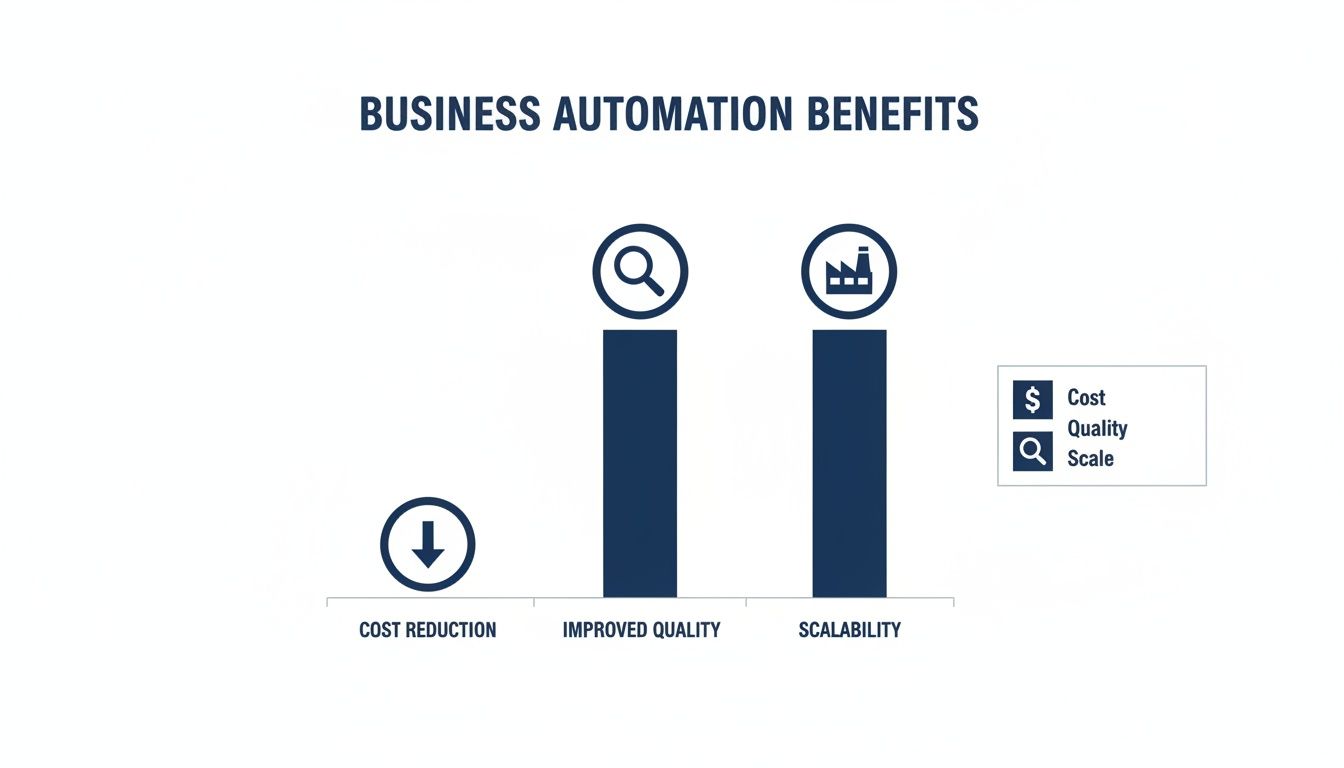
The key takeaway here is how interconnected these benefits are. When you cut costs with automation, you simultaneously improve the quality and consistency of your work, which in turn allows you to scale the business much more profitably.
ROI Calculation: The Real Cost Of Manual Tasks
Let's do the math. Here’s a breakdown of the potential annual cost of a few common manual tasks and the savings you could pocket by setting up a simple automation system.
| Manual Task | Estimated Hours Per Week | Annual Cost (at $50/hr) | Projected Automation Savings (90%) |
|---|---|---|---|
| Lead Data Entry & CRM Updates | 5 hours | $13,000 | $11,700 |
| Sending Follow-Up Emails | 3 hours | $7,800 | $7,020 |
| Scheduling Appointments | 2 hours | $5,200 | $4,680 |
| Generating Weekly Reports | 4 hours | $10,400 | $9,360 |
| Total Annual Manual Cost | 14 hours | $36,400 | $32,760 |
As you can see, automating just a few basic tasks can free up tens of thousands of dollars and hundreds of hours every year. This isn't just theory; it's the measurable ROI that comes from replacing fragile manual processes with a reliable, engineered system.
This kind of analysis is the first step in building a rock-solid business case for investing in automation. It completely flips the conversation from "Can we afford to automate?" to "Can we really afford not to?"
Putting Automation To Work In Your Key Departments
Thinking about the benefits of automation is one thing, but seeing it work in the real world is something else. Automation isn’t an abstract tech concept; it’s a practical tool you can put to work across your entire business to solve the daily headaches that slow you down.
From an engineering mindset, every department is a system with inputs, processes, and outputs. Automation simply makes those processes more reliable and efficient. Let’s break down how this works in the departments that drive your growth.
Transforming Your Marketing Engine
Your marketing team’s main job is to find and qualify potential customers. When you do this manually, it’s slow, things fall through the cracks, and you’re often just guessing. An automated marketing system is like having a tireless qualifying agent working for you 24/7.
Instead of your team manually blasting out one-off emails, picture a system that automatically starts a lead nurturing sequence the second someone downloads a guide from your website.
Example Marketing Workflow:
- Lead Capture: A prospect in the manufacturing space downloads your whitepaper on "Improving Production Line Efficiency."
- Automated Tagging: The system instantly tags them as a "Manufacturing Lead" who's interested in "Efficiency."
- Nurture Sequence: Over the next couple of weeks, the system sends a series of helpful, pre-written emails.
- Day 1: A quick "thank you" email with a link to a related case study.
- Day 4: An email pointing them to a blog post about common production bottlenecks.
- Day 9: An invitation to a short webinar on automation in manufacturing.
- Sales Handoff: If the lead signs up for the webinar, the system automatically pings a salesperson and drops a task in their calendar to follow up.
This whole process hums along without anyone lifting a finger, making sure every single lead gets a consistent, valuable experience. It warms them up so that by the time they finally talk to your sales team, they’re already educated and interested.
Empowering Your Sales Team To Sell
Your best salespeople should be building relationships and closing deals, not getting buried in admin work. Manual sales processes are famous for creating friction—endless CRM updates, sending follow-up reminders, and drafting proposals all eat up valuable time. This is where exploring what is sales automation can completely change the game for your team.
Automation strips away that administrative burden, freeing up your reps to focus on the high-value conversations that actually generate revenue.
An automated sales system acts as a perfect personal assistant for every member of your sales team. It never forgets a follow-up, never mistypes a contact's information, and never lets a hot lead slip through the cracks.
Think about how a system like GoHighLevel can become the central nervous system for your sales process:
- Instant Follow-Up: When a salesperson moves a deal to the "Proposal Sent" stage, the system can automatically send a follow-up email a few days later checking in.
- CRM Hygiene: When a new contact gets added, the system can automatically fill in fields like company size or industry based on their email, saving minutes on every single entry.
- Task Management: An automation can create a task for a rep to call a prospect exactly one week after a product demo, locking in consistent follow-through.
This isn’t about replacing your salespeople. It’s about giving them superpowers so they can be more effective and close more business.
Streamlining Your Daily Operations
Operational efficiency is the foundation of any business that wants to scale. In operations, automation is all about getting rid of the small, repetitive tasks that drain your team’s focus and open the door to human error.
Just think about all the manual back-and-forth that goes into scheduling appointments, collecting feedback, and keeping everyone in the loop. Each one of those is a prime opportunity for automation.
Example Operations Workflow (B2B Service Provider):
- Appointment Booking: A client books a consultation using your online calendar.
- Automated Reminders: The system automatically sends an email reminder 24 hours before the meeting and a text message reminder one hour before.
- Post-Meeting Follow-Up: An hour after the meeting is scheduled to end, an automated email goes out asking for feedback and sharing next steps.
- Internal Notification: The system notifies the project management team in a dedicated channel that a new client consultation just wrapped up.
This simple workflow cuts down on no-shows, guarantees consistent follow-up, and keeps the internal team perfectly synced—without anyone having to do a thing. This is how you build a business that runs like a well-oiled machine.
Common Automation Traps (And How to Sidestep Them)
Putting automation to work is a game-changer, but the real wins only show up when it’s done right. You have to think like an engineer: diagnose the actual problem before you start building the solution. Too often, we see companies dive headfirst into automation without a clear map, which almost always leads to frustration and wasted money.
This isn’t just a list of warnings. Think of it as a field guide to avoiding the common mistakes we see every day, ensuring your automation strategy actually delivers the results you’re after.
Trap 1: Automating a Broken Process
This is the biggest and most common mistake we see. If your current manual process is confusing, full of unnecessary steps, or creates constant bottlenecks, automating it will only make the chaos happen faster. It’s like putting a supercharged engine in a car with wobbly wheels—you’re just going to fly off the road that much quicker.
Before you touch a single workflow builder, you need to map out your existing process. Get your team in a room and ask the tough questions.
Questions to Ask Before You Automate:
- Why do we do this step? Is it actually necessary, or just something you’ve always done?
- Where do things get stuck? Pinpoint the exact moments where tasks stall or mistakes happen.
- Can we simplify this? Cut out the redundant steps before you even think about building software around them.
Only after you’ve streamlined the process on paper should you start building the automated version.
Trap 2: No Clear Goals or KPIs
Another classic misstep is starting the journey without a destination. What does success actually look like for you? If you don’t set clear goals and Key Performance Indicators (KPIs), you have no way to know if your automation is working or justify the investment.
Saying you want to "save time" is just too fuzzy. A real goal is specific and can be measured.
Your goal isn't just to plug in new technology; it's to solve a real business problem. Define what you're trying to fix, how you'll measure the improvement, and what the financial or operational payoff will be.
Instead of a vague wish, define a sharp target. For instance, your goal might be to “reduce lead response time from two hours to under five minutes” or “cut invoice processing errors by 95% within 60 days.” That gives you a clear finish line to run toward.
Trap 3: Picking the Wrong Tools for the Job
The market is flooded with automation software, and it's easy to get distracted by flashy features you’ll never use. Choosing a platform that’s too complex for your team can create more work than it saves, leaving everyone wrestling with a clunky interface. On the flip side, a tool that’s too basic won’t be able to handle the workflows you need as your business grows.
The right tool should fit your operation, not the other way around. Look for a solution that can act as a central hub, connecting the different parts of your business without friction. A platform like GoHighLevel, for example, is built to bring marketing, sales, and operations under one roof, so you aren’t stuck trying to tape a dozen different apps together. The key is finding a system that solves today's problems but is ready for tomorrow's growth.
Your First 90 Days Of Business Automation
Theory is great, but real results come from taking action. So, how do you get started without trying to boil the ocean? We always recommend a focused 90-day plan designed to score a tangible win, fast. This isn't about overhauling your entire operation overnight; it's about building momentum.
Think of it like a pilot project. You isolate a single problem, build a targeted fix, measure the outcome, and then use that success to justify the next move. This approach minimizes risk and proves the value of automation from day one.
Phase 1: Diagnosis And Planning (Days 1-30)
The first month is all about reconnaissance. Your goal is to pinpoint the single biggest point of friction in your business—that one manual task that eats up the most time or causes the most headaches.
Start by talking to your team. Ask them: "If you could get rid of one repetitive task forever, what would it be?"
Your Action Items for Month One:
- Identify Bottlenecks: Get real about where the time goes. List out the top 3-5 manual jobs that consume the most hours each week. Is it double data entry? Chasing down leads? Manually scheduling appointments?
- Choose Your Pilot: Pick just ONE of those tasks for your first project. Go for the one with the clearest pain point and the most obvious way to measure success.
- Define Success: What does a "win" actually look like? Set a specific, measurable goal. For example: "Cut down the time we spend on manual lead entry by 90%." If you need help setting meaningful targets, you can learn more about how to measure marketing ROI.
Phase 2: Build And Test (Days 31-60)
With a clear target locked in, the second month is for building and testing. This is where you pick your tool and map out your first automated workflow. The key here is to keep it simple and focused entirely on solving that one problem you identified.
Don't try to build the perfect, all-encompassing system right away. The goal here is to create a Minimum Viable Automation—a simple, effective workflow that solves your pilot problem and nothing more.
During this phase, you'll choose a platform like GoHighLevel that can handle the job. Then, you'll map out the step-by-step logic. For example: "When a new form is submitted, create a contact in the CRM, add a 'New Lead' tag, and instantly fire off a notification to the sales team."
Phase 3: Deploy And Measure (Days 61-90)
The final month is all about going live and watching the numbers. You'll launch your new automation and monitor it closely to make sure it's running exactly as planned. This is the moment of truth where you compare your results against the goal you set back in month one.
Did you hit your number? Seeing those hours saved or errors eliminated gives you the hard data you need to justify expanding your automation efforts. This first win becomes the case study for your next 90-day plan, kicking off a cycle of continuous improvement.
Still Have Questions About Business Automation?
We get it. Stepping into automation for the first time brings up some very real, practical questions. Here are a few of the most common ones we hear from business owners, with straight-up, honest answers to help you see the path forward.
Isn't Automation Too Expensive For My Small Business?
This is probably the number one concern, and it's completely valid. When you hear "automation," you might picture giant factory robots, but modern marketing and sales automation is a different world. It’s surprisingly affordable.
The real trick is to stop thinking of it as an expense and see it for what it is: an investment. Once you calculate the hidden costs of manual mistakes and lost sales leads, the ROI clicks into place. A small monthly investment that frees up 10-15 hours of work and helps you land just one more deal a month? It pays for itself almost immediately.
Will This Just End Up Replacing My Employees?
Not a chance. In fact, it's the exact opposite. The whole point of business automation is to make your people more powerful, not to replace them. The goal is to build a system that takes over the boring, repetitive tasks that no one really wants to do anyway.
Think of it this way: automation does the robotic work—like chasing down follow-ups or logging data. This frees up your team to do the uniquely human work—building relationships, thinking creatively, and closing deals.
This actually makes their jobs better. It boosts morale and lets your sharpest minds focus on the high-value activities that truly drive the business forward.
Okay, So Where's The Best Place To Start?
Don't try to boil the ocean. The quickest way to get overwhelmed is by trying to automate everything at once. The best approach is to start small and targeted.
Find the single biggest pain point in your day-to-day operations. Sit down with your team and ask:
- What's the one manual task that drives everyone crazy and eats up the most hours?
- Is it the mind-numbing process of copying lead info from an email into a spreadsheet?
- Is it the endless back-and-forth trying to schedule a simple meeting?
Pick that one thing—that high-frustration, high-impact task. Solve that problem first. Nailing a quick win proves the concept, gets your team excited, and builds the confidence you need to tackle the next bottleneck.
