
A content marketing sample only becomes useful when it solves a specific industrial buyer problem. It might prove your manufacturing capability, clarify a complex process, help sales follow up, or reveal whether a prospect is ready for a CRM or SEO project. A polished asset without a diagnosis behind it is just another file in the marketing folder.
Content marketing is now a major commercial discipline. One market overview projects that global content marketing revenue will surpass $107 billion in 2026, a projection that reflects how content has entered B2B and B2C budgets for SEO, email, video, and AI-assisted workflows (Ringly's 2026 content marketing overview). For manufacturers, that investment makes sense because technical buyers often need education and proof before they speak with sales.
The goal isn't to publish more content. It's to build a system that helps the right buyer move forward.
The eight examples below treat each asset as a repeatable system. For every sample, we'll examine the audience problem, format, proof, production workflow, measurement, limitations, and next action. Use the format that matches your bottleneck, not the format that happens to be popular.
Table of Contents
- 1. Technical Case Studies with ROI Documentation
- 2. Step-by-Step Implementation Guides and Checklists
- 3. Industry-Specific Email Swipe Files and Templates
- 4. Video Explainers and Process Walkthroughs
- 5. Diagnostic Worksheets and Assessment Tools
- 6. Competitive Positioning and Comparison Guides
- 7. Monthly or Quarterly Industry Reports and Benchmarks
- 8. Customer Success Stories and Testimonial Videos
- 8 Content Marketing Samples Compared
- Turn One Sample Into a Working Content System
1. Technical Case Studies with ROI Documentation
A generic case study says a client had a problem and felt happy with the result. A technical case study shows how the problem was diagnosed, what changed in the process, and which evidence supports the outcome. That difference matters to engineers, procurement teams, and operations leaders who need more than polished language before they recommend a supplier.
Build the narrative around Problem, Diagnosis, Solution, Timeline, and Results. Explain the original production, sales, or operational constraint. Then show the decisions behind the solution, including relevant specifications, implementation steps, dependencies, and points where the team had to adjust its approach.
A manufacturing-focused case study from Protocol80 reported a 1,500% increase in monthly leads, a 600% increase in qualified sales opportunities, a 570% increase in monthly traffic, and a 1,107% increase in mobile traffic after six months of intensive content marketing. The same account reported that the website generated ROI for both the client and service provider after one month (the manufacturing marketing case study). Use this kind of evidence only when the client has approved the measurement method and wording.
Build proof into the workflow
Before drafting, secure written permission and confirm which metrics may be published. Capture baseline reports, CRM records, analytics screenshots, production records, or other source material that lets a reader distinguish correlation from a vague success claim.
Use a workflow like this:
- Interview the delivery team: Ask what changed operationally, not just what the client bought.
- Validate the metrics: Confirm definitions, dates, attribution rules, and sign-off.
- Add the buyer's perspective: A named client quote can help, but only with explicit approval.
- Match the audience: A sales leader may care about qualified opportunities, while an operations leader may care about time, waste, or throughput.
Replication checklist
Measure qualified inquiries, sales opportunities, time saved, cost changes, or pipeline movement where the client can verify them. Avoid invented results, cherry-picked screenshots, and claims that confuse traffic with revenue. For a practical production process, use this guide to create stronger case studies.

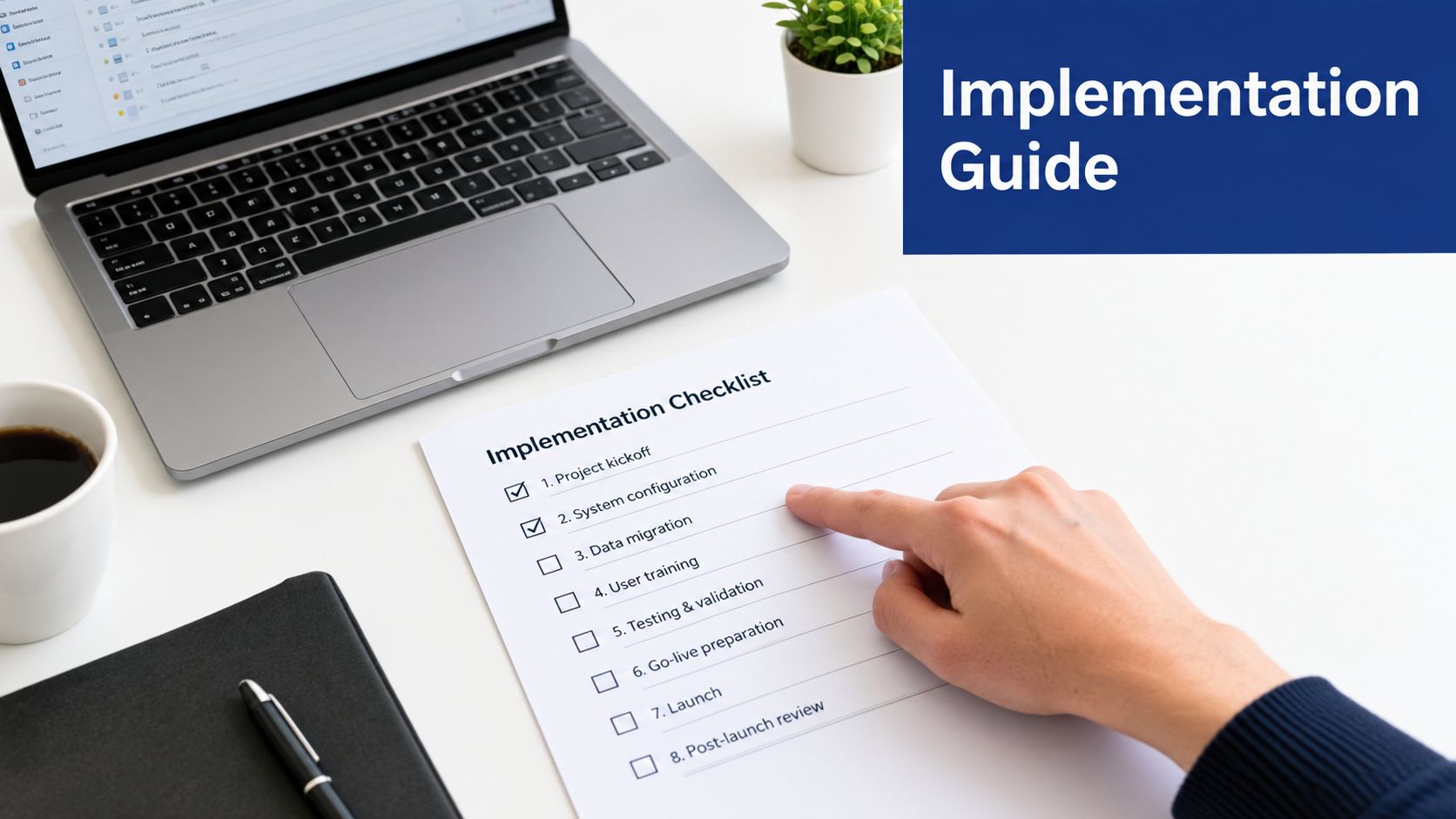
2. Step-by-Step Implementation Guides and Checklists
A manufacturer rarely searches for “content.” The buyer searches for a task, a risk, or a decision. A practical implementation guide earns attention by helping someone complete that task with less uncertainty.
Start with a concrete outcome, such as setting up CRM pipeline visibility, auditing a manufacturing website, or launching a B2B email campaign. Each step should begin with an action verb and explain why it matters. “Map lead sources” is more useful than “review your marketing.” “Test the automation with a real contact” is more useful than “ensure the workflow works.”
Design the guide for execution
A strong guide includes the main path and the failure points. If the reader is configuring GoHighLevel, explain what happens when a form fails to pass the source field, a notification reaches the wrong person, or a follow-up sequence starts without sales context. If the reader is auditing SEO, separate technical issues from keyword mapping, local search, conversion paths, and content gaps.
Keep the format easy to print or share:
- Define the finished state: Tell readers what they'll have when the process is complete.
- Sequence the work: Put dependencies first, especially data, access, and approvals.
- Add time guidance: Use qualitative labels such as quick review, focused setup, or specialist work when exact timing varies.
- Include a failure check: State what could go wrong and how to verify the result.
- Offer a printable version: A PDF helps teams use the guide during meetings or implementation.
A guide may attract search traffic, but its stronger role is sales enablement. A prospect who completes part of a marketing plan framework can have a more productive conversation about gaps and priorities.
What to measure
Track checklist downloads, completion signals, replies, consultation requests, and the number of sales conversations where the guide is used. A guide isn't a fit when the process depends on undocumented internal knowledge, privileged system access, or decisions the reader can't make alone. In those cases, the asset should diagnose the work and direct the buyer to implementation support.
For a broader view of tools creators use to produce and distribute assets, compare this guide to creator software.
3. Industry-Specific Email Swipe Files and Templates
Email templates work only when they solve the blank-page problem for a specific buying situation. A machine shop following up on a quote needs a different sequence from an equipment manufacturer educating a buying committee over a longer evaluation.
Build the swipe file around real scenarios, not generic outreach. Include a first response to a website inquiry, a follow-up after a technical discussion, a nurture sequence for an unresolved project, and a reactivation message for an old prospect. Each template should show the purpose, audience, trigger, timing, personalization fields, and the next step you want the reader to take.
Use [BRACKETED PLACEHOLDERS] for company names, product details, capabilities, specifications, and buyer concerns. Lead with the reader's situation, then your response. “Are you still evaluating ways to reduce changeover delays?” creates a different opening from “We offer advanced manufacturing solutions.”
A useful swipe file also shows the handoff rules. Spell out when to send each message, how often to follow up, and what sales should do when a prospect replies. Keep subject lines short for mobile reading, but do not treat a length rule as proof of performance. Test the wording against your audience and offer.
Include:
- A clear use case: State the event that triggers the email.
- A personalization map: Identify which fields need human review.
- A specific CTA: Ask for a reply, a short call, a drawing, or a defined next step.
- A handoff rule: Tell sales when automation should stop.
- An inbox preview: Show how the message appears in practice.
Templates should support judgment, not replace it. A sequence that keeps sending after a prospect has requested a quote can damage trust. Use this collection of sales follow-up email templates as a starting point, then adapt the language to the buying process.

Measure the conversation
Track replies, qualified conversations, booked meetings, unsubscribe signals, and opportunities influenced by the sequence. Open rates give directional insight, but they do not prove commercial value by themselves. The true test is whether the template gets the right prospect to respond with useful information.
4. Video Explainers and Process Walkthroughs
Some technical processes are easier to judge on screen than on a page. A video can show a CRM setup, a website audit, or a nurture workflow in the order a buyer will encounter it.
The best version is specific. A first CRM pipeline walkthrough should show field mapping, stages, ownership, notifications, and a test submission. A website audit clip should isolate one conversion path, one technical issue, and one content gap. That focus helps the viewer decide whether the process is sound and whether the team can reproduce it.
Produce for clarity, not spectacle
Start with a short script. Leave enough context for technical buyers to evaluate the recommendation, but cut anything that does not help them follow the process. Use a screen recorder such as ScreenFlow, Camtasia, or OBS, then add captions and correct errors by hand.
A repeatable workflow looks like this:
- Choose one decision: State what the viewer should understand or do.
- Prepare the environment: Remove irrelevant tabs, personal data, and distracting notifications.
- Record the demonstration: Show the actual sequence instead of describing it abstractly.
- Add captions and a text summary: Make the information accessible to people who cannot watch.
- Connect the next action: Link to a template, assessment, or related service.
HubSpot's trend reporting identifies short-form video, long-form video, and live-streaming video as leading ROI-driving formats in 2026, while 94% of marketers plan to use AI in content creation (HubSpot's marketing trends report). These are industry-reported trend figures, not a reason to use video everywhere. A technical audience may still prefer a detailed guide when the process needs to be referenced later.
Measure assisted understanding
Track qualified video views, completion patterns, clicks to supporting assets, and sales usage. Place the video beside a written summary, because search engines and readers still need accessible text. The video works when it shortens explanation time or helps a buyer take the next step with fewer questions.
5. Diagnostic Worksheets and Assessment Tools
A diagnostic worksheet changes content from a one-way explanation into a working decision aid. For a manufacturer, it can expose weak lead source tracking, incomplete CRM setup, thin website performance, or a sales and marketing handoff that relies on memory instead of process.
The value comes from the diagnosis itself. Show how points are assigned, define what each score means, and treat a low result as a starting point for cleanup. If the assessment asks about data quality, documented workflows, team capacity, and follow-up ownership, the result should point to the missing condition that creates the most risk.
A good worksheet also avoids pretending every reader needs the same advice. A CEO may need a broad readiness check, while a sales manager may need questions about response time and handoff discipline. An operations lead may care more about data hygiene and ownership than lead volume.
Turn the result into a practical next step
The score should point to one action a reader can take without buying anything. Weak source tracking can lead to a short CRM field review. Inconsistent follow-up can lead to a named owner and a documented response process. A site with solid technical performance but poor conversions may need a review of forms, calls to action, and the path from marketing to sales.
A useful assessment keeps the friction low:
- Let people finish before asking for details: Put the gate after the worksheet, not before it.
- Show the scoring logic: Explain every category and why it matters.
- Offer role-based versions: Different versions for CEOs, sales managers, and operations leads create better answers.
- Tie one action to each result: Give a clear next step matched to the score.
- Handle high-intent results carefully: Route qualified signals to a person, not an aggressive email sequence.
Avoid unsupported peer comparisons. If you do not have reliable data from a clearly defined group, do not claim that “most manufacturers” land in a certain range. Use qualitative labels such as emerging, developing, or established until the worksheet has a defensible reference set.
Measure diagnostic value
Track completed assessments, result views, follow-up replies, qualified conversations, and the gaps that appear most often. The tool is weak if visitors get a score but cannot tell what to do next. Its job is a clearer diagnosis, not a decorative quiz.
6. Competitive Positioning and Comparison Guides
A comparison guide works when it helps a buyer choose with less risk. Manufacturers comparing GoHighLevel, HubSpot, or ActiveCampaign do not need a disguised pitch. They need to see implementation effort, workflow fit, reporting depth, data ownership, support quality, and the cost of choosing the wrong tool.
The same rule applies to service models. In-house marketing, an agency, and a hybrid team should be judged on subject-matter access, strategy depth, execution capacity, internal ownership, handoff risk, and scalability. A CRM comparison should separate product features from the work required to configure, maintain, and use them.
Make the trade-offs visible
Start with the decision, then show the limits.
- Who it fits: Identify the company size, process maturity, and internal capability that make the option workable.
- What it requires: List the data, skills, integrations, and management time needed to run it well.
- Where it breaks down: Show the limitations that create friction or hidden work.
- What it replaces: State whether it consolidates tools or adds another layer.
- When to avoid it: Name the conditions where a different option makes more sense.
If you mention pricing, verify it directly and date the information. If pricing changes often or is not public, explain the cost drivers instead of guessing. Keep vendor claims separate from your editorial judgment, and invite feedback from users of competing tools when you can verify it.
Comparison topics should come from buyer search behavior, not internal assumptions. Use how to run a content gap analysis to find the questions your site still fails to answer, then build the guide around those gaps. That approach keeps the piece useful for readers and harder for competitors to copy.
Measure decision support
Track downloads, assisted conversions, sales usage, comparison-page engagement, and the questions that come back after publication. A comparison guide fails if readers cannot test the options, understand the criteria, or see the limits clearly. Credibility does the work here. If the guide pushes a favorite option without fair comparison, buyers will notice and trust drops fast.
7. Monthly or Quarterly Industry Reports and Benchmarks
A useful industry report gives manufacturers evidence they can act on, not another opinion piece. A manufacturing marketing performance report, industrial SEO snapshot, or machine-shop lead-generation survey can help readers compare their situation with a defined peer group and decide where to invest effort.
Start with the research question and collection plan. Record who participated, how respondents were selected, when the data was collected, and which questions were asked. A small group of highly relevant respondents may produce useful insight, provided the report states its limits. Anecdotes become misleading when presented as an industry benchmark.
The report's value depends on what readers can verify. Show the sample definition, explain missing responses or exclusions, and separate observed findings from interpretation. Use outside standards for context only when the source supports the comparison. Citing Gartner, Forrester, or a trade association without evidence does not strengthen the analysis.
Build a repeatable publishing system
Design the research so one dataset can support several buyer touchpoints:
- A public article can explain the main finding.
- A chart can give sales representatives a concise proof point.
- A short video can present the result to busy plant or marketing leaders.
- A sales enablement page can connect findings to common buyer questions.
- Social posts can distribute individual observations.
- A gated report can provide the methodology, detailed tables, and practical recommendations.
Gate the full report only when it offers more than the public summary. Otherwise, the form adds friction without creating much value.
Prioritize findings that can change a decision. Examine which channels generate inquiries, where attribution or follow-up breaks down, which capabilities companies plan to develop, and what stronger programs document or measure. Each finding should end with a practical implication for a manufacturer. For example, a gap in lead follow-up may justify a process review, while inconsistent measurement may require clearer definitions before additional spending.
Track downloads, citations, partner distribution, qualified conversations, and sales usage. A small team that cannot collect reliable data or repeat the research process should publish a narrower diagnostic based on information it can verify.
Reference ranges for manufacturing content programs include typical blog conversion rates of 1% to 2.5%, email open rates of 18% to 24%, content-attributed lead rates of 1.5% to 3%, and engagement rates of 45% to 55%. The same source reports 2% to 5% conversion for strong gated assets and 3x to 5x content-spend returns (manufacturing content marketing benchmarks). Treat these as reference ranges, not targets. Definitions, audiences, channels, and attribution models can materially change the result.
8. Customer Success Stories and Testimonial Videos
A testimonial video can make a technical buyer feel the reality of working with your company. The viewer hears how a peer describes the initial challenge, sees the environment where the work happened, and notices whether the account contains specific operational detail or only general praise.
The interview should focus on the client's experience, not a scripted endorsement. Ask what triggered the project, what was difficult before the change, which part of the implementation required the most adjustment, and what happened after the process settled. Follow up on vague answers. “It improved efficiency” isn't evidence until the client explains what changed and how the team recognized it.
Capture a credible story
Prepare questions, but keep the conversation natural. Film in the client's workplace where possible, and use B-roll of people, equipment, documents, or workflows to break up the interview. Add captions and simple graphics for approved metrics, milestones, or process changes.
Get a signed release that covers where the video can appear and how it may be edited. Confirm permission for names, job titles, company references, screenshots, and performance claims. If the client can't disclose numbers, the story can still be useful when it documents the decision process, implementation experience, and observable operational change.
Keep the main interview focused. A short version can support a service page or sales email, while longer footage can answer detailed questions during a sales conversation. Use a hyper-realistic video tool only where it supports production needs, and never use synthetic footage to imply that a real customer said or experienced something they didn't.
Measure trust and sales use
Track qualified video views, email clicks, page engagement, proposal usage, and direct feedback from sales. A testimonial video fails when it sounds rehearsed, hides limitations, or claims results the client hasn't approved. Its job is to reduce perceived risk by showing a credible customer journey.
8 Content Marketing Samples Compared
| Content Type | 🔄 Implementation Complexity | ⚡ Resource & Speed | ⭐📊 Expected Outcomes & Impact | 💡 Ideal Use Cases | Key Advantages |
|---|---|---|---|---|---|
| Technical Case Studies with ROI Documentation | High, deep data collection, interviews, client sign‑off required | ⚡ Slow (weeks); moderate cost for research & writing | ⭐ Very high, proven ROI, trust building, strong SEO/lead signals 📊 | Risk‑averse manufacturers evaluating vendors; proposal support | Proof of performance; resonates with engineers; measurable metrics |
| Step-by-Step Implementation Guides and Checklists | Medium, requires subject‑matter expertise and clear structure | ⚡ Fast–Medium to produce; low–medium cost (templates/graphics) | ⭐ High, immediate applicability, reduces support load, good retention 📊 | DIY owners, onboarding, lead‑magnet conversion flows | Actionable steps; highly shareable; good for lead capture |
| Industry-Specific Email Swipe Files and Templates | Low–Medium, copywriting skill and niche knowledge needed | ⚡ Fast and low cost; quick to distribute | ⭐ Medium, accelerates outreach, improves response benchmarks 📊 | Sales teams, SDRs, quick campaign launches | Removes friction; immediately usable; effective lead magnet |
| Video Explainers and Process Walkthroughs | Medium–High, scripting, recording, editing required | ⚡ Medium speed; higher production effort or outsourcing cost | ⭐ High, boosts engagement and comprehension; SEO benefits 📊 | Complex processes, tool setups, visual learners, training | Engaging format; reduces misunderstanding; multi‑channel use |
| Diagnostic Worksheets and Assessment Tools | Medium, needs scoring logic, benchmarks, and clear interpretation | ⚡ Medium; digital automation adds cost/time | ⭐ High, generates qualified leads, provides clarity and segmentation 📊 | Lead qualification, discovery calls, gated lead magnets | Diagnostic authority; conversation starter; data for segmentation |
| Competitive Positioning and Comparison Guides | Medium–High, research, unbiased evaluation, frequent updates | ⚡ Medium; research and verification required | ⭐ High, builds trust, captures high‑intent comparison traffic 📊 | Buyers comparing tools/approaches; research stage prospects | Honest trade‑offs; positions you as advisor; SEO for comparison queries |
| Monthly or Quarterly Industry Reports and Benchmarks | High, original data collection, analysis, methodology transparency | ⚡ Slow; significant resources and time (surveys, analysis) | ⭐ Very high, thought leadership, PR opportunities, scalable leads 📊 | Thought leadership, PR outreach, recurring lead generation | Citable research; recurring evergreen content; media traction |
| Customer Success Stories and Testimonial Videos | High, client coordination, production, releases and editing | ⚡ Medium–Slow; production and scheduling overhead | ⭐ Very high, emotional credibility, conversion lift, persuasive proof 📊 | Late‑stage buyers, sales enablement, landing pages | Authentic social proof; builds trust quickly; strong conversion impact |
Turn One Sample Into a Working Content System
The strongest content marketing sample isn't an isolated creative exercise. It has a job in the buyer journey, an owner, a source of proof, a production workflow, a distribution plan, and a measurement method. Without those connections, even a well-written asset becomes difficult to maintain and almost impossible to improve.
Group the eight formats by the bottleneck they address:
- Prove capability: Technical case studies and testimonial videos show how your team works and what the buyer can verify.
- Teach execution: Implementation guides and process walkthroughs help prospects understand the work and judge its complexity.
- Create conversations: Diagnostic assessments and industry-specific email sequences turn uncertainty into a useful exchange.
- Support decisions: Comparison guides and original reports help buying committees evaluate options with clearer criteria.
The broader economics explain why manufacturers keep building these systems. A long-running industry benchmark reports that content marketing can generate 3 times more leads than outbound marketing while costing 62% less, and related reporting places average content marketing return at $2.77 for every $1 spent, or 177% profit (Digital Applied's content marketing data points). Those figures are benchmarks, not guarantees. Your result depends on audience fit, evidence quality, distribution, sales follow-up, and how consistently the system operates.
Search and content consumption are also changing. Recent reporting emphasizes clearer structure, information gain, multimodal content, and visibility that may not always produce a direct website visit (WordStream's 2026 content marketing trends). That makes original proof and useful structure more important than publishing shallow variations of the same topic.
Choose the next asset
Use this short decision process:
- Choose one buyer bottleneck: Identify whether the buyer needs proof, education, follow-up, diagnosis, or comparison.
- Select one asset: Pick the format your team can produce credibly and maintain.
- Define the evidence: Decide which screenshots, records, interviews, specifications, or original findings support the claim.
- Assign an owner: Name the person responsible for production, review, publishing, and updates.
- Set one measurable outcome: Choose a business signal such as qualified replies, sales usage, completed assessments, or opportunities influenced.
- Schedule a review: Revisit the asset when the process, product, proof, or buyer question changes.
Don't start with the format your competitors publish most often. Start with the question your sales team hears repeatedly and the evidence your company can provide. HubSpot defines content marketing as creating and distributing useful information that helps buyers understand problems, evaluate solutions, and make decisions (HubSpot's content marketing definition). That definition is a practical filter for every sample on this list.
Machine Marketing can help when your content, CRM, SEO, email, and sales processes exist but don't work as one system. Start with a diagnosis, identify the disconnected handoff, and build the asset that removes the most important buyer bottleneck.
Machine Marketing helps manufacturers, machine shops, and industrial businesses connect content strategy with SEO, CRM, email, automation, and lead generation. Visit Machine Marketing to discuss a practical diagnosis and choose the next content system your team can produce and measure.
