
If your CRM feels more like a digital address book than a growth engine, you’re leaving predictable revenue on the table. The problem isn't the software; it's the lack of a system that turns your valuable customer data into targeted, automated conversations.
In this guide, we'll show you how to diagnose the gaps in your current setup. Then, we’ll provide the framework to transform your CRM from a passive database into your most powerful tool for building effective campaigns in CRM.
Why Is Your CRM Underperforming? A Quick Diagnosis
So many businesses are diligent about collecting customer data but fail to activate it. We see this all the time—a powerful piece of tech being used like a simple spreadsheet. You have the names, emails, and purchase histories, but without a strategy, that information just sits there.
This isn't a small oversight; it’s a massive bottleneck preventing your growth. The real value of a CRM is unlocked when you build systems that turn that data into automated, personalized outreach. That’s the entire point of running campaigns in CRM: to move contacts from one stage of their journey to the next, systematically and predictably.
From Passive Data to Active Growth
The global CRM market is projected to exceed $112 billion by 2025 for one simple reason: businesses are waking up to the power of targeted campaigns. The numbers are clear: companies using their CRM for automated outreach see an average return of $8.71 for every dollar spent. You can explore more CRM market insights on Kixie.com.
This isn't about sending more emails. It’s about building an engine that works for you 24/7, turning your marketing spend into a reliable profit machine.
The real value of a CRM isn't in storing data; it's in deploying it. A well-executed campaign system ensures no lead is forgotten and every customer feels seen.
This guide will give you a step-by-step process to build, launch, and measure campaigns that actually drive results. We'll diagnose the common problems and give you the solutions to fix them, starting with a health check of your current system.
Questions to Ask About Your Current CRM Campaign Health
Before we build, let's diagnose. Does any of this sound familiar? This quick self-assessment will help you identify the common gaps we see in most marketing systems.
| Symptom | Potential Root Cause | How This Guide Provides the Solution |
|---|---|---|
| You send sporadic email blasts to your entire list. | Lack of audience segmentation. | We'll show you how to group contacts based on behavior and interests. |
| Leads go cold right after the first contact. | No lead nurturing sequence is in place. | We'll walk through building an automated follow-up campaign. |
| You have no idea if your marketing is actually making you money. | Poor tracking and attribution. | You'll learn which KPIs actually matter for measuring ROI. |
Recognizing the problem is the first step. Throughout this guide, we'll give you the exact strategies to turn these symptoms into strengths, creating a marketing system that drives real, measurable growth.
Understanding the Core Types of CRM Campaigns
Before you build anything, you need to know your tools. A "campaign" in your CRM isn't a one-off email blast; it's a planned sequence of communications designed to achieve a specific business goal.
The key is to see each campaign type as a different conversation. You wouldn't welcome a new customer with the same message you'd use to win back an old one, would you? Let's break down the three foundational campaigns every business needs to get right.
Lead Nurturing Campaigns
What's the first thing you should say to someone who just raised their hand and showed interest? A Lead Nurturing campaign is your automated answer. Its purpose is to take a new prospect and methodically build trust by demonstrating your value over time.
This isn't about a hard sell in the first email. It's an educational process that guides them toward understanding how you solve their problem. You're sending helpful resources, answering common questions, and sharing case studies—all before asking for the sale. This warms up leads so your sales team talks to people who are informed and ready for a serious conversation.
- Goal: Turn a new lead (e.g., a guide download) into a sales-qualified opportunity.
- Trigger: A contact fills out a form on your website.
- Real-World Example: A manufacturing company gets a new lead from a whitepaper download. The CRM immediately starts a 4-part email sequence over two weeks. The emails share a related case study, an invite to a webinar, and an offer for a free consultation.
This type of campaign is often built as a drip sequence, where messages are sent on a pre-set schedule. To learn more about the mechanics, you can read our guide on what a drip email campaign is.
Customer Onboarding Campaigns
Your job isn't done when a customer signs the contract—it’s just beginning. The first few weeks are critical for setting the right tone and ensuring they get immediate value. A Customer Onboarding campaign is your system for making that happen flawlessly.
The goal is to welcome new customers, walk them through the first steps, and reinforce their smart decision to choose you. A solid onboarding experience crushes buyer's remorse and reduces churn, turning new customers into long-term fans.
Think of it this way: a lead nurturing campaign gets them in the door. An onboarding campaign convinces them to stay and makes them feel at home.
This campaign is your chance to get ahead of common questions, provide training materials, and check in to make sure they're succeeding.
Re-engagement Campaigns
What about contacts who go quiet? Every CRM has them: prospects who seemed interested but disappeared, or past customers who haven't bought anything in a year. A Re-engagement campaign is your mission to bring them back.
These campaigns identify inactive contacts and deliver a specific sequence that reminds them of your value or presents a compelling new reason to return. It’s far cheaper to reactivate an old lead than to find a new one. In fact, re-engaging just 5% of your customers can boost profits by 25% to 95%. This is a massive opportunity most businesses are sleeping on.
- Goal: Re-activate dormant leads or previous customers.
- Trigger: A contact hasn't opened an email or visited your website in 90 days.
- Real-World Example: A B2B service provider segments contacts who received a proposal but never signed. The CRM sends a short, two-email sequence asking if the project is still a priority and offering a new, relevant case study.
Once you master these three core campaigns in CRM, you'll have a system that speaks to people at every stage of their journey with your business. You'll finally be sending the right message to the right person at the right time.
Your Step-by-Step Guide to Building a High-Impact CRM Campaign
Let’s move from theory to action. It’s one thing to know the campaign types; it’s another to build one that works. We're going to construct your first foundational campaign: a Lead Nurturing sequence. This is the workhorse of any successful marketing system.
We'll walk through the five critical steps to get this campaign off the ground. Think of it not as a complex project, but as assembling a simple, effective machine. Each part has a specific job, and when connected correctly, the machine runs on its own.
Step 1: Set a Clear, Measurable Goal
First, what does success look like? Without a clear goal, you're just sending emails into the void. A vague objective like "nurture leads" is a recipe for wasted effort. You need something specific and measurable.
Ask yourself: "What is the single most valuable action we want a new lead to take?" That answer becomes your campaign goal.
- Vague Goal: Increase engagement.
- Clear Goal: Book 10 qualified sales appointments from trade show leads within 30 days.
- Clear Goal: Achieve a 15% conversion rate from a whitepaper download to a demo request.
This step brings immediate clarity. It dictates your messaging, your call to action, and how you'll measure success.
Step 2: Segment Your Audience
Sending the same generic message to everyone is the fastest way to be ignored. Segmentation is the process of dividing contacts into smaller groups based on shared traits. A lead from a trade show has a different context than someone who downloaded a guide from your website.
Your CRM is the key to this. Use its tagging and list-building features to create a sharp audience for your campaign.
- Who are they? (e.g., job title, company size)
- How did you meet them? (e.g., source: 'Trade Show 2024', 'Website Guide Download')
- What have they done? (e.g., visited the pricing page)
For our first campaign, we'll create a segment called "Trade Show Leads 2024." This ensures our messaging speaks directly to that shared experience. For a deeper dive into organizing your data, explore our guide on how to implement a CRM system.
Step 3: Map the Campaign Flow
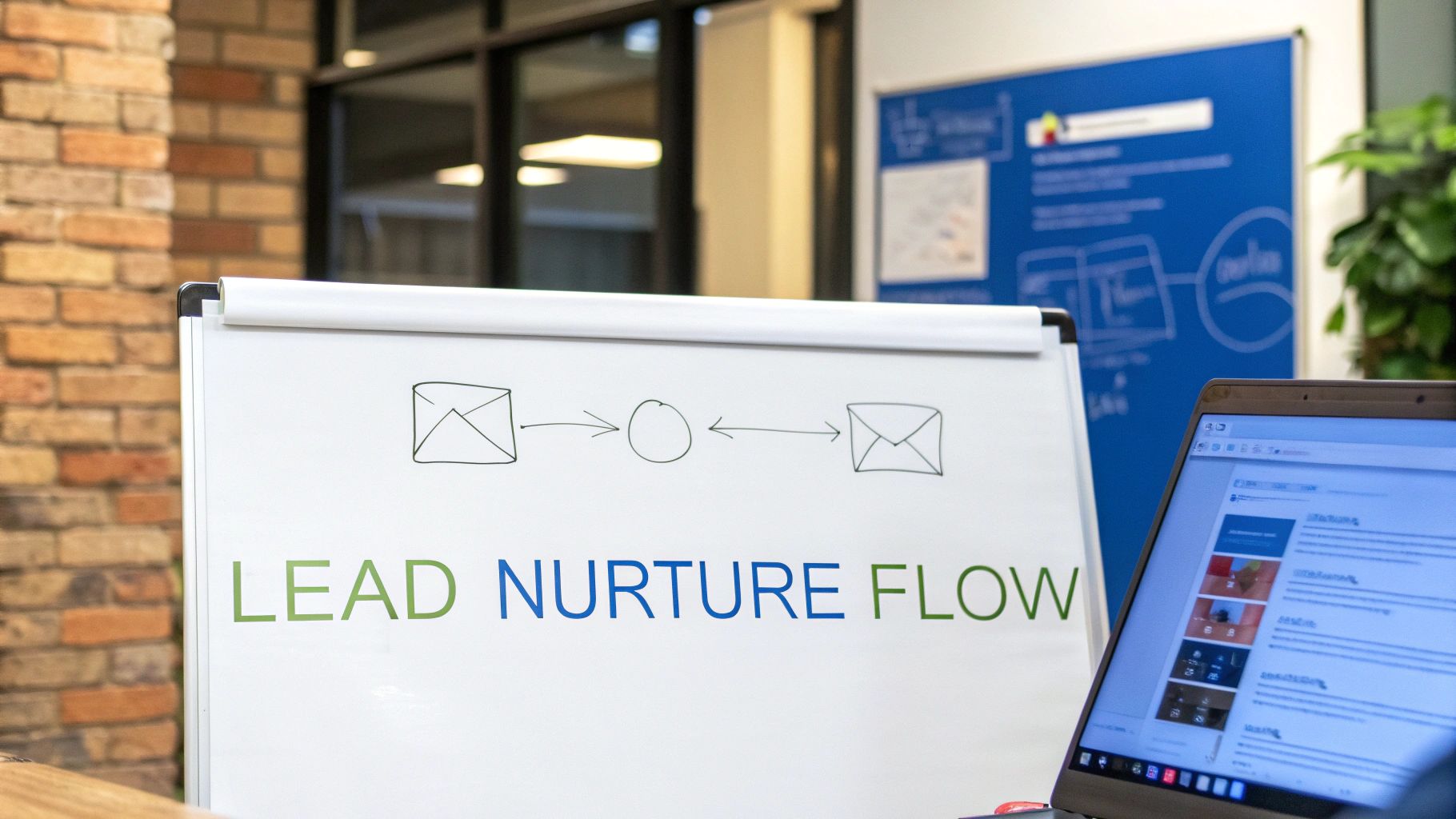
Now, let's sketch out the journey. A campaign flow is a simple map of the touchpoints a lead will experience. Don't overcomplicate this; a straightforward sequence is almost always most effective.
A campaign map defines the conversation's pacing. You wouldn't say everything at once; you'd break it into a logical flow. Automation lets you do this at scale.
Here is a simple, effective flow for our trade show leads:
- Trigger: Contact is added to the "Trade Show Leads 2024" list.
- Immediate Action: Send Email #1 (Thank you & resource).
- Wait: 3 days.
- Action: Send Email #2 (Relevant case study).
- Wait: 4 days.
- Action: Send Email #3 (Address a common pain point).
- Wait: 4 days.
- Action: Send Email #4 (Introduce the solution).
- Wait: 3 days.
- Action: Send Email #5 (Direct call to action: Book a meeting).
This structured approach guarantees consistent follow-up without your team lifting a finger.
Step 4: Craft Compelling, Helpful Content
Each email in your sequence has a specific job. Your content must provide real value and gently guide the prospect toward your goal.
- Email 1 (The Follow-Up): Remind them where you met. Thank them for stopping by and provide a valuable resource you discussed.
- Email 2 (The Proof): Share a short case study or testimonial from a client in a similar industry. Show, don't just tell.
- Email 3 (The Empathy): Address a common challenge you heard at the trade show. This shows you were listening.
- Email 4 (The Solution): Briefly connect their problem to your solution. Gently pivot toward your offer.
- Email 5 (The Ask): Make a clear, low-friction call to action, like a link to your calendar for a 15-minute discovery call.
Step 5: Activate and Monitor
With your goal, audience, flow, and content ready, the final step is to build the automation in your CRM and turn it on. This is where the magic of campaigns in CRM shines, taking over repetitive work so your team can focus on high-value conversations. Well-executed campaigns in CRM can boost conversion rates up to 300%, turning marketing efforts into predictable sales.
Once activated, your job isn't done. Monitor your open rates, click-through rates, and goal completions. This data is gold; it tells you precisely what's working and where you might need to make adjustments.
How to Measure CRM Campaign Success (The Right Way)
If you can't measure it, you can't improve it. Running campaigns without tracking the right numbers is like flying blind—you're busy, but you have no idea if you're getting closer to your destination.
The biggest mistake we see is obsessing over vanity metrics. Things like email opens or social media likes might feel good, but they don’t tell you if your campaign is generating revenue. We need to cut through the noise and focus on what matters.

From Vanity Metrics to Actionable KPIs
Let's get straight to the point. The purpose of running campaigns in CRM is to drive tangible business outcomes. This means shifting focus from surface-level activity to metrics that track real progress through your sales funnel.
This breakdown helps you distinguish between data that feels good and data that pays the bills.
Essential KPIs vs. Vanity Metrics
| Metric Category | KPIs That Drive Decisions | Vanity Metrics to Avoid Over-Valuing |
|---|---|---|
| Lead Generation | Conversion Rate: The percentage of leads who took the desired action (e.g., booked a demo). | Open Rate: Shows who saw your email, but not if they cared about the message. |
| Sales Impact | Sales Cycle Length: The average time it takes for a campaign-influenced lead to close. | Click-Through Rate (CTR): High clicks with low conversions often indicate a messaging mismatch. |
| Customer Value | Customer Lifetime Value (CLV): Tracks if campaigns attract and retain high-value customers. | Total Subscribers: A large, unengaged list is a liability, not an asset. |
Focusing on the right KPIs transforms your data from a confusing spreadsheet into a clear roadmap for growth.
Conversion Rate: The Ultimate Test
Your Conversion Rate is the most important metric. It answers one simple question: "Did this campaign get people to do the thing we wanted them to do?"
Whether your goal is a demo request or a product purchase, this KPI tells you if your messaging, audience, and offer are hitting the mark. A low conversion rate despite a high click rate is a classic diagnostic signal—it often means your email subject was great, but the landing page failed to deliver on that promise.
Customer Lifetime Value (CLV) Growth
Great CRM campaigns don't just find new customers; they create better ones. By tracking Customer Lifetime Value (CLV), you can see if your efforts attract clients who stick around, buy more, and become more profitable.
For instance, you might discover that leads from an educational campaign have a 25% higher CLV than those from a trade show. That’s a powerful insight that tells you exactly where to double down on your marketing budget.
Sales Cycle Length Reduction
Time is money. A well-executed nurturing campaign can shorten the time it takes to close a deal by educating prospects and answering their questions upfront. This prepares your sales team for more productive, later-stage conversations.
If your average sales cycle is 60 days, and a new campaign reduces it to 45 days for nurtured leads, you've just made your sales process 25% more efficient. That’s a direct impact on your bottom line.
Building a simple dashboard to track these core KPIs is a critical first step. To get a better handle on turning these numbers into strategy, check out our guide on what is marketing analytics.
Common CRM Campaign Pitfalls (and How to Avoid Them)
Even the best strategy for your campaigns in CRM can fail during execution. After diagnosing hundreds of marketing systems, we see the same predictable traps trip up even promising campaigns. Think of this as preventative maintenance.
Here are the most common mistakes we see and the actionable steps you can take to sidestep them.
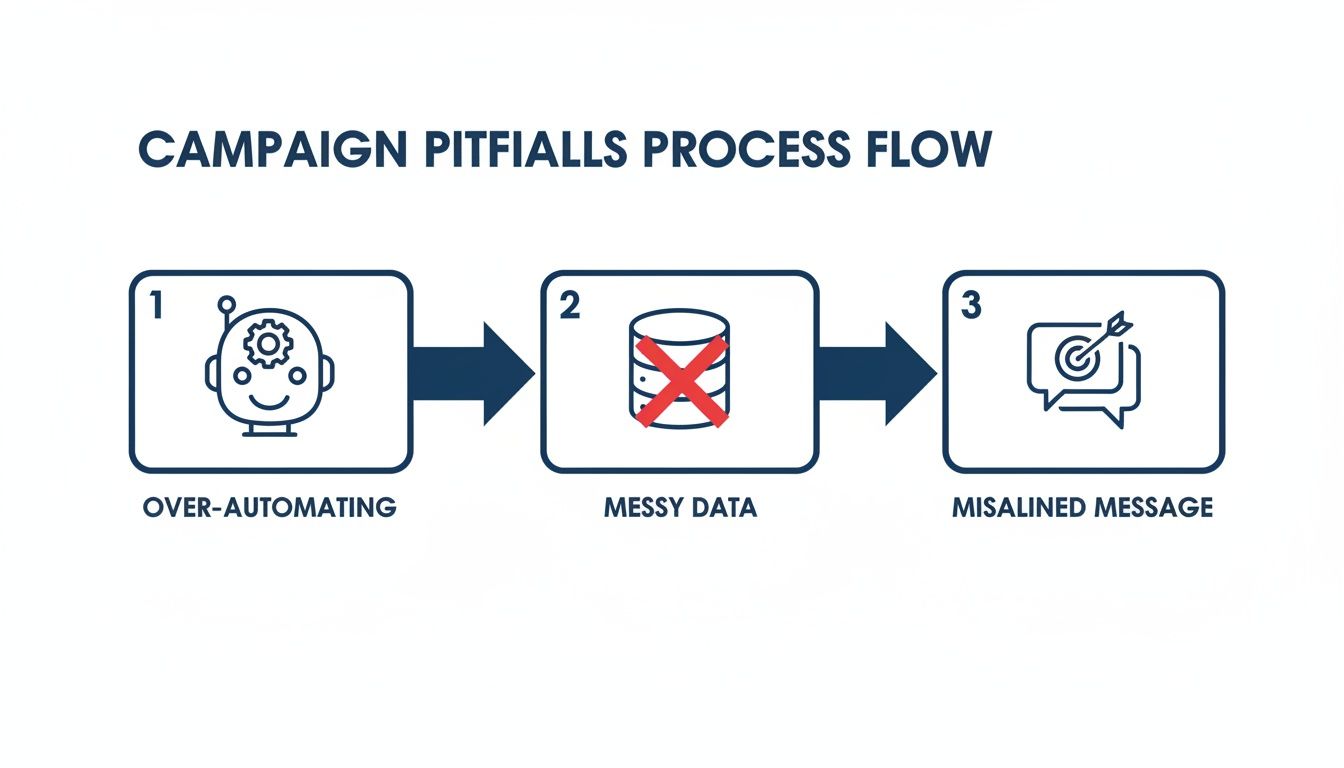
Pitfall 1: Over-Automating the Human Element
The most dangerous pitfall is forgetting you're talking to a human. It’s easy to get so wrapped up in building complex workflows that your messages sound robotic. When automation shoves personalization aside, trust and engagement plummet.
Automation should handle the delivery of your message, not dictate its soul. The goal is to scale genuine communication, not eliminate it.
This often happens when businesses just drop in a [First Name] merge field and call it personalization. Real connection comes from messaging that shows you understand their context, industry, or specific problem.
How to Fix It:
- Segment Deeper: Go beyond demographics. Create targeted segments based on behavior (visited your pricing page) or interest (downloaded a specific guide).
- Write Like a Human: Read your emails out loud. If it sounds stiff, rewrite it.
- Inject Personal Touchpoints: Build tasks into your automation that remind a sales rep to send a personal follow-up or make a quick call at a key moment.
Pitfall 2: Launching with Messy Contact Data
Launching a campaign with bad data is like building a house on quicksand. It's doomed from the start. Bad data leads to embarrassing personalization fails ("Hello, [First Name]!"), poor email deliverability, and worthless performance metrics.
This is the silent campaign killer. Many businesses skip data hygiene because they are eager to launch. They import messy spreadsheets or lack standardized data entry, creating a chaotic database that makes effective segmentation impossible. Poor data quality costs businesses an average of $15 million a year.
What to Look For:
- Missing first names, last names, or company info.
- Inconsistent formatting for job titles or locations.
- A high number of bounced emails from your last send.
How to Fix It:
Before activating a campaign, dedicate time to cleaning your CRM. Standardize fields, merge duplicates, and purge invalid emails. Make data hygiene a regular, scheduled part of your operations, not a one-time fix.
Pitfall 3: Misaligning Marketing and Sales
The final breakdown happens at the handoff between marketing and sales. Marketing can run a flawless nurturing campaign, but if the sales team is unprepared or has a different message, the process grinds to a halt.
This disconnect creates a jarring experience. The prospect has been receiving helpful content, and then suddenly they’re on a call with a salesperson who has zero context and launches into a generic pitch. Trust evaporates instantly, wasting marketing dollars and frustrating both teams.
How to Fix It:
Treat your sales and marketing teams as one unified revenue team. Ensure sales reps have full visibility into a lead’s campaign journey inside the CRM. They need to see which emails a contact opened, what they clicked, and which resources they downloaded. This context allows for a seamless, intelligent conversation that picks up where the automation left off.
An Advanced GoHighLevel Campaign Setup
Once you master the basics, you can build powerful systems that turn your CRM into a client conversion machine. For businesses using an all-in-one platform like GoHighLevel, the possibilities go far beyond simple email drips.
Let’s tackle a classic problem: appointment no-shows. A booked call means nothing if the prospect ghosts you. We can build a sophisticated, multi-channel campaign to solve this by combining email, SMS, and even automated voice drops.
The Scenario: An Appointment Confirmation Campaign
Imagine you're a B2B consultant. A prospect books a 30-minute discovery call on your calendar. The second they confirm, they're dropped into an automation built for one purpose: to ensure they are engaged, reminded, and ready for that call.
This isn’t just about sending a reminder. It’s about building value and confirming their commitment at every step. This process reduces friction and makes you look incredibly professional before you’ve even spoken.
This image shows how different actions and conditions can be chained together inside the platform, giving you a clear visual map of the journey your prospect will take.
Building the Multi-Channel Workflow
Using the workflow builder in GoHighLevel, we can orchestrate this entire sequence from a single starting point. The logic is simple, but the impact on your show-up rate is huge.
Trigger: Customer Books Appointment in Calendar "Discovery Call."
From that moment, the automation takes over with a perfectly timed series of touches.
- 1. Immediate – Email Confirmation: An email fires off with call details, a calendar invite, and a link to a "preparation" page with case studies or FAQs.
- 2. Wait 10 Minutes – SMS Confirmation: A text message hits their phone: "Hi [Contact First Name], this is Karl from Machine Marketing. Confirming your discovery call on [Date] at [Time]. Looking forward to it!"
- 3. Wait 24 Hours Before Appointment – Email Reminder: The day before, a reminder email goes out, perhaps with a short agenda to build anticipation.
- 4. Wait 1 Hour Before Appointment – SMS Reminder: A final, quick text: "Quick reminder: our call is in one hour. Talk soon!"
- 5. Wait 5 Minutes Before Appointment – Voice Drop (Optional): For high-value appointments, a pre-recorded voice message can go straight to their voicemail: "Hey, it's Karl. Just wanted to say I'm excited for our call in a few minutes. See you then."
From Passive to Proactive Transformation
This setup transforms your CRM from a passive scheduling tool into a proactive system that protects your revenue opportunities.
You're no longer just hoping people show up; you are actively engineering a process to make it happen. This is the difference between running a business and building a system that runs your business for you.
Every step does more than just remind. It validates their decision, shows off your efficiency, and builds rapport before the call even begins. This is what truly effective campaigns in CRM look like.
Common Questions About CRM Campaigns
When you move from learning to building, a few practical questions always pop up. Here are the straight answers we give our clients.
How many campaigns should I run at once?
Start with one. It’s far better to build a single, rock-solid campaign than to juggle five mediocre ones. Your first priority should be a foundational lead nurturing sequence for new contacts.
Get that first campaign dialed in. Watch the data, tweak the copy, and optimize it until it’s a reliable asset. Once it's running like clockwork, identify the next biggest gap—perhaps onboarding or re-engagement—and build that one. Quality will always beat quantity.
What is the difference between a CRM campaign and email marketing?
Think of it this way: email marketing is a tool, like a hammer. A CRM campaign is the entire project blueprint that tells you when and where to use the hammer, along with a screwdriver and a power drill.
Email marketing is often focused on one-off blasts. A CRM campaign is a strategic, multi-step journey that often uses multiple channels (email, SMS, sales tasks) to guide a person from one stage to the next.
A CRM campaign is triggered by specific customer data and behavior. It’s the difference between shouting a generic message to a crowd versus having a personalized, guided conversation based on what you know about them.
This data-driven approach ensures your communication is always relevant and perfectly timed.
How long does it take to see results?
The answer depends on your sales cycle and the campaign's goal.
For a lead nurturing campaign, you can see positive signs within days, like higher open rates and more clicks. These are your leading indicators, telling you if the campaign is resonating.
The ultimate goal—the sale—could take weeks or months. The key is to track both leading indicators (engagement) and lagging indicators (revenue). A well-built system will show positive trends in early metrics almost immediately, giving you the confidence that bottom-line results are on their way.
Ready to stop leaving money on the table and build a marketing system that drives predictable growth? At Machine Marketing, we help businesses like yours implement and optimize CRM campaigns that work.
