
If your leads are scattered across spreadsheets and inboxes, and your sales process feels more like guesswork than a system, the problem isn't your team's effort—it's the absence of the right tool. A CRM (Customer Relationship Management) system is the engineered solution for a broken lead generation process. It transforms manual, chaotic efforts into a predictable engine for business growth.
This is the difference between hoping for your next customer and knowing exactly where they'll come from.
Is Your Lead Generation System Broken?
Let's diagnose the problem. When leads fall through the cracks, it’s rarely one big mistake. It's usually a series of small, preventable gaps in your process that add up to significant lost revenue. Are you trying to manage leads with a patchwork of spreadsheets, sticky notes, and a disorganized inbox?
If so, this isn't just inefficient; it's a fundamentally broken system.
This manual approach creates massive blind spots. You can't tell which marketing channels are actually effective, follow-up is inconsistent, and crucial prospect information gets lost. The transformation begins when you stop treating these as isolated issues and recognize them as symptoms of a systemic failure. The root cause is the lack of a central, intelligent system designed specifically for lead management.
Questions to Ask About Your Current Process
Do any of these sound familiar? This quick diagnosis will reveal where your current "system" is failing and why a CRM for lead generation is no longer optional—it's essential for growth.
- Is lead information scattered? Is prospect data living in multiple places like emails, notebooks, and random spreadsheets? This makes it impossible for your team to get a complete picture of a lead's history.
- Is your follow-up slow (or non-existent)? Do leads from your website or social media wait hours—or days—for a response? Contacting a new lead within the first hour can dramatically increase conversion rates. Without a system, this speed is nearly impossible.
- Are the next steps unclear? When a new lead arrives, does everyone on your team know exactly what to do? Who is responsible for the call? When should they reach out? What should they say? Ambiguity kills momentum.
- Do you have zero performance data? Can you state with certainty which marketing channel—Google, Facebook, your blog—delivers the most qualified leads? If you can't measure it, you can't improve it.
Spotting these weaknesses shows the true cost of operating without a system. Every missed follow-up and lost piece of data is a potential sale you’ve handed to a more organized competitor.
A CRM is the solution to these chronic operational headaches. It centralizes all your information, automates critical follow-ups, and provides the clear data you need to make intelligent business decisions.
When you fix the system, you fix the results.
What a CRM for Lead Generation Actually Does
Let's cut through the jargon. A CRM for lead generation has one primary job: to act as the central command center for every potential customer who interacts with your business. It's not just another piece of software; it's a system engineered for growth.
Think of it as the combination of an automated receptionist and a perfect digital filing cabinet. It works 24/7 to ensure no opportunity is missed and every piece of customer information is exactly where you need it, when you need it.
This system performs three core functions that directly impact your bottom line: it captures, organizes, and nurtures leads, systematically turning casual interest into sales-ready opportunities.
Automatically Capturing Every Lead
Your business has many "front doors." Leads can come from your website contact form, social media ads, landing pages, or even QR codes at a trade show. A CRM acts as the gatekeeper, automatically collecting contact information from all these sources and funneling it into one organized system.
This eliminates the time-consuming and error-prone task of manual data entry. No more copying and pasting from emails into a spreadsheet or trying to decipher handwritten notes.
- Website Forms: A visitor fills out your "Request a Quote" form. Instantly, the CRM creates a new lead profile.
- Social Media Ads: Someone clicks your Facebook Lead Ad. Their details are automatically sent directly into the CRM.
- Live Chat: A prospect uses your website's chat widget to ask a question. The conversation and their contact information are saved and logged.
This instant capture is crucial. It ensures every person who expresses interest is accounted for, creating a reliable pipeline of potential customers.
Organizing Lead Data Into Actionable Profiles
Once a lead enters the system, the CRM organizes their information into a clean, comprehensive profile. This is more than a digital address book; it's a living history of every interaction that person has had with your business.
Each profile shows you who they are, where they came from, and what they're interested in. You can see which web pages they visited, which emails they opened, and any notes your team has added. This provides a complete, 360-degree view of their journey.
A well-organized CRM profile tells a story. It answers critical questions like, "Which marketing campaign generated this lead?" and "What was our last conversation?" This clarity transforms raw data into strategic intelligence.
Nurturing Relationships at Scale
This is where a CRM evolves from a useful tool into a lead generation engine. Capturing and organizing leads is important, but the real value is in the follow-up. A CRM automates the process of building relationships, ensuring you stay top-of-mind without manual effort.
You can create workflows that automatically send a welcome email, assign a follow-up task to a salesperson, or send a text message after someone downloads a guide. This consistent, timely communication builds trust and guides leads closer to a purchasing decision.
The transition from manual to automated systems is a proven game-changer. 80% of marketing automation users report an increase in leads, and 53% report more conversions. A key reason is that 67.8% of marketers now store lead data in a CRM, moving away from less effective spreadsheets. You can explore more data on these trends to understand the impact on growing businesses.
Building Your Automated Lead Capture Machine
This is where we move from messy, manual processes to a clean, predictable, and automated system. Setting up your CRM for lead generation isn't about fighting with complex software; it's about building a machine that works for you 24/7, capturing and qualifying leads while you focus on closing deals.
The goal is to connect every one of your lead sources directly to your CRM. Think of it as a plumbing system: you're connecting every tap (your website, social media, etc.) to a central tank. Once connected, you can build reliable, automated workflows that give every lead the right attention at the right time.
This simple diagram illustrates the core function of your CRM: capture interest, organize it, and nurture the relationship.
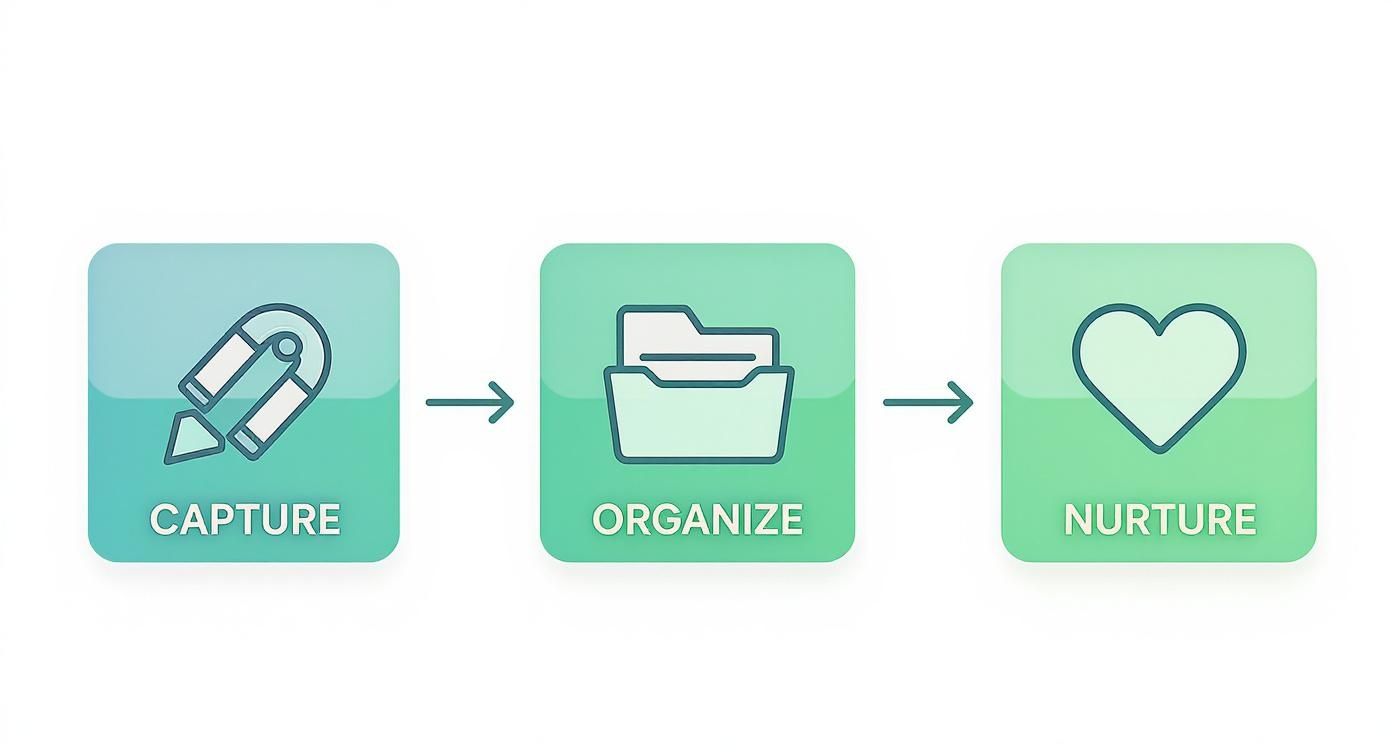
This flow is the engine of your lead generation. It systematically moves people from a casual inquiry to a warm, sales-ready opportunity without requiring manual intervention.
Connecting Your Lead Sources
First, you need to map out every "front door" a potential customer can use. Where are people finding you and expressing interest?
Your task is to connect each of these entry points to your CRM. When you do, new contact information flows in automatically, eliminating manual copy-pasting for you and your team forever.
Here are the most common sources to connect immediately:
- Website Contact Forms: This is crucial. Every "Contact Us," "Request a Quote," or "Get a Demo" form should be wired directly into the CRM.
- Landing Page Forms: If you're running ads or special campaigns, those landing pages are prime lead capture points and must be connected.
- Social Media Lead Ads: Platforms like Facebook and LinkedIn allow users to sign up without leaving the app. Integrating these is vital for fast follow-up.
- Live Chat & Chatbots: Every conversation is a potential lead. Ensure these interactions and contact details automatically create or update a profile in your CRM.
The rule is simple: if a prospect provides their information online, it must enter the CRM instantly. Speed is a critical advantage in modern lead generation.
The difference between a manual and an automated approach is night and day.
Manual Lead Management vs. Automated CRM Workflow
| Process Step | Manual Method (Spreadsheets & Email) | Automated CRM Method | Transformation |
|---|---|---|---|
| New Lead Capture | Manually copy-paste from email to spreadsheet. | Lead info is auto-captured from web forms, ads, etc. | Saves 5-10 mins per lead; eliminates human error. |
| Initial Response | Salesperson drafts and sends a welcome email. | A personalized welcome email is sent instantly. | Reduces response time from hours to seconds; engages leads at peak interest. |
| Sales Assignment | Manager manually assigns the lead via email. | Lead is auto-routed to the right salesperson based on rules. | Eliminates bottlenecks; ensures immediate accountability. |
| Follow-up Task | Salesperson sets a manual calendar reminder. | A follow-up task is automatically created in the CRM. | Prevents missed follow-ups; nothing falls through the cracks. |
| Data Organization | Manually add notes and tags in a spreadsheet. | The CRM auto-tags leads based on their source and interest. | Keeps data clean and ready for targeted marketing campaigns. |
This isn't just about efficiency; it's about building a system that gives your business a significant competitive advantage.
Designing Your First Automated Workflow
With your lead sources connected, it's time to build your first automation. This is where your CRM starts actively working for you, based on simple "if this, then that" logic.
A trigger is the event that starts the process. An action is what your CRM does in response. Let's design the most common and valuable workflow.
Trigger: A new lead fills out the "Request a Quote" form on your website.
Instead of that form submission sitting in an inbox, the CRM immediately takes action, guaranteeing a consistent, professional response every time.
Here’s what that automated workflow looks like:
- Instant Welcome Email: The moment the form is submitted, the CRM sends a personalized email to the lead, confirming their request and setting expectations. This provides immediate peace of mind.
- Create a Sales Task: Simultaneously, the system creates and assigns a task to the correct salesperson, complete with the lead's details and a clear deadline for a follow-up call.
- Apply a Tag: The lead is automatically tagged as "Quote Request" and perhaps with their specific interest (e.g., "Service A"). This segmentation makes future marketing efforts simple and effective.
This entire three-step process happens in seconds. It solves the biggest problems in lead management—slow responses, dropped leads, and messy data—with one elegant, automated solution.
Practical Lead Nurturing Workflows You Can Use
Capturing a lead is only the first step. The real business impact comes from what you do next. Most prospects aren't ready to buy immediately, and without a system to continue the conversation, their interest fades. This is where your CRM for lead generation becomes a powerful communication engine.
Effective nurturing means sending the right message at the right time. You don't need a complex strategy to get results; you just need clear, automated workflows. We'll show you how to build two high-value sequences using a simple "Trigger > Action > Goal" framework.
A platform like GoHighLevel is ideal for this, allowing you to visually build multi-channel workflows combining emails, texts, and even pre-recorded voicemails.
This view from GoHighLevel illustrates the power of a unified system. It consolidates conversations from SMS, email, and social media into a single inbox. This provides the full context of every interaction, making your follow-up more personal and effective.
Workflow 1: The Long-Term Nurture Sequence
This workflow is for leads who have shown interest (e.g., downloaded a guide) but aren't ready for a sales call. The goal is to build trust and provide value over time so that when they are ready to buy, your company is their first choice.
- Trigger: A user downloads your "Beginner's Guide to X" from a landing page.
- Actions (Automated Sequence):
- Day 1: Instantly send an email with the guide.
- Day 3: Follow up with an email asking if they have questions and share a link to a relevant blog post.
- Day 7: Share a case study demonstrating how another customer solved a similar problem.
- Day 14: Send a text message (with permission) asking if they'd like to see a short demo video.
- Day 30: Send an email with a low-commitment offer, like a free consultation or checklist.
- Goal: Educate the lead and keep your brand visible without being intrusive, gently guiding them toward a sales conversation on their terms.
The key to long-term nurturing is patience and value. You're not trying to close a deal on day one. You're aiming to become the most trusted resource in your industry, turning cold leads into warm opportunities.
Workflow 2: The Re-Engagement Campaign
What about leads that have gone silent? This workflow is designed to re-engage them. It targets contacts who haven't opened an email or interacted with you in over 90 days. A smart CRM can even trigger this based on a new sign of interest.
- Trigger: A lead who has been inactive for 90+ days visits your pricing page.
- Actions (Automated Sequence):
- 5 Minutes Later: Send a personalized email: "Hi [First Name], noticed you were looking at our pricing. Do you have any questions I can answer?"
- 1 Hour Later (if no reply): Send an SMS: "Hi [First Name], Karl from Machine Marketing here. Just sent an email, but wanted to see if you had a quick question about our services."
- 1 Day Later (if no engagement): Automatically create a task for a salesperson to make a follow-up call.
- Goal: Capitalize on renewed interest with a timely, multi-channel follow-up that is difficult to ignore.
Building sequences like these is a core component of effective lead management. We find that combining different marketing automation strategies yields the best results by meeting people on the platforms they use. These simple frameworks transform your CRM from a passive list into an active system that generates sales opportunities 24/7.
How to Measure Lead Generation KPIs in Your CRM
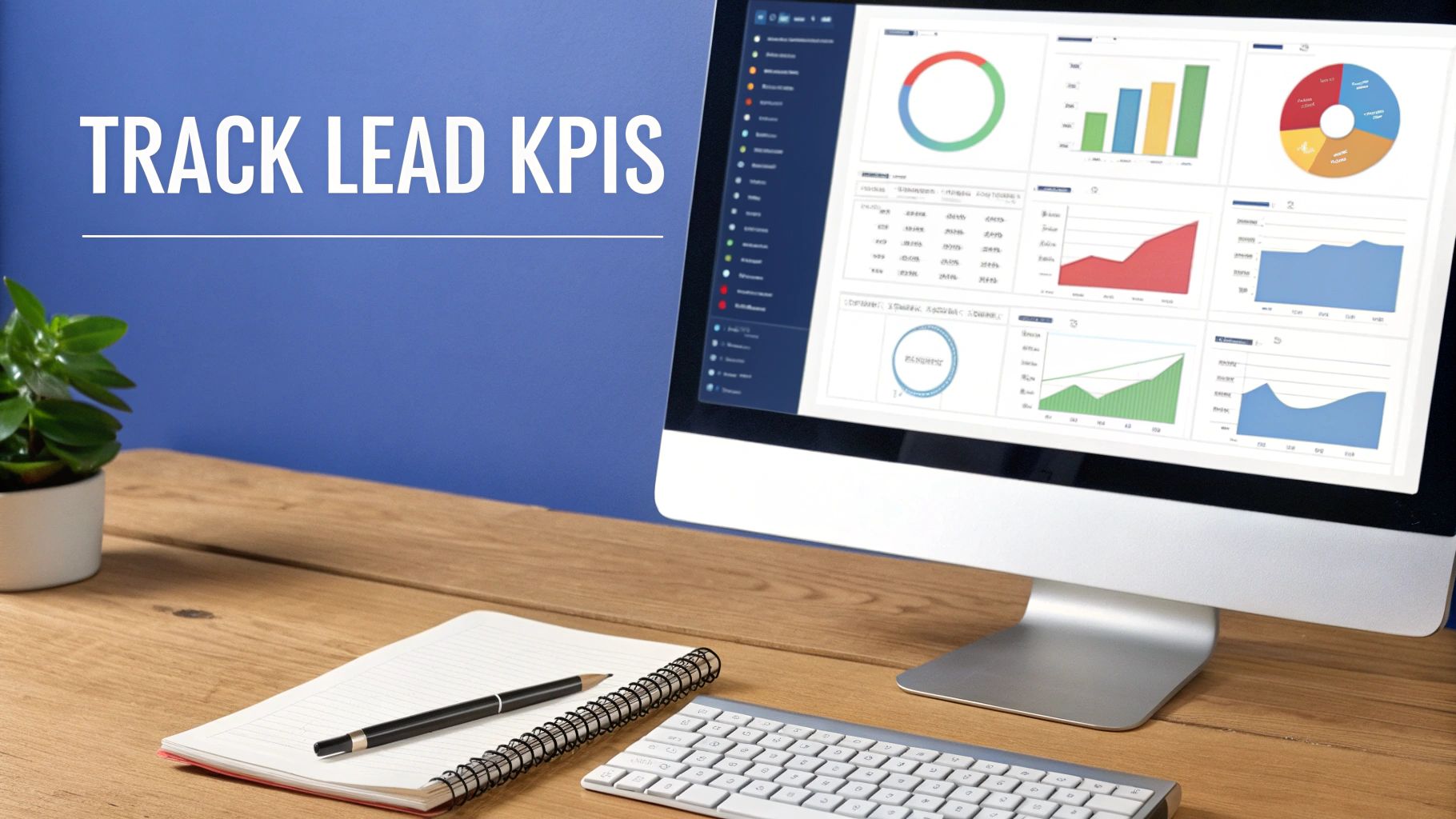
A system is only as good as the results it produces. While setting up automations is a critical first step, the real transformation comes from measuring performance to identify and fix weaknesses. Your CRM for lead generation is more than a contact list; it's a diagnostic dashboard that shows you exactly what's working and what isn't.
By tracking the right Key Performance Indicators (KPIs), you can move beyond vanity metrics like website traffic and focus on the numbers that actually grow your revenue. These KPIs turn raw data into actionable insights, allowing you to fine-tune your sales process with precision.
Key Lead Generation Metrics to Track
It's easy to get lost in data. To cut through the noise, focus on these four critical KPIs. Together, they provide an honest picture of your lead generation health.
- Lead Response Time: How long does it take for a salesperson to contact a new lead? In today's market, speed is a major competitive advantage. A slow response time is the fastest way to lose a deal to a quicker competitor.
- Lead-to-Opportunity Conversion Rate: What percentage of your leads are qualified and become active sales opportunities? This metric is a test of your lead quality. A low rate may indicate that your marketing is attracting the wrong audience or that your qualification process needs refinement.
- Sales Cycle Length: What is the average time from initial contact to a closed deal? A long sales cycle can signal friction in your process, ineffective follow-up, or a lack of content to help prospects make a decision.
- Lead Source Effectiveness: Where are your best leads actually coming from? This KPI breaks down which channels—Organic Search, Google Ads, Social Media—are delivering the highest-quality prospects. By seeing which sources yield the best conversion rates, you can invest your marketing budget with confidence.
Using Your CRM as a Diagnostic Tool
Think of these KPIs as the vital signs of your sales engine. When a number drops, don't view it as a failure. See it as a signal pointing to a problem that needs to be solved.
A low conversion rate isn't just a number—it's a question. Is our messaging off? Are we targeting the wrong audience? Are we following up fast enough? Your CRM provides the data to answer these questions with facts, not assumptions.
For example, if your Lead Source Effectiveness report shows that leads from your blog convert at twice the rate of your paid ads, that's a powerful insight. It tells you to either invest more in content marketing or overhaul your ad targeting. This is how you use data to build a smarter, more efficient lead generation system.
This data-driven approach is proven to get results. Companies using their CRM for targeted lead nurturing have seen up to a 300% improvement in conversion rates. The system ensures every lead receives the right message at the right time.
Your Step-by-Step CRM Implementation Plan
Feeling overwhelmed by the idea of launching a new system? That's common. The key is to break the process down into manageable phases instead of tackling it as one massive project.
This approach minimizes frustration and ensures your CRM for lead generation is set up correctly from the start. We've outlined four clear, non-technical steps. Think of it like assembling furniture: follow the instructions in order, and you'll end up with a sturdy, reliable result.
Phase 1: Data Cleanup and Import
Before you configure any settings in your new CRM, you must get your existing contacts in order. Do not skip this step. A CRM is only as good as the data you put into it, and importing a messy spreadsheet will sabotage your efforts from day one.
Start by exporting all your contacts from their current locations—email clients, spreadsheets, old systems—into a single CSV file. Then, begin the cleanup process.
- Remove Duplicates: Eliminate any repeated contacts.
- Standardize Formatting: Ensure names, phone numbers, and job titles follow a consistent format.
- Fill in Gaps: Add missing information where possible.
This step is tedious but critical. A clean import ensures your reports are accurate and your automations function correctly.
Phase 2: Basic Configuration and Setup
With clean data ready, it’s time to build the basic structure of your CRM. Focus on the core elements your team will use daily. Forget the advanced features for now; get the foundation right.
This initial setup is your blueprint. A well-defined sales pipeline, for example, provides your team with a clear, visual roadmap for moving leads from initial contact to a closed deal. It eliminates guesswork and establishes a standard operating procedure.
Here’s a simple checklist to get started:
- Create User Profiles: Add your team members and set their roles and permissions.
- Define Your Sales Pipeline: Customize the stages to match your actual sales process (e.g., New Lead > Contacted > Qualified > Proposal Sent > Won/Lost).
- Set Up Custom Fields: Add fields for the specific data you need to track, such as "Lead Source" or "Product Interest."
Phase 3: Workflow Automation
Now it's time to start saving time. Don't try to automate everything at once. Start with your most important workflow: a lead capture and welcome sequence.
The goal is to connect your primary website contact form to the CRM so that every new submission triggers an automated process.
This first automation should accomplish three things:
- Instantly create a new contact record in the CRM.
- Send an automated "Thanks for reaching out!" email to the new lead.
- Create a follow-up task and assign it to the appropriate person on your sales team.
Phase 4: Team Training and Adoption
A CRM only works if your team uses it consistently.
Schedule a training session to walk everyone through the new system. Show them exactly how to manage their contacts, update deal stages, and complete their assigned tasks.
Make one point clear: from now on, the CRM is the single source of truth for all customer information. Consistent use is non-negotiable for achieving the desired results.
Still Have Questions?
Adopting new technology always raises questions. That's a good sign—it means you're focused on finding the right solution. Here are some of the most common questions we hear from business owners considering a CRM for lead generation.
Which CRM is best for a small service business?
The best CRM for a local service business is one that is powerful but doesn't require an IT department to manage. You are busy running your business, not wrestling with software.
This is why platforms like GoHighLevel are popular. They combine marketing tools, appointment booking, and lead tracking into one intuitive system. Your priority should be finding a tool that saves you administrative time so you can focus on your customers.
How long does it take to see results from a new CRM?
You'll experience immediate benefits—like better organization and faster lead responses—within the first 30 days. This initial sense of control is crucial for getting your team on board with the change.
More significant results, such as a noticeable increase in lead conversion rates, typically appear within 3 to 6 months. This depends on the quality of your data, the effectiveness of your automations, and your team's consistent use of the system.
Think of it this way: The first month is about plugging the leaks. The following months are about building a pipeline that keeps your business growing.
Can I integrate a CRM with my existing website?
Absolutely. In fact, if a CRM cannot connect to your website, it's not the right tool. Modern CRMs are designed to be the central hub of your business operations.
Most have simple integrations for platforms like WordPress, lead sources like Facebook Lead Ads, and payment systems. For more unique needs, tools like Zapier can connect your CRM to almost any other software you use. Before committing, list your essential tools and confirm they can be integrated.
Is a CRM too complex for a solo business owner?
Not if you choose the right one. While large enterprise CRMs can be overwhelming, many modern platforms are designed specifically for small businesses and solo entrepreneurs. The key is to start small.
Don't try to learn every feature on day one. Focus on the three things that will make the biggest impact immediately:
- Automatically capture leads from your website contact form.
- Set up one simple automated email to welcome new leads.
- Track your deals on a visual sales pipeline so nothing falls through the cracks.
A good CRM grows with you. Master these basics first, and you can explore more advanced features as your business expands.
Ready to stop juggling spreadsheets and build a reliable lead generation system? The team at Machine Marketing specializes in implementing systems like GoHighLevel that provide control and clarity over your growth. Book a discovery call today to get a clear diagnosis and a roadmap for your business. Find out more at https://machine-marketing.com.
