
A 2026 analysis of 25,384,649 emails across 22 industries found that the average reply took 4 hours and 10 minutes during work hours, extending to 12 hours and 55 minutes when nights and weekends were included (EmailAnalytics benchmark report). For a manufacturer, that delay isn't a minor etiquette issue. It can determine whether a sales opportunity receives attention, whether a service problem escalates, and whether an important account feels heard.
Feedback in email works when you treat it as an operating system, not a form buried in a campaign. The message is only the capture point. The true value appears when a response reaches the right person, changes the next customer interaction, and creates a record your team can use.
Table of Contents
- Why Feedback in Email Matters for Manufacturers
- Choosing the Right Feedback Type for Your Business
- Subject Lines and Email Templates That Get Responses
- Implementing Feedback Automation in Your CRM
- Measuring Feedback Performance and Follow-Up Processes
- Complete Feedback Sequence Examples and Troubleshooting
Why Feedback in Email Matters for Manufacturers
A benchmark of 1,000 companies found an average customer-service email response time of 12 hours and 10 minutes, while 62% of businesses didn't respond to customer-service emails at all. The same research reported that 89% of customers expected a reply within one hour (Ringly customer-service response benchmarks). For manufacturers, slow handling can affect a quotation, delay service recovery, or weaken an important account relationship.
Manufacturers may serve fewer customers than consumer brands, but each account often carries greater operational weight. A reply from a purchasing manager, distributor, engineer, or facility manager can expose a delivery risk, quality concern, quoting obstacle, or product improvement opportunity that a general satisfaction score would miss.
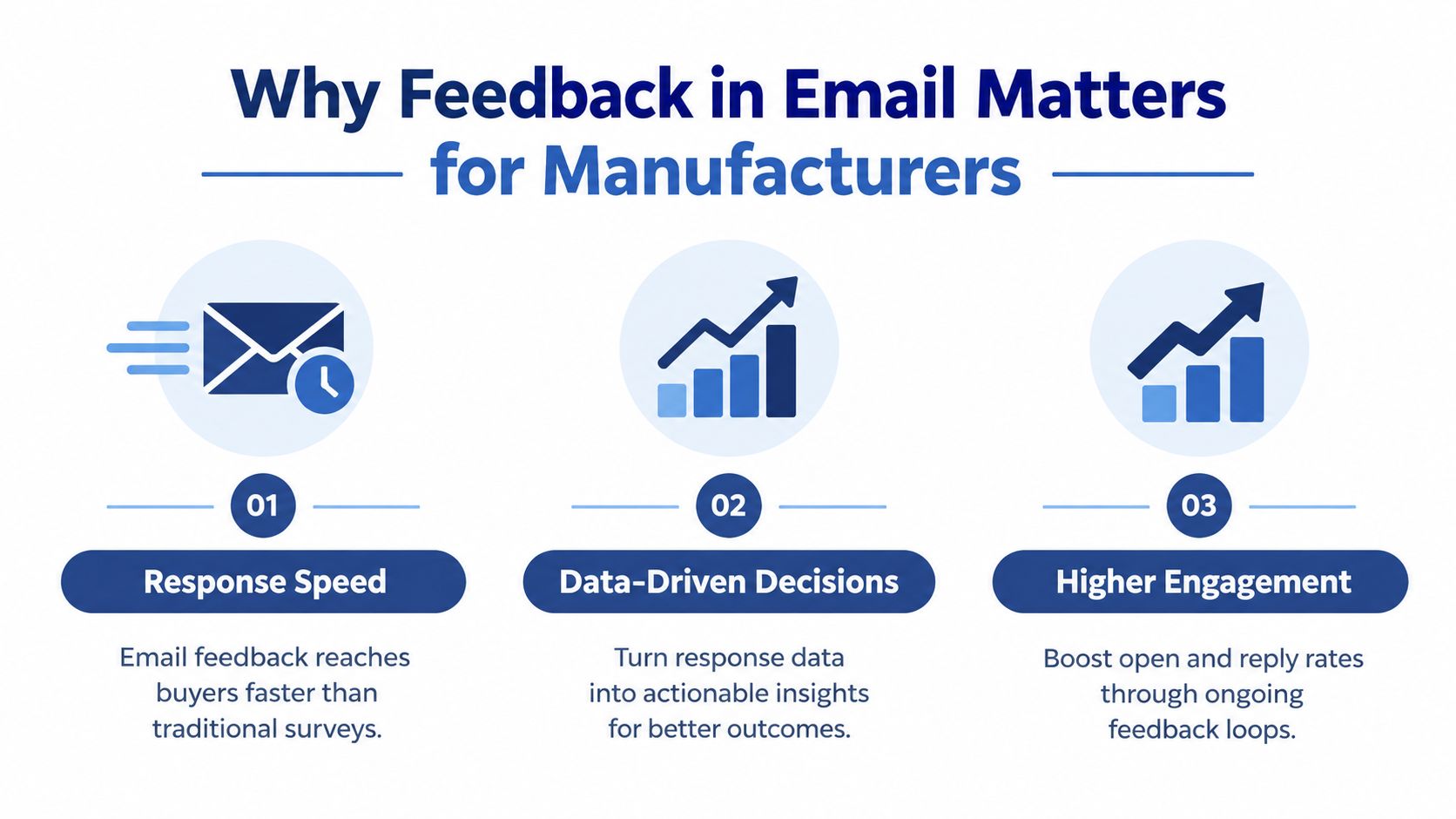
Feedback is an operational signal
A post-delivery feedback request can reveal whether packaging caused handling problems, documentation was usable, or the product met application requirements. Store that information alongside the account, opportunity, order, and service history. The email captures the response, but the workflow creates the value.
For industrial teams, the practical effects include:
- Lead handling: A prospect's reply can indicate buying intent or explain why a quote stalled.
- Account retention: A negative response gives sales and service a defined opportunity to intervene before dissatisfaction becomes silence.
- Product development: Repeated comments from technically informed customers can reveal design, installation, or maintenance issues.
Opens and replies remain useful activity signals. They should not be the final measure. Set up the CRM so a response creates a task, assigns a named owner, records the customer context, and places the account in the right follow-up sequence. A positive reply may prompt a sales conversation. A service complaint may require escalation. A product suggestion may belong in a product-management queue.
Practical rule: Every feedback email needs a named owner, a defined response path, and a next action before it is sent.
Email feedback is not automatically fast or effective. One benchmark reports an email feedback response rate of about 9.3% (Perspective customer feedback benchmark report). Response quality depends on list accuracy, relevance, privacy handling, and what happens after submission. A small number of responses from high-value accounts can provide more usable intelligence than a large volume of low-context answers.
The operational test is simple: can your team identify the respondent, understand the account history, respond within an agreed timeframe, and log the outcome? If the answer is no, collecting more feedback will only create another queue for someone to manage.
Choosing the Right Feedback Type for Your Business
Choose the feedback format by the decision it must support. A structured score suits account health. Targeted questions help diagnose a process. A strategic customer may give better insight through a direct conversation than through a questionnaire. The format also determines how easily your CRM can route the response to sales, service, or product teams.
Use NPS for account health
Net Promoter Score, or NPS, asks customers how likely they are to recommend your company. It produces one comparable signal that teams can review across accounts and over time.
NPS can support:
- Quarterly account reviews: Flag customers who need attention before the next commercial discussion.
- Customer segmentation: Separate advocates, passive accounts, and dissatisfied customers into different follow-up paths.
- Leadership reporting: Add a consistent customer-health signal beside revenue and service information.
NPS shows that an account is dissatisfied, but it rarely explains the cause. Add one short follow-up question, such as, “What is the main reason for your rating?” Route a low score to a named owner for investigation instead of treating the score as a complete service diagnosis. A positive score can also trigger an advocacy or expansion workflow, if the account context supports it.
Use short surveys for specific diagnosis
Use a short survey when you need answers about a defined event. After delivery, ask about packaging, documentation, delivery communication, and product condition. After commissioning, ask whether installation support and technical information met expectations.
As noted above, external survey response rates sit in the 5% to 15% range, so keep questions narrow and easy to complete. Long questionnaires create more data fields, but they also increase the effort required from people who are already busy. Only ask for information that changes a decision, task, or follow-up sequence.
Use a URL-embedded questionnaire when respondents need to complete more than one rating. A methodological checklist for email questionnaires emphasizes simple completion and transmission through an embedded URL, along with anonymity and privacy practices that can affect participation. Before sending, test the form on a phone and confirm that each answer reaches the correct CRM field.
Use reply-based feedback for strategic accounts
A reply-based request asks one open-ended question and invites a direct answer. For example:
“What could we improve about the way we support your production team?”
This approach suits key accounts where context matters more than statistical consistency. It gives an account manager or salesperson a clear reason to contact the customer and can reveal issues that fixed response options miss.
The trade-off is operational effort. Qualitative replies take longer to classify, so create CRM fields for delivery, quality, technical support, pricing, and communication. Set an owner and response deadline when the message arrives. A practical overview of email formats and their uses can help teams match the request to the customer relationship and the action required afterward.
Subject Lines and Email Templates That Get Responses
A feedback request can fail before the customer reaches the first question. Generic subject lines resemble routine supplier communications and give busy recipients little reason to respond. Name the business context and the decision their input will support.
Use subjects such as:
- Post-delivery: “How did the [product] delivery go?”
- Account review: “Your input before our quarterly review”
- Product improvement: “One question about [product] in your application”
- Reply-based request: “Could you help us improve [specific process]?”

Three templates for industrial teams
After delivery
Subject: How did the [product] delivery go?
Hi [First name],
Your [product or order] was delivered recently. Could you reply with one thing that went well and one thing we should improve?
A short reply is enough. We are particularly interested in delivery communication, packaging, and documentation.
Thanks,
[Name]
This wording asks for specific operational detail without implying that the customer has time for a long survey. Route a reported problem to a service task or account owner, rather than leaving it in a general marketing inbox.
Quarterly business review
Subject: Your input before our quarterly review
Hi [First name],
Before we prepare for our next review, we would like your view on the support you receive from [Company]. What should we keep doing, and where should we make a change?
You can reply directly. We will use your comments to prepare the agenda and follow up on any open issue.
Regards,
[Name]
The request connects feedback to an existing customer process. That connection gives the recipient a practical reason to answer and gives the account team material for its next conversation.
Product improvement
Subject: One question about [product]
Hi [First name],
We are reviewing how [product] performs in applications like yours. What part of using, maintaining, or specifying it creates the most friction?
A sentence or two is useful. If you prefer a call, reply with a suitable time.
Thank you,
[Name]
Protect trust and deliverability
Each format creates a different operational trade-off. One-click ratings reduce effort but often provide little context. An embedded survey standardizes answers, while an unfamiliar page may reduce confidence. Direct replies feel personal, although staff must classify and report the results manually.
Keep the message relevant, state the expected time commitment, and suppress repeated requests for recipients who have not engaged. Match the request to the customer's situation, then specify what happens after a response. For example, a delivery complaint can create a service task, while a product-use issue can notify technical support and the account owner.
Use wording examples as a starting point, then adapt them to your relationship and workflow. You can try Humantext.pro email templates when refining subject lines and calls to action.
The strongest request is usually the smallest one that can produce a clear decision. Ask one focused question when one answer identifies the next action. If the response requires more detail, explain why before asking for it.
Implementing Feedback Automation in Your CRM
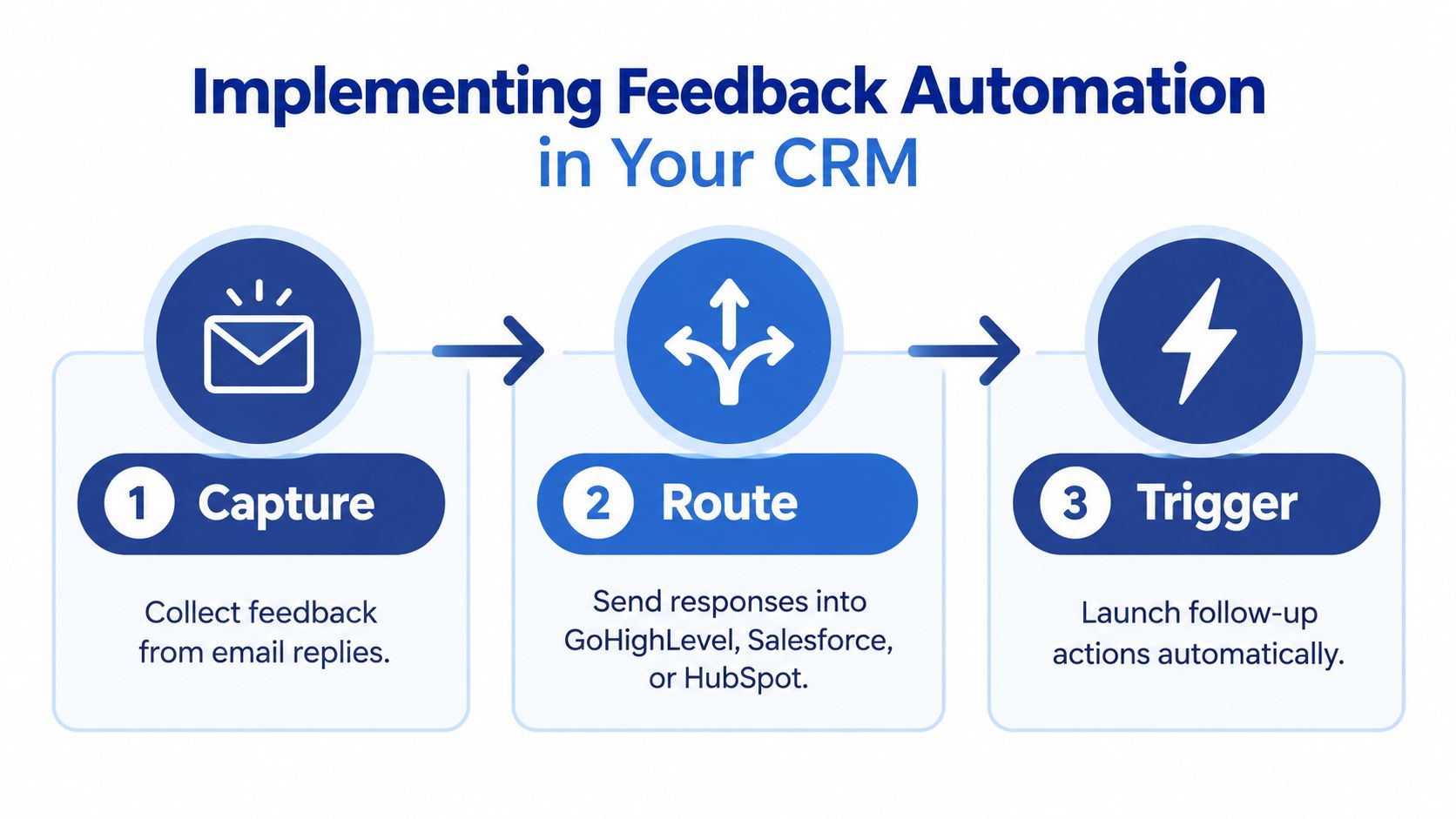
A response sitting in a salesperson's inbox isn't a feedback system. It becomes operational data only when your CRM captures it, assigns responsibility, and starts the appropriate follow-up.
Email programs are moving toward more interactive data capture and cross-channel orchestration, which makes CRM routing increasingly important for B2B teams (Zonka Feedback email surveys). The exact menus differ between GoHighLevel, Salesforce, and HubSpot, but the underlying design is the same.
Build the capture layer
Start with one feedback event, such as completed delivery, closed service ticket, or quarterly account review. Create a form or survey with fields that your team will use:
- Account identity: Company, contact, account owner, and customer tier.
- Feedback type: Delivery, quality, product, support, or commercial.
- Signal: Rating, sentiment category, or open-text response.
- Permission and context: Whether the customer wants a call and which order or product the response concerns.
In GoHighLevel, you can embed a form or connect a survey link to a workflow. In HubSpot or Salesforce, map the answers to contact, company, opportunity, case, or custom object fields. The critical step is preventing anonymous data from becoming detached from the account record.
Add routing rules
Use simple conditions first. Complexity makes workflows harder to test and easier to break.
A practical routing model looks like this:
- Positive feedback: Tag the contact as an advocate, send a thank-you, and notify the account owner if a reference, review, or case-study conversation may be appropriate.
- Neutral feedback: Create a review task for the account owner and ask one clarifying question.
- Negative feedback: Create an urgent service or sales task, pause promotional sequences, and send an acknowledgment that confirms the issue has been received.
- Critical operational issue: Escalate to the responsible manager with the account, order, response, and required next step attached.
Don't let automation send a cheerful promotional email immediately after a customer reports a quality problem. Suppression rules are as important as trigger rules.
Make ownership visible
For each workflow, define the task owner, due date, escalation path, and completion field. A simple GoHighLevel implementation can use a form submission trigger, custom fields for the feedback category and rating, conditional workflow branches, internal notifications, and a task or opportunity update.
Document the workflow in an SOP. Include sample responses and a test contact so your team can verify the complete path before launch. Marketing automation in CRM provides additional context for connecting automated communication to business processes.
Measuring Feedback Performance and Follow-Up Processes
A feedback dashboard should show whether responses become owned actions, not merely whether an email was delivered.
Track four layers:
| Measurement layer | What to monitor | Why it matters |
|---|---|---|
| Participation | Response rate by account tier, segment, and feedback type | Shows whether requests reach a usable audience |
| Speed | Time from response to acknowledgment and assigned task | Reveals how long issues remain without an owner |
| Execution | Completed follow-up tasks and escalations | Shows whether the workflow changes team behavior |
| Customer signal | Satisfaction trend, recurring themes, and unresolved concerns | Connects individual replies to account health |
Open rate helps diagnose subject-line fatigue, but it is not the business outcome. A campaign with strong opens and no completed follow-up can produce less value than a smaller campaign that creates clear service or sales actions.
Measure accounts, not just totals
Review results by account tier, product line, customer role, and lifecycle stage. An overall response rate can conceal weak participation from strategic accounts while smaller accounts respond regularly. That distinction should affect targeting, timing, and the follow-up process.
Review the dashboard weekly:
- Which customer segments provide responses?
- Which feedback types produce actionable comments?
- How quickly does each negative response receive acknowledgment?
- Which assigned tasks remain open?
- Do the same complaints appear across multiple accounts?
- Which responses created a sales conversation, service recovery, or process change?
Close the loop with customers
Every response needs a visible next step. Send a thank-you when someone contributes. If the answer identifies a problem, acknowledge it, name the owner, and state what will happen next. When a recurring theme leads to a process or product change, tell affected customers what changed and why.
The reply-time benchmark cited earlier shows why ownership matters operationally. Customers evaluate the period between sending feedback and receiving a clear acknowledgment, even when the underlying resolution requires more time. See the EmailAnalytics reply-time benchmark for the benchmark referenced at the start of this article.
You do not need to promise instant resolution. Set an acknowledgment target, assign the case in the CRM, and record the next customer-facing update. If the task has no owner or due date, the feedback loop is incomplete.
When response rates fall, diagnose the process before rewriting every email. Check list freshness, subject-line repetition, request length, mobile completion, lifecycle timing, and whether earlier respondents saw a useful outcome. If customers answer once but stop participating, trust may be the problem. They may not see evidence that their feedback reaches sales, service, or operations.
Complete Feedback Sequence Examples and Troubleshooting
A useful sequence starts with the event, not the campaign calendar.
CNC machining job
- After delivery: Send a short request asking what went well and what should improve.
- After a response: Route quality or delivery concerns to the account owner and service lead.
- After resolution: Send a personal acknowledgment and record the outcome against the job.
- After the review: Add recurring themes to the operational improvement list.
Distributor feedback
- Before the account review: Ask which support or communication issue deserves attention.
- On a negative answer: Pause promotional messaging and create a sales task.
- During the review: Use the response as an agenda item, not as a script.
- After the review: Summarize the agreed action and assign an owner.
Facility manager usage feedback
- After the equipment has been in use: Ask one question about operation, maintenance, or documentation.
- On a technical concern: Route the answer to engineering or service, with the product and site context attached.
- After the investigation: Share the next step and capture whether the issue was resolved.
Use sales follow-up email templates when your team needs consistent wording for the response stage.
Troubleshooting checklist
- No replies: Check whether the recipient is the right operational contact and whether the request has a clear purpose.
- Low completion: Shorten the form, remove optional questions, and make privacy expectations visible.
- Vague answers: Replace broad prompts with a specific event, product, or process.
- No action: Add a CRM owner, task deadline, and escalation condition.
- Repeated complaints: Group responses by theme and assign a cross-functional owner.
- Damaged trust: Stop sending follow-up promotions to dissatisfied contacts until someone has acknowledged the issue.
Feedback in email becomes valuable when capture, interpretation, and response form one system. Start with one customer event, one short request, and one CRM workflow. Test the route with your team, review the first responses manually, then expand only after every answer has a clear destination.
Machine Marketing helps manufacturers and industrial businesses connect email marketing, CRM workflows, automation, SEO, and sales follow-up into a practical growth system. Visit Machine Marketing to request a diagnosis of your current feedback process and identify the next workflow worth fixing.
