
A lot of B2B websites don’t fail because the company lacks expertise. They fail because the site is organized like a warehouse after a rushed move. Product pages sit in random folders, service pages overlap, blog posts float without context, and lead forms hide behind unclear menus.
When that happens, buyers stall. Google stalls too. People who were ready to request a quote end up clicking in circles, backing up, or leaving entirely.
The fix usually isn’t “publish more content.” It’s to build a better structure. That structure is taxonomy in website design: the system that decides how pages are grouped, labeled, filtered, linked, and found.
Your Website Is Leaking Leads Here Is the Diagnosis
If your site feels busy but underperforms, the issue is often structural. You may have solid services, strong technical knowledge, and useful content, but the pages don’t work together like a system.
We see the same symptoms repeatedly in B2B sites:
- Navigation drift: The menu reflects internal departments instead of buyer intent.
- Content overlap: Two or three pages try to rank for the same topic and confuse the visitor.
- Broken paths to conversion: A user can read about a capability, but can’t easily move to specs, examples, locations served, or a contact step.
- No clear hierarchy: Important pages sit at the same level as minor pages, so nothing signals priority.
That’s where website taxonomy comes in. It serves as a blueprint for how information should flow. It defines the parent categories, subcategories, tags, and filters that keep the site coherent.
What bad structure looks like in practice
A machine shop site might have “Capabilities,” “Services,” “Industries,” and “Solutions” all describing nearly the same things. A buyer looking for CNC turning for aerospace work lands on one page, then has to guess whether the next click belongs under equipment, materials, certifications, or locations.
That confusion costs leads. It also makes redesigns harder, because every new page gets added on top of an already messy foundation.
Diagnosis rule: If a visitor needs to stop and think about where to click next, the structure is doing too little work.
Good navigation helps, but navigation alone isn’t the whole answer. For a useful outside perspective on menu clarity and user flow, Up North Media website navigation advice is worth reviewing alongside your site map.
A practical way to spot the issue is to trace your highest-intent pages. Start with your service pages, product pages, and quote paths. If they aren’t tightly connected, your website is likely losing opportunities before the sales conversation even begins. That’s also why conversion work and taxonomy work belong together, as shown in this guide to improving website conversion rates.
What Is Website Taxonomy and Why It Matters
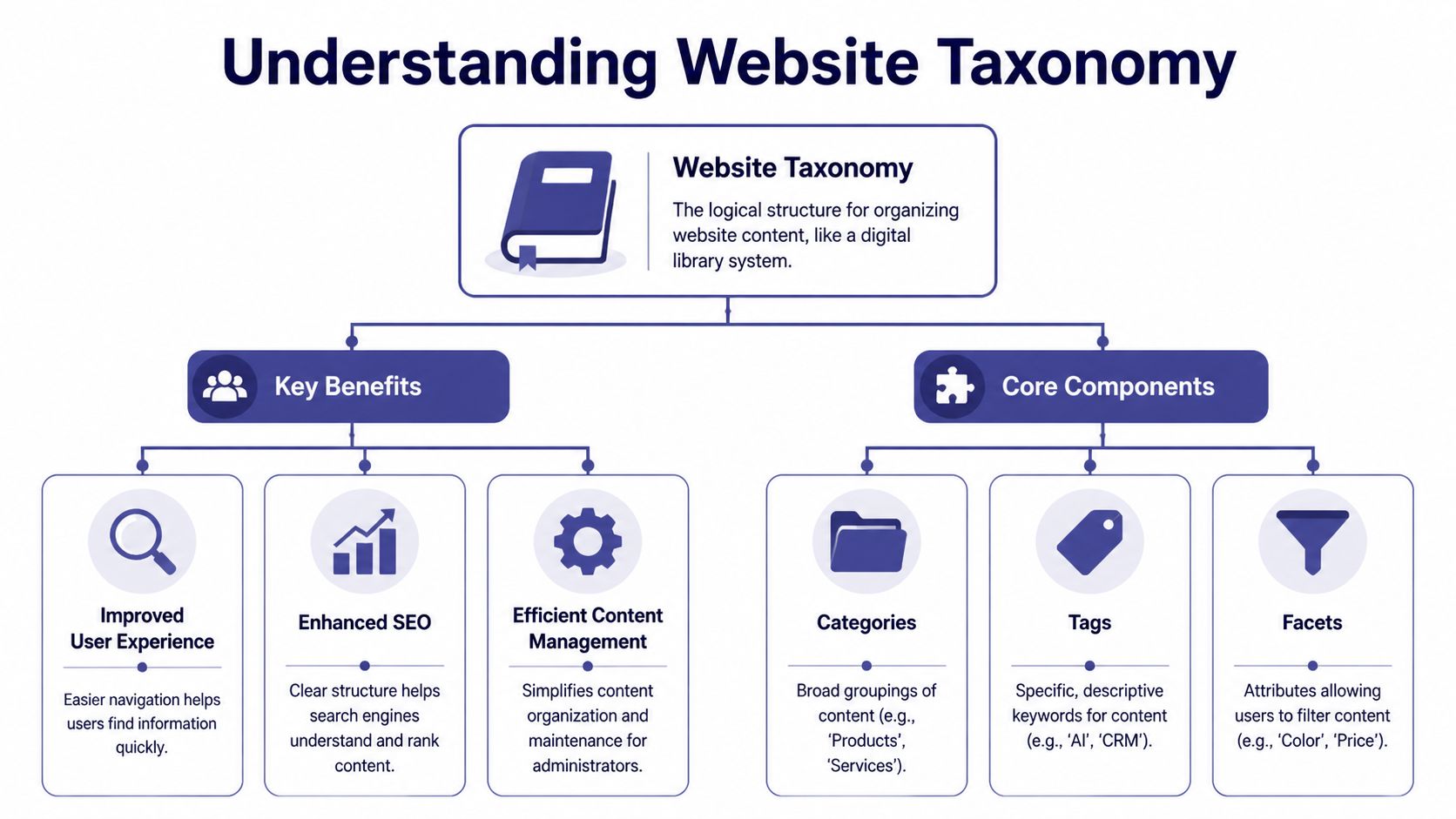
A website without taxonomy is like a library with books stacked on the floor. The information exists, but nobody can find it efficiently. Website taxonomy is the classification system that organizes pages into a logical structure so users and search engines can understand what belongs where.
At a practical level, taxonomy in website planning answers a few basic questions:
- What are the main content groups?
- Which pages are parents and which are children?
- What labels should stay broad?
- What details should become filters, tags, or attributes?
Why the structure matters to business outcomes
This isn’t academic cleanup. It affects results. Poorly structured sites face 42% higher bounce rates, optimized taxonomies correlate with 25-35% engagement lifts, and hybrid taxonomies increased qualified leads by 32% for B2B manufacturers according to Earley’s taxonomy effectiveness research.
That tracks with what B2B owners already feel when reviewing underperforming sites. If buyers can’t connect products, applications, locations, and proof points quickly, the site behaves like a brochure instead of a lead-generation system.
The three core models
Not every business needs the same structure. The right model depends on content volume, complexity, and how buyers search.
| Model | Best For | Example |
|---|---|---|
| Hierarchical | Service firms and B2B sites with clear parent-child relationships | Home > Services > CNC Machining > 5-Axis Milling |
| Flat | Small sites with limited pages and minimal content depth | Home > About, Services, Contact, Blog |
| Faceted | Product-heavy or spec-heavy sites where buyers filter by attributes | Filter by material, region, compliance, capacity |
How to think about the trade-offs
Hierarchical taxonomy gives order. It’s easy to understand and maps well to menus and URLs.
Flat taxonomy is simple, but only when the site is small. Teams often misuse it because it feels easier at launch.
Faceted taxonomy handles complexity better when buyers think in combinations. Engineers and procurement teams rarely search in one dimension. They look for product type plus material plus tolerance plus industry or region.
A good taxonomy doesn’t mirror your org chart. It mirrors how buyers narrow choices.
If you want another grounded explanation of the concept from a web strategy perspective, Bruce and Eddy web expertise offers a useful companion read.
How to Design Your Website Taxonomy Blueprint
Strong taxonomy starts before anyone touches WordPress, GoHighLevel, or any other CMS. The best builds begin with diagnosis. You’re not arranging pages because it “looks cleaner.” You’re creating a system that matches buyer logic.
The reason this matters is historical as much as practical. The shift toward structured content happened to fix the chaos of early static websites. By 2010, WordPress was used by over 65 million websites, and its built-in categories and tags helped make taxonomy accessible beyond developers. That mattered because earlier usability studies found users abandoned 50-60% of sites due to navigational failures, as summarized by Root ID’s website taxonomy best practices.

Start with buyer questions, not page names
Most taxonomy problems begin when companies name categories after internal teams or legacy offerings. Buyers don’t care how your departments are organized. They care whether you solve a specific problem.
A practical starting point is to gather:
- Sales call language: What words do prospects use?
- Search terms: Especially multi-word phrases tied to applications, materials, compliance, or industry.
- Support questions: These often reveal missing categories or mislabeled content.
- CRM patterns: Repeated lead themes often point to natural taxonomy branches.
If you already use a structured discovery process, build taxonomy questions into it. That same discipline works well when paired with content planning, especially if you maintain your topics through an editorial workflow like this guide on how to create a content calendar.
Audit what you already have
Before drafting a new structure, inventory the old one. Export your URLs if possible. Then group pages by purpose, not by where they currently live.
Look for these patterns:
- Duplicate intent pages that compete with each other.
- Orphan pages with no logical internal links.
- Overloaded top-level categories trying to hold too many unrelated topics.
- Dead-end pages that inform but don’t route the visitor forward.
Use card sorting to test the logic
Card sorting sounds simple because it is. Write page or topic labels on cards, then ask people to group them in the way that makes the most sense. You can do it physically or with tools like Optimal Workshop.
This exposes a common disconnect. Internal teams group content by company language. Buyers group content by use case.
Field note: If users consistently place a page in a different category than your team does, your label is probably wrong, not the user.
Draft the blueprint before implementation
A workable taxonomy blueprint usually includes:
- Top-level categories that are broad and durable
- Subcategories that separate real differences in intent
- Facet ideas for filters such as region, industry, material, or certification
- Naming rules so labels stay consistent
- Internal linking rules for how pages support one another
Treat it like engineering documentation. If another person on your team can’t apply the structure consistently, it isn’t finished.
Implementing Taxonomy in Your CMS and URLs
Once the blueprint is sound, implementation becomes a mapping exercise. At this point, taxonomy stops being a strategy deck and starts affecting the live site.
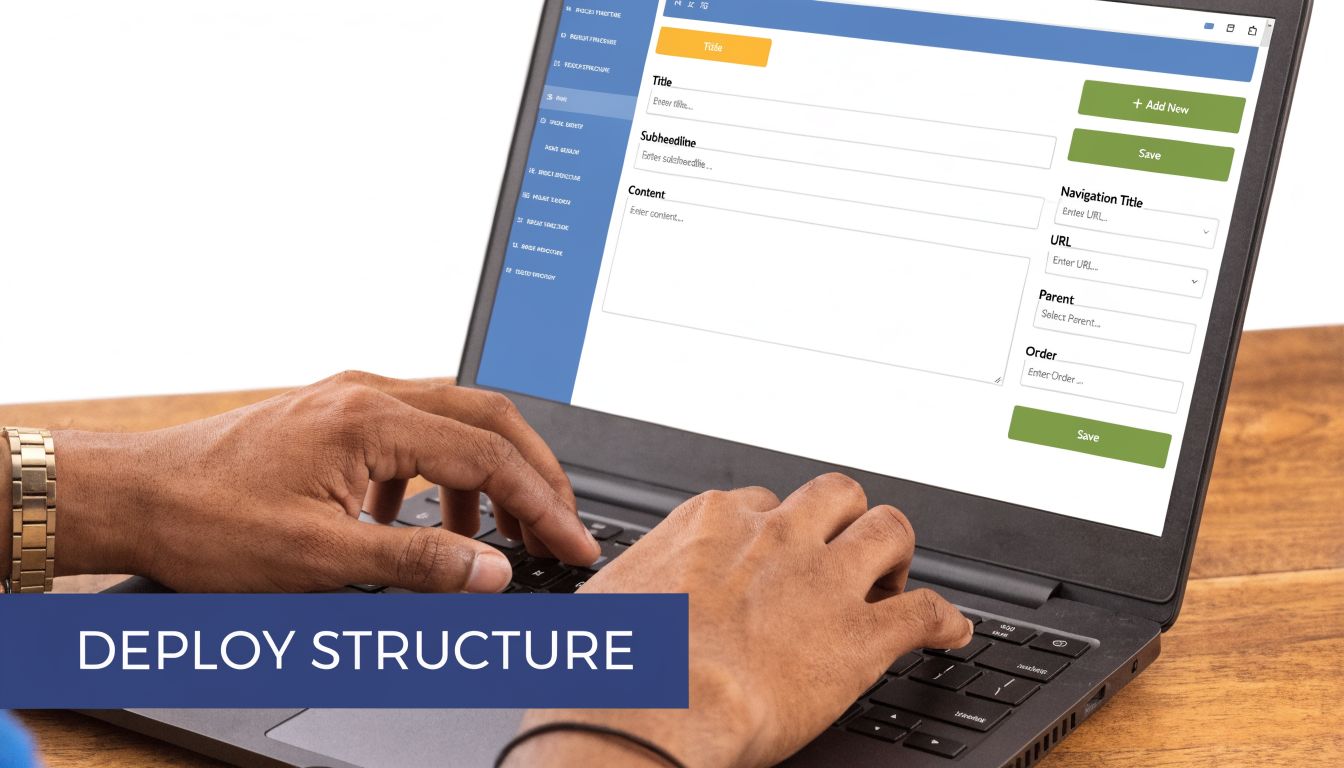
In WordPress, that usually means categories, tags, custom post types, and taxonomy archives. In GoHighLevel, it may involve a more deliberate page structure, naming convention, menu setup, and CRM-linked content paths. Different tools, same principle: the structure must stay consistent in the backend and on the front end.
Map the hierarchy to URLs
Your URLs should reflect your hierarchy clearly enough that a human can understand them at a glance. If a page belongs under a service or product family, the slug should usually show that relationship.
A practical example:
/services/cnc-machining//services/cnc-machining/5-axis-milling//industries/aerospace//materials/stainless-steel/
This matters for both people and search engines. Hierarchical taxonomy maps directly to URL slugs, but when hierarchy exceeds 3-4 levels, user drop-off can surge by 40%. Hierarchies deeper than 5 levels may see a 35-50% drop in indexation, according to SEOptimer’s taxonomy guidance.
That means the common instinct to keep nesting subpages “just one level deeper” usually backfires.
Build the CMS rules that keep structure intact
A clean site architecture fails quickly if editors can create content without guardrails. Set rules inside the CMS:
- Restrict category creation: Not every editor should be able to invent new top-level categories.
- Define required fields: Product or service pages should use consistent metadata and naming.
- Standardize labels: Pick one preferred term and stick to it.
- Control archive behavior: Taxonomy pages should support discovery, not create thin, low-value clutter.
For a broader view of how technical structure supports visibility and conversions, this resource on conversion-centric technical content SEO connects the architecture work to ranking and lead flow.
Use internal links and breadcrumbs deliberately
Taxonomy isn’t only the menu. It also shapes the hidden pathways that help users and crawlers move through the site.
Internal linking should connect:
- Parent pages to child pages
- Child pages back to category hubs
- Related pages across industries, materials, or applications
- Conversion pages from high-intent informational content
Breadcrumbs help reinforce that logic. If a buyer lands deep on the site from search, breadcrumbs show context immediately and provide an easy path upward.
A short walkthrough of taxonomy and page relationships can help your team visualize implementation details:
Keep the structure shallow, the labels predictable, and the pathways obvious. That’s what makes a CMS manageable after launch.
Taxonomy in Action B2B and Manufacturing Examples
The easiest way to judge taxonomy is to watch how it handles a real buying process. Two businesses can both be “B2B,” but they may need very different structures.
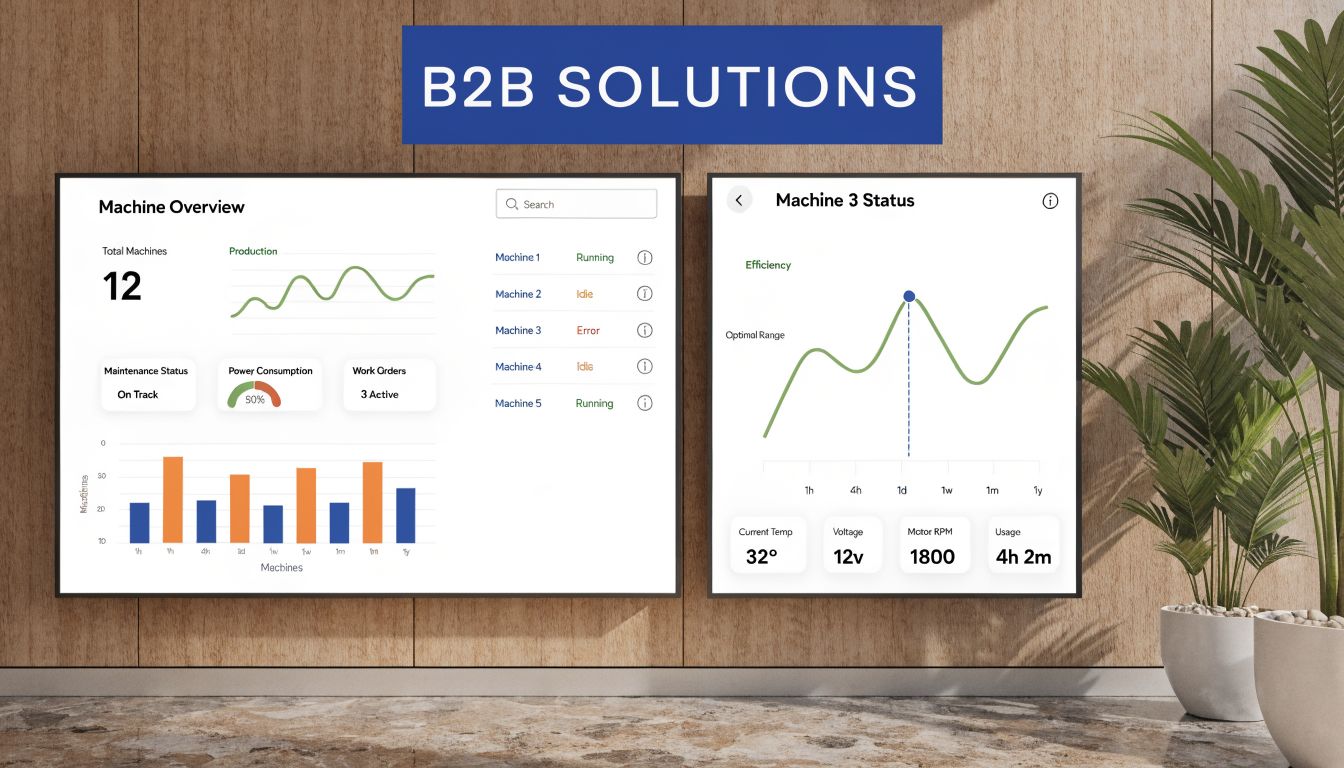
Example one, a machine manufacturer with complex product discovery
A manufacturer selling multiple equipment lines usually needs a hybrid taxonomy. The hierarchy handles broad organization, while facets help users narrow quickly.
A workable structure might look like this:
- Top level: Product lines
- Second level: Machine types
- Supporting facets: Material specifications, compliance standards, region, application, capacity
That setup matches how technical buyers search. They don’t just want “machinery.” They want a machine type that fits a material, a standard, and an end-use context.
For B2B manufacturers, faceted taxonomy can boost user task completion rates by 25-40% and reduce bounce rates by 18-22% when users can filter by attributes such as material specifications, compliance standards, and region, based on NN/g taxonomy guidance.
The lead-generation benefit is straightforward. A better filter path brings the visitor to a page that feels specific to the job they need done. That makes the next step, quote request, spec download, or conversation, feel lower friction.
Example two, a regional B2B service provider
A regional service company usually doesn’t need advanced faceted navigation. It needs clean hierarchy and clear geographic relevance.
One simple model works well:
| Content group | Purpose | Likely next step |
|---|---|---|
| Service category pages | Explain core offerings | Move to subservice or contact |
| Location pages | Prove relevance in target areas | Request local service |
| Industry pages | Show fit for sector-specific needs | View examples or ask for quote |
This type of site wins by removing ambiguity. A visitor should be able to move from service to location to contact without hitting competing labels or duplicate pathways.
If you want practical ideas for how category pages can do more selling work, Raven SEO has a useful guide on how to boost conversions from category pages. The principles carry over well to B2B category hubs.
The right taxonomy doesn’t add complexity. It puts complexity in the right place so buyers can ignore what they don’t need.
Establish Governance to Protect Your System
A strong taxonomy can decay surprisingly fast. One new service gets added in a hurry. Then another team creates a duplicate category. Then blog content starts using inconsistent labels. Six months later, the structure no longer reflects the original logic.
That’s why taxonomy needs governance. Not bureaucracy. Just rules.
What a simple taxonomy SOP should include
Your SOP should answer a few operational questions:
Who approves new categories
Usually this belongs to one owner, or a small group, not every editor.
What qualifies as a new category
Many topics should become pages, tags, or filters instead of top-level branches.
How names are chosen
Pick a preferred label, define plural or singular style, and document synonyms.
What happens to outdated terms
Retire, merge, or redirect them. Don’t leave old branches hanging.
The goal is consistency under pressure
Teams rarely break taxonomy on purpose. They break it because they’re moving quickly and the rules aren’t visible. A one-page SOP can prevent most of that damage if it includes examples.
Use practical rules such as:
- Add a new top-level category only when the topic represents a durable business area.
- If content overlaps two branches, choose one primary home and link contextually to the other.
- If a term is too narrow for navigation but useful for discovery, make it a tag or filter.
- Review the structure on a schedule, especially after service expansion, acquisitions, or website redesign work.
Watch for taxonomy drift
Taxonomy drift usually shows up in three ways:
- Category sprawl: Too many near-duplicate labels
- Mixed intent: Informational and transactional pages crammed into the same branch
- Navigation inconsistency: Menu labels no longer match page groupings
Operational advice: If a new page can’t be placed confidently within your existing structure, stop and review the taxonomy before publishing.
Governance protects the investment because it keeps every new page aligned with the system you built.
Frequently Asked Questions About Website Taxonomy
The biggest questions usually show up after planning starts. That’s normal. Taxonomy sounds simple until it meets an older website, multiple stakeholders, and years of inherited content.
Quick answers to common issues
| Question | Answer |
|---|---|
| Can we fix taxonomy without a full redesign? | Yes. In many cases, the safer move is to improve the existing hierarchy, add better internal links, and layer in filters or supporting archive logic rather than rebuilding everything at once. |
| Is taxonomy the same as navigation? | No. Navigation is the visible menu system. Taxonomy is the deeper classification logic behind menus, URLs, internal links, tags, and filters. |
| Should every site use faceted taxonomy? | No. It helps when buyers filter by multiple attributes. Smaller service sites often perform better with a simpler hierarchy. |
How do you retrofit taxonomy on a legacy site
This is the question many articles skip, and it’s usually the one that matters most. Older B2B sites often can’t justify a complete rebuild immediately.
That’s why retrofitting matters. Ahrefs analysis found 52% of B2B sites over 3 years old had crawl errors from outdated structures, contributing to 30% drops in organic traffic, as discussed in TechTarget’s coverage of website taxonomy planning.
The practical move is often a staged retrofit:
- Stabilize the core hierarchy: Clean up top-level categories first.
- Apply network overlays: Add supporting internal links and taxonomy relationships without changing every URL at once.
- Consolidate duplicates: Merge overlapping pages before creating new branches.
- Redirect carefully: Preserve user paths and existing relevance where possible.
That approach reduces disruption. It also keeps sales and marketing moving while the structure improves.
What’s the difference between categories, tags, and facets
These get mixed up constantly.
Categories are broad, structural, and usually hierarchical. They define the main map of the site.
Tags are descriptive labels. They help connect related content, but they shouldn’t replace the main hierarchy.
Facets are filter attributes. They’re useful when users need to narrow content by multiple dimensions, such as industry, material, region, or certification.
If everything becomes a category, the site bloats. If everything becomes a tag, the site loses shape.
How do you know if the taxonomy is working
You know it’s working when users stop hesitating. In practice, that means people reach the right pages faster, content teams can classify pages consistently, and sales conversations start from more relevant landing points.
Use a practical review checklist:
- Can a first-time visitor predict where a page lives?
- Do similar pages follow the same naming pattern?
- Can editors place new content without debate every time?
- Do category pages lead naturally to conversion pages?
If the answer is “not really” to any of those, the structure still needs work.
If your website feels cumbersome to browse, hard to scale, or hard to turn into consistent leads, Machine Marketing can help you diagnose the structure, clean up the taxonomy, and build a website system that supports SEO, user experience, and conversion paths without unnecessary complexity.
