
If your website isn't generating leads, you're not alone. We see this all the time—the root cause is often hidden in plain sight. Before you can even think about a new design, you have to get brutally honest about what's wrong with your current site. A redesign isn't just a fresh coat of paint; it's a strategic overhaul that starts with diagnosing the specific, measurable failures holding your business back.
Diagnosing Your Underperforming Website
Does your B2B website feel more like a static digital brochure than a lead-generating machine? For many manufacturers and industrial service companies, the site might look okay, but it’s failing at its most important job: turning visitors into customers. This is almost always the first sign that a redesign is overdue.

The hidden costs of an underperforming website add up fast. We're not just talking about aesthetics—we're talking about tangible business losses. A critical part of our diagnosis is getting under the hood to analyze speed and efficiency. Learning about optimizing website performance early on is vital, as it informs the entire redesign project.
You can't build the right solution until you've accurately defined the problem. That means asking some tough, diagnostic questions about your current digital presence.
What to Look For: Redesign Triggers and Their Business Impact
Certain tell-tale signs scream that a redesign is necessary. The table below breaks down the common symptoms we see, their root causes, and—most importantly—how they're hurting your bottom line.
| Symptom (The 'What') | Root Cause (The 'Why') | Business Impact (The 'So What') |
|---|---|---|
| Low or stagnant lead generation | Outdated CTAs, confusing forms, poor value proposition | Lost revenue opportunities, pipeline dries up |
| High bounce rates | Slow load times, confusing navigation, mobile-unfriendly design | Visitors leave frustrated, SEO rankings suffer |
| Doesn't reflect current brand | Outdated messaging, old logos/colors, poor visuals | Weakens brand credibility, confuses potential clients |
| Hard to update content | Clunky or old CMS, broken backend functionality | Stale content, marketing team can't be agile |
| Poor search engine rankings | No SEO strategy, technical errors, thin content | Competitors get the traffic and leads you're missing |
Looking at the problem through this lens connects the dots between a "bad website" and real business pain points.
Key Questions to Ask About Your Current Site
Now, put yourself in your customer’s shoes. An objective review will quickly expose the friction points costing you leads and damaging your brand’s credibility.
Here are the exact questions we use to pinpoint why a site needs an overhaul:
- Is our website actually driving business? Look at the hard numbers. Are you getting a steady flow of qualified leads, or is your contact form collecting digital dust?
- Does our site reflect who we are today? Your website is often a potential client's first impression. If it looks unprofessional or dated, they'll assume your business operates the same way.
- Can users find what they need, fast? A confusing menu or slow-loading pages are lead killers. A high bounce rate is a massive red flag that users are giving up.
- Is our website technically sound? Are there broken links, mobile usability issues, or security warnings that are actively harming your reputation with both users and search engines?
Answering these questions honestly gives you the "why" behind your redesign. It shifts the project from a cosmetic update into a strategic investment designed to fix specific business challenges and drive real growth.
Imagine a manufacturing firm with a stagnant sales pipeline. Their outdated website is bleeding visitors, and they don't know why. It's predicted that 80.8% of businesses will start a redesign project because of low conversion rates—a clear sign that poor design directly kills revenue.
Research from Forrester even shows that sites with a superior user experience can achieve visit-to-lead conversion rates over 400% higher than their poorly designed competitors. That’s not a small difference. Fixing this is fundamental, and our guide on how to improve website conversion rates dives much deeper into the tactics you can use.
Building a Strategic Foundation for Success
A website redesign that actually moves the needle for your business starts way before anyone picks out colors or fonts. The single biggest mistake we see is companies jumping straight into design without laying any strategic groundwork. This first phase is all about diagnosis and alignment—getting your whole team rowing in the same direction.
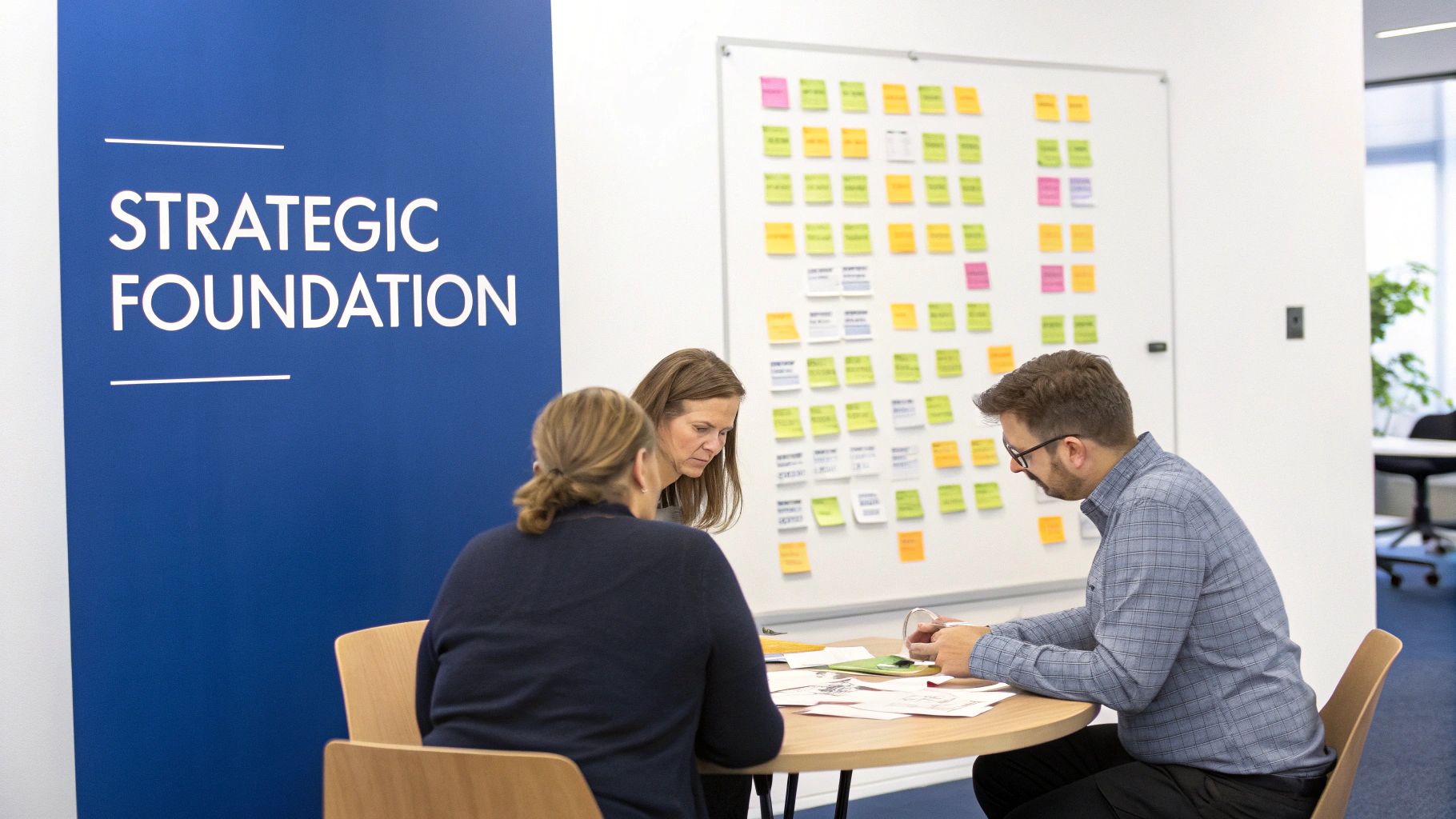
Think of it like building a house. You'd never let a contractor pour the foundation without a detailed blueprint. Your website is your digital headquarters, and it demands the same rigorous planning to avoid expensive rework down the line.
Aligning Stakeholders to Prevent Scope Creep
First things first: you need to talk to all the key players. This means getting real input from your sales team, the marketing department, customer service reps, and company leadership. Each of them interacts with your customers in a different way and holds a unique piece of the puzzle.
Skipping this step is a surefire recipe for scope creep. That’s the slow, painful process where new features and "must-haves" get tacked on halfway through the project. It blows up timelines, inflates budgets, and leaves you with a site that tries to do everything for everyone but excels at nothing.
To head this off, we run structured stakeholder interviews with a clear agenda:
- What's the #1 business goal for this website? Is it to generate more qualified leads for the sales team? Or maybe streamline the quoting process for manufacturing clients? Get specific.
- Who, exactly, are we trying to reach? We need to go beyond vague descriptions and build out detailed profiles of the engineers, procurement managers, or operations directors you want to attract.
- What does success look like in 12 months? Let's define measurable Key Performance Indicators (KPIs) right now. This could be a 20% increase in form submissions or a 15% reduction in bounce rate on key service pages.
These conversations create a unified vision and documented goals. This document, often called a project brief, becomes your North Star, guiding every single decision from here on out.
Conducting a Ruthless Content and SEO Audit
Once you know where you're going, it's time to take stock of what you already have. You have to figure out what to keep, what to improve, and what needs to be thrown out completely. A redesign isn't about just moving old furniture into a new house; it's about curating what's truly valuable.
Your audit needs to hit two main areas:
- Content Performance: Dig into your Google Analytics. Find your most visited pages, your highest-converting content, and the pages where people are leaving almost immediately. This data tells you what your audience actually cares about and where your messaging is falling flat.
- Technical SEO Health: A technical audit uncovers the invisible problems holding your site back. We use tools like Google Search Console to find crawl errors, check for slow page speed, and spot mobile usability issues that are killing your search rankings.
By combining content performance data with technical SEO insights, you create a clear roadmap. This ensures you protect your existing search engine authority while building a stronger, more effective site for the future.
This whole process is about making evidence-based decisions. To make sure your new site is built on solid ground, you have to embrace data-driven design principles that value proof over guesswork. Without this data, you're just guessing what your customers want and what search engines need to see. This diagnostic step transforms your website redesign from a creative exercise into a strategic initiative built for measurable growth.
Blueprinting Your New Digital Experience
Once you’ve locked in your strategic goals, it’s time to shift from the why to the what. This is where we lay the architectural foundation for your new website, and it's a phase you absolutely cannot afford to rush.
Trying to build a website without a solid blueprint is like a contractor pouring concrete before they know where the walls are supposed to go. It’s a recipe for confusion, expensive rework, and a final product that just doesn't do its job.
A strong blueprint boils down to two critical components: Information Architecture (IA) and User Experience (UX) planning. Think of IA as the logical framing of your site—how every piece of content is organized and connected. UX, on the other hand, is all about how a visitor actually feels and interacts with that structure. Nail these two, and you’re well on your way.
From Sitemap to Wireframe
The first step in any blueprint is the sitemap. This isn't just a boring list of pages; it's a visual hierarchy that maps out how every page relates to one another, forcing you to think through the user’s journey from start to finish.
For a B2B manufacturing client, a sitemap might branch out something like this:
- Home: The front door to their digital presence.
- About Us: Company story, leadership, and careers.
- Industries Served: Aerospace, medical, automotive, etc.
- Capabilities: CNC Machining, Injection Molding, Quality Control.
- Resources: Case studies, technical guides, blog posts.
- Contact: RFQ form, locations, and direct contacts.
This structure instantly clarifies the path for a potential customer. An engineer searching for CNC machining services can see exactly how to navigate from the homepage to the specific information they need without hitting any dead ends.
With an approved sitemap in hand, we move on to wireframing. A wireframe is a simple, black-and-white sketch of a webpage. It purposely strips away all the flashy design elements like colors and images, forcing everyone to focus on what truly matters at this stage: layout, core functionality, and content hierarchy.
Wireframing is the single best way to kill scope creep before it starts. It gets everyone to agree on a page’s fundamental structure and purpose before a single minute is spent on design, saving countless hours and aligning stakeholder expectations from day one.
Planning for Purposeful Content and Integrations
Your new sitemap and wireframes give you a skeleton, but now you need to put some muscle on those bones with purposeful content. This is where you map your content strategy directly onto the new architecture. Every single page needs a job, whether it’s educating a prospect, capturing a lead, or building brand trust.
This is also the moment to plan for your technical integrations. For instance, how will a marketing automation platform like GoHighLevel plug into the site?
Key Integration Questions to Answer Now:
- Lead Capture: Where are we putting forms? Will we use pop-ups on high-traffic blog posts or embed RFQ forms directly on service pages?
- Appointment Booking: Does a scheduling calendar belong on the main "Contact Us" page, or should it be linked from individual team member bios?
- Nurture Sequences: When a user downloads a technical guide on injection molding, which specific email sequence in GoHighLevel should they be added to?
Answering these questions during the blueprinting stage ensures that critical functionality is baked into the website's DNA, not just bolted on as an afterthought. This is what transforms a website from a simple digital brochure into an integrated, revenue-driving machine.
Bringing the Blueprint to Life: Design, Development, and SEO Migration
With your blueprint signed off, it's time to translate all that strategy, stakeholder input, and wireframing into a living, breathing website. This phase is a delicate dance between creative design, clean code, and a rock-solid SEO migration plan to ensure you don't lose an ounce of your hard-earned search engine authority.
Think of it like building a custom piece of manufacturing equipment. The schematics are approved, and now the specialized teams—fabricators, electricians, and programmers—come in to do their part. If one team gets it wrong, the whole machine fails. The same is true here. Get this phase wrong, and you could end up with a beautiful site that tanks your traffic or a technically perfect site that completely misses the mark on your brand.
From Style Guide to Functional Code
The first concrete step is creating a UI (User Interface) style guide. This is your brand's bible for the digital world. It dictates everything from the exact hex codes of your color palette and font choices to how buttons, forms, and navigation menus should look and behave.
A solid style guide is the key to consistency. It guarantees that a user has the same professional, cohesive experience whether they're on your homepage or buried deep in a technical data sheet. It also removes all the guesswork for our developers, letting them build faster and with more accuracy.
Once we have that style guide locked in, the build-out really kicks off, usually moving along two parallel tracks:
- Front-End Development: This is everything your users can see and click on. Developers take the approved designs and style guide and write the code that brings the visual experience to life in a browser.
- Back-End Development: This is the engine that powers it all. It involves setting up the CMS (like WordPress), building out the database, and integrating crucial third-party tools like your GoHighLevel CRM for lead management.
This structured flow ensures your user journey and content strategy are baked into the design from day one, not bolted on as an afterthought.
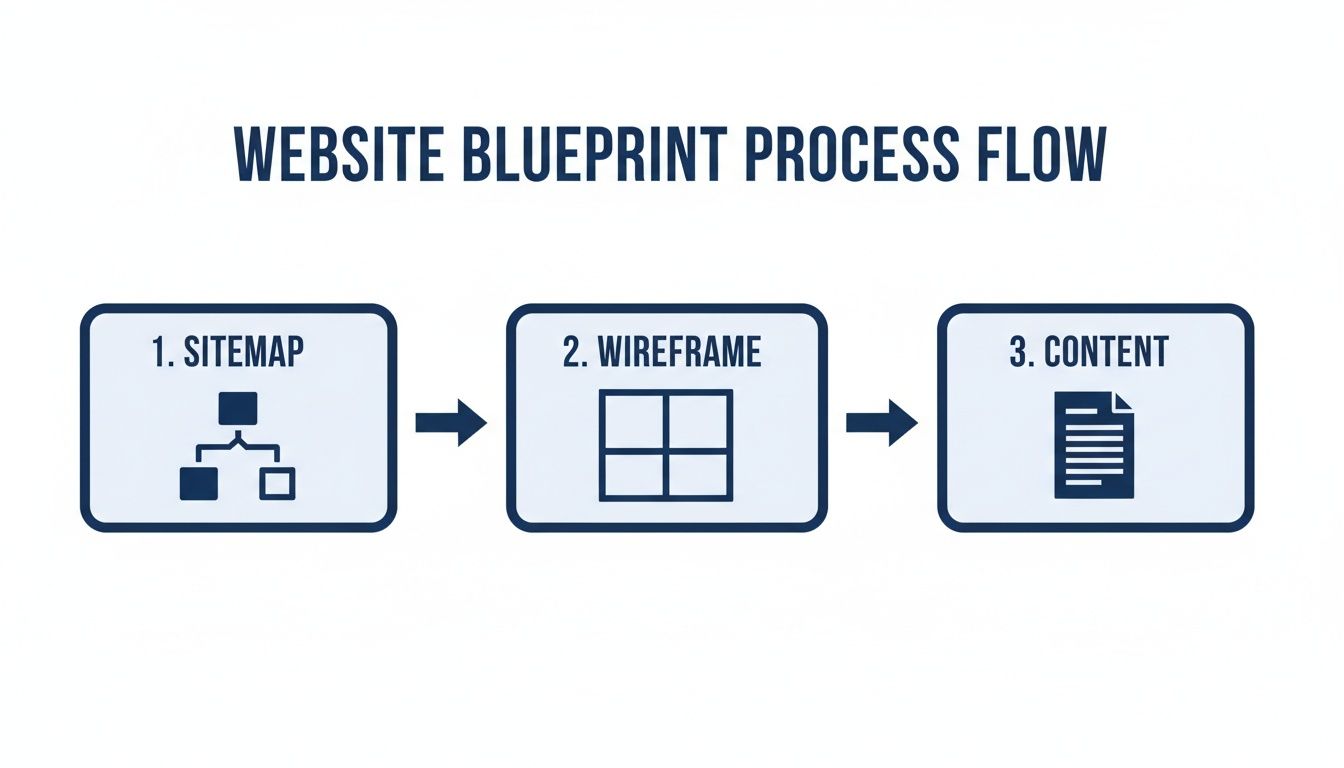
Following this blueprint prevents the kind of expensive rework that throws timelines and budgets completely off track.
The Critical SEO Migration Checklist
A website redesign is probably the single most dangerous moment for your SEO. We’ve seen years of ranking progress evaporate overnight because of a poorly handled migration. When Google comes back to crawl your site and finds a graveyard of broken links, it can quickly pull your pages from its index, and your traffic will plummet.
Think of your SEO migration checklist as an insurance policy. It’s the methodical, step-by-step process that ensures search engines understand your new site structure and properly transfer all the authority from your old URLs to the new ones.
While a full checklist is extensive, here are the non-negotiables:
- Crawl Your Existing Site: Before touching anything, get a complete inventory of every single URL on your live website. A tool like Screaming Frog is perfect for this.
- Map 301 Redirects: This is the most important step. You need to map every old URL to its new home with a 301 redirect. This tells search engines, "This page has moved permanently over here." It's not optional.
- Update Your XML Sitemap: The moment the new site goes live, you need to submit a new sitemap reflecting the new structure to Google Search Console.
- Preserve On-Page SEO Elements: Make sure the optimized title tags, meta descriptions, and header structures from your high-performing pages are migrated over to the new site. It's a simple step that's shockingly easy to forget.
For B2B and manufacturing companies, this is also the moment to double-check that your new product pages and technical spec sheets are perfectly optimized. The goal is to make content that’s useful for engineers and buyers while also being structured for search engines. Executing this correctly is fundamental if you want to learn how to increase organic traffic with the new site, not destroy it.
Budgeting for a Successful Redesign
Of course, none of this happens without a clear budget. Website redesign costs can vary wildly, but for B2B firms in the US, the range is typically between $2,000 and $80,000.
For our typical clients—small to midsize manufacturing or B2B companies—a basic redesign might land in the $2,000–$5,500 range. Projects requiring more custom features and integrations, especially with systems like GoHighLevel, usually fall between $5,500–$15,000. Large-scale enterprise sites with deep integrations can easily push past $50,000.
Sample Project Timeline and Roles (RACI)
To keep all these moving parts organized, a simple timeline and RACI chart are invaluable. RACI stands for Responsible, Accountable, Consulted, and Informed. It clarifies who does the work, who owns the outcome, who needs to provide input, and who just needs to be kept in the loop.
Here is a simplified chart to help you assign responsibilities and manage your redesign project effectively.
| Phase/Task | Timeline (Weeks) | Responsible | Accountable | Consulted | Informed |
|---|---|---|---|---|---|
| Discovery & Strategy | 1-2 | Project Manager | Project Sponsor | Dept. Heads | All Team |
| Content & SEO Audits | 1 | SEO Specialist | Marketing Lead | Sales Team | Project Team |
| IA & Wireframing | 2 | UX Designer | Project Manager | Stakeholders | Dev Team |
| UI Design & Style Guide | 2 | UI Designer | Creative Director | Marketing Lead | All Team |
| Development Sprints | 4-6 | Dev Team | Tech Lead | Project Manager | Stakeholders |
| SEO Migration Setup | 1 | SEO Specialist | Tech Lead | Dev Team | Marketing Team |
| Testing & QA | 1 | QA Tester | Project Manager | Dev & Design | All Team |
| Launch & Monitoring | 1+ | Tech Lead | Project Sponsor | All Team | Company |
This framework isn't set in stone—you should adapt it to your own team and project scope. But having this clarity from the start prevents the confusion and delays that can derail an otherwise well-planned redesign.
Executing a Flawless Pre-Launch and Go-Live
The final stretch of a website redesign is where precision is everything. Launching your new site shouldn’t feel like a frantic scramble to the finish line; it should be a controlled, methodical event. This is your final quality check, making sure all the strategic work you’ve poured into the project translates into a seamless user experience from the very first click.

Think of it like the final inspection on a new piece of machinery before it hits the factory floor. You need to test every single component under pressure to prevent a costly failure during production. Your website is no different.
Your Comprehensive Pre-Launch Checklist
Before you even think about flipping the switch, you need to run the site through a rigorous Quality Assurance (QA) process on a staging server. This is a private, password-protected clone of your new website where you can catch embarrassing bugs, broken links, and formatting glitches before your customers ever see them.
This isn’t just a quick once-over. It’s a deep dive into the site’s functionality, performance, and user experience. Your checklist needs to be exhaustive, covering every possible angle.
Critical Areas for Your Final QA Sweep:
- Cross-Browser and Device Testing: Does the site look and work correctly on Chrome, Firefox, Safari, and Edge? More importantly, how does it perform on an iPhone, an Android tablet, and a massive desktop monitor? Your users come from everywhere, and the experience has to be consistent.
- Functionality Verification: Click every single button. Fill out every form. Test every interactive element you’ve built. Do the contact forms actually send notifications to your sales team? Do the downloadable spec sheets actually download? This is your last chance to confirm every feature works exactly as planned.
- Performance Optimization: Use a tool like Google's PageSpeed Insights to check your site's loading speed. Slow sites kill conversions and hurt SEO. This is the time to optimize images, enable caching, and make sure your code is as clean and efficient as possible.
- Content and SEO Review: Read through every page one last time. Are there typos? Do all images have descriptive alt text for accessibility and SEO? Double-check that all title tags and meta descriptions are in place and that the 301 redirect map you built earlier is ready to go.
This methodical testing process is non-negotiable. It’s the firewall between a smooth, professional launch and a chaotic one that damages your brand’s credibility. Finding a broken link yourself is a minor fix; a potential customer finding it is a lost sale.
The Go-Live Sequence
Once the staging site passes every test with flying colors and you have the final sign-off from stakeholders, it’s time to move into the go-live sequence. This process should be carefully scheduled—usually during a period of low site traffic like late at night or over a weekend—to minimize any potential disruption for your users.
A Step-by-Step Go-Live Plan:
- Final Data Migration: If your site has an active blog or e-commerce component, run one last sync to move any new content, orders, or customer data from the old site to the new one.
- Deploy to Live Server: Push the fully tested and approved code and database from your staging environment to your live hosting server.
- Implement Redirects: The moment the new site is up, activate the 301 redirect map. This is absolutely crucial for telling search engines where to find all your old pages, preserving years of SEO value.
- Update DNS Records: This is the technical step of "flipping the switch." You'll update your domain's DNS records to point to the new server's IP address. This change can take a few hours to propagate across the globe.
- Final Live Site Check: As soon as the new site is live, run through a quick but thorough check of the key pages, forms, and checkout processes to ensure everything works as expected in the new environment.
- Submit New Sitemap: Log into Google Search Console and submit your new XML sitemap. This tells Google it's time to come crawl your new and improved site structure.
By following this disciplined checklist, you turn a potentially stressful event into a controlled and successful transition. This systematic approach is the final, critical piece of your website redesign project plan, setting your new digital asset up for success from day one.
Driving Continuous Improvement After Launch
Hitting the "launch" button isn't the finish line. In reality, it's the starting line for optimization. Too many businesses treat their new website as a finished product, but that’s a huge mistake. A smart website redesign plan has to extend well beyond the go-live date to make sure you get a real return on your investment.
Think of this final phase like an engineer would. You’ve just built a powerful engine; now it’s time to start fine-tuning it based on how it actually performs in the real world.
Monitoring Performance in the First 90 Days
The first three months after launch are absolutely critical. This is your window to validate the initial strategy, catch any unexpected issues, and start collecting the data you'll need for smart, incremental improvements. Whatever you do, don't just launch the site and walk away.
Your immediate focus should be on establishing a baseline for your new Key Performance Indicators (KPIs). What does "normal" look like on the new site?
Key Metrics to Track:
- Conversion Rate: This is the big one. Are your forms, quote requests, and other goals converting at a higher rate than before?
- Bounce Rate: Are users sticking around, or are they hitting the back button as soon as they land on key pages? A high bounce rate could point to a disconnect in messaging or a clunky user experience.
- Pages Per Session: Are people exploring more of your site? If so, it’s a good sign that your new information architecture is working.
- Organic Search Rankings: Keep a close eye on your keyword positions in Google Search Console. You need to make sure the SEO migration was a success and spot any new ranking opportunities that pop up.
Don't just stare at the data—do something with it. If a key service page has a sky-high bounce rate, that's your signal to dig in. Is the call-to-action buried? Does the content fail to answer the user's question? Data points you to the problem so you can engineer a solution.
Gathering Qualitative and User Behavior Data
Numbers tell you what is happening, but they rarely tell you why. For the full picture, you need to layer in qualitative feedback and get a feel for actual user behavior. This is how you move from abstract metrics to understanding how a real person interacts with your new site.
We’re big fans of using tools like heatmaps to see exactly where users are clicking, how far they're scrolling, and what they’re hovering over. This kind of visual data is incredibly powerful. For instance, a heatmap might show that dozens of people are clicking on a non-clickable image, which immediately tells you there's a design flaw causing user frustration.
Methods for Gathering Actionable Insights:
- Heatmap and Session Recording Analysis: Tools like Hotjar or Microsoft Clarity let you watch anonymized recordings of user sessions. You can literally see where they get stuck, what they ignore, and how they navigate your new layout. It’s like looking over their shoulder.
- User Feedback Surveys: Add a simple, non-annoying pop-up survey asking for feedback. A simple question like, "Were you able to find what you were looking for today?" can uncover some absolute gems.
- Direct Customer Outreach: Just talk to your sales and customer service teams. What are they hearing from customers about the new site? This feedback is often the most direct and honest you’ll ever get.
Establishing a System for Ongoing Growth
A high-performing website is never really "done." It has to evolve right alongside your business and your customers' needs. The final piece of the puzzle is creating a system for ongoing maintenance, security, and content development.
This system is what protects your investment and ensures it keeps generating value for years to come.
Your Ongoing Maintenance SOP (Standard Operating Procedure):
- Security: Regular updates to your CMS, plugins, and security protocols are non-negotiable. It's the only way to protect against constant threats.
- Backups: Set up automated weekly or daily backups of the entire site. If something goes wrong, you'll be able to restore it in minutes, not days.
- Content Calendar: Plan out a steady stream of valuable content—think blog posts, case studies, or technical guides—to attract new visitors and build your authority in the industry.
By analyzing performance data and listening to user feedback, you can make informed decisions that drive real, continuous improvement. This approach is at the core of effective digital marketing. For a deeper dive, check out our guide on what is marketing analytics and how to apply it to your own business. This iterative process is what turns a one-time website project into a dynamic, lead-generating asset for your company.
Got a Few Questions?
Even the best-laid plans can feel a little daunting when you're talking about a website redesign. It’s a big project, and it's smart to ask questions. Based on our experience, there are a few that pop up almost every time. Here are the straight-up answers we give our clients.
How Long Does a B2B Website Redesign Actually Take?
This is the big one, right? For a small-to-medium B2B site, let's say somewhere in the 15-50 page range, you should realistically budget for 10 to 16 weeks. Of course, larger projects can stretch to six months or more, especially if we're building custom tools or generating a ton of new content from scratch.
A typical project timeline usually breaks down something like this:
- Discovery & Strategy: 2–3 weeks
- Information Architecture & Wireframing: 2–3 weeks
- UI Design: 2–4 weeks
- Development & Integration: 4–6 weeks
- Testing & Launch: 1 week
The key to hitting that timeline is having every milestone mapped out and agreed upon before a single line of code is written. No surprises.
How Do I Keep My SEO Rankings From Tanking During a Redesign?
This is a critical concern, and frankly, it's where a lot of redesigns completely fall apart. You've worked hard for those search rankings, and protecting them is why a detailed SEO migration plan isn't optional—it's essential.
The single most important piece of this puzzle is creating a comprehensive 301 redirect map. Think of it as a permanent change-of-address form you file with Google for every single page on your site. It tells search engines exactly where the new version of each old page lives.
Beyond that, you have to run a full SEO audit before you start, identifying your top-performing pages so they get the white-glove treatment. Once you go live, you'll submit the new sitemap to Google Search Console and keep a close eye on it for any crawl errors.
What's the Single Biggest Mistake I Can Make?
Easy. Skipping the strategy and discovery phase. It happens all the time. People get excited about the visual side of things and want to jump right into picking out colors and looking at slick mockups. But without a rock-solid understanding of your goals, your audience, and the business problems you're trying to solve, you're just putting a new coat of paint on a shaky foundation.
This is the #1 reason projects go over budget, miss deadlines, and ultimately fail to deliver real results. A proper strategy ensures the entire project is aimed at turning your website into a powerful asset that generates leads, not just another line item on the expense report.
Ready to build a website that works as hard as you do? Machine Marketing specializes in creating strategic, lead-generating websites for manufacturers and B2B companies. Book a discovery call with us to diagnose your current site and build a project plan for growth.
