
You paid for a professional website. The photos are clean, the copy sounds polished, and the navigation works. But the quote requests are thin, the contact form sits idle, and your sales team keeps asking why the site isn’t pulling its weight.
We see this pattern often with manufacturers and service businesses. The visible problem looks like weak SEO or poor conversion. The underlying issue is usually simpler. The page doesn’t clearly tell Google, assistive technology, or the buyer what the page is about.
One of the first places to diagnose that problem is the H1 tag.
Your Website's Most Important Invisible Problem
A good-looking page can still fail like a well-machined part with the wrong tolerance. From a distance, everything appears fine. Under load, the weakness shows up.
That’s how H1 problems usually surface. A company has a strong homepage, solid service pages, maybe even a respectable blog. But key pages use vague top headlines like “Welcome,” “Solutions,” or “Learn More.” In other cases, the page headline was styled with a generic text block instead of a real <h1> element. The page looks right to a human skimming it, but the structure underneath is muddy.
What this looks like in the real world
A typical example is a manufacturer with separate pages for CNC machining, fabrication, and repair work. The service page title in Google might mention machining, but the page itself opens with a hero line like “Built for Performance.” That phrase may sound brand-forward, but it doesn’t identify the page’s core topic.
The result is friction in three places:
- Search engines get a weaker topic signal because the main heading doesn’t reinforce intent.
- Visitors get less confirmation that they landed on the right page.
- Accessibility tools get a poorer structural cue for page hierarchy.
A weak H1 usually isn’t the only issue. It is often the fastest visible symptom of a page that lacks message discipline.
Why busy teams miss it
Owners often focus on design, speed, or ad spend first. Those matter. But on-page structure is one of those hidden systems that either supports the whole machine or drags it down.
If you’re trying to increase organic traffic with a stronger content system, the H1 is one of the first diagnostic checks worth running. It won’t fix a bad offer or thin content by itself, but it tells you whether the page has a clear identity.
That’s the value in understanding what is an h1 tag. It’s not trivia for developers. It’s a fast way to assess whether your page communicates one main job, or several competing ones.
What an H1 Tag Actually Is and Isn't
The simplest way to understand an H1 is this. Your page’s title tag is the listing in the catalog. Your H1 tag is the title printed on the cover.
The title tag lives in the page head and usually appears in the browser tab and Google search results. The H1 lives in the body of the page and appears on the page itself. They work together, but they are not the same part.
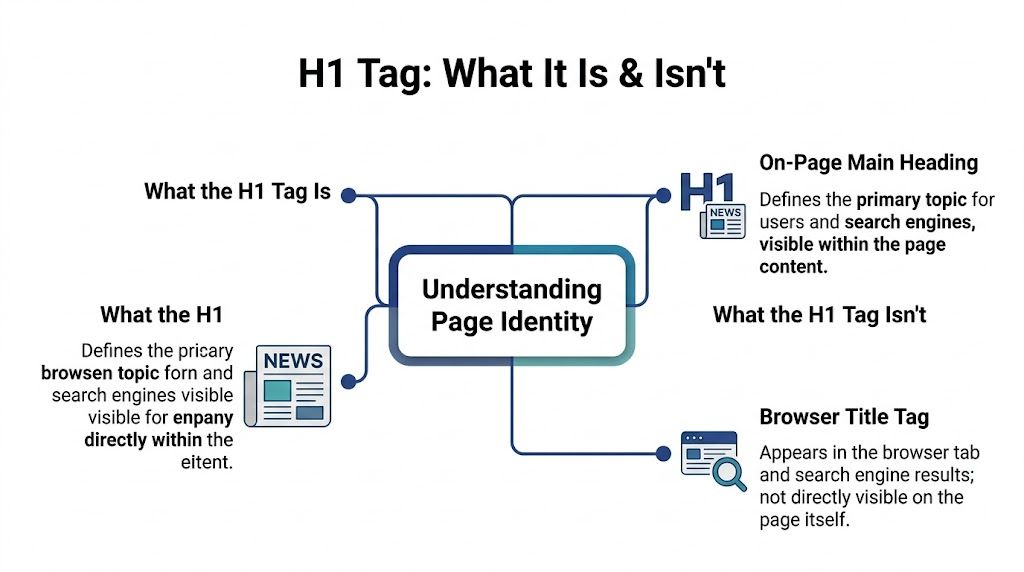
What the H1 is
The H1 tag is the highest-level heading element in HTML. It defines the page’s primary topic and sits at the top of the heading hierarchy from H1 through H6. That hierarchy gives the page structure, like the section numbering on an engineering drawing.
Browsers also render H1 text with the largest default size, around 2em or roughly 32px, which gives it visual prominence. But its real job isn’t visual styling. Its job is semantic structure. Moz notes that misusing H1 for style can disrupt screen reader heading navigation and fail WCAG 2.1 criteria. The same source also notes that a well-optimized H1 with the target keyword can improve click-through rates by 20% to 30% when it aligns with user search queries, as explained in Moz’s H1 guide.
What the H1 is not
It is not just “big text.”
It is not the browser tab label.
It is not a decorative slogan unless that slogan clearly states the page topic.
It is not a substitute for proper content hierarchy below it.
If you want a practical refresher on the broader heading system, this overview of what are heading tags and why you should use them is useful because it explains how headings work together rather than treating the H1 as an isolated SEO trick.
Why semantics matter
A well-built page has one obvious top-level subject. The H1 names that subject. H2s divide major sections. H3s break those sections into smaller parts. That structure helps:
- Search engines interpret page intent
- Visitors scan the page faster
- Screen reader users move through headings in logical order
Practical rule: If your top headline answers “what is this page about?” in plain English, you’re usually on the right track.
For teams working on technical content, this matters beyond compliance. It affects whether the page behaves like a coherent asset in your larger SEO system. If you’re building more search-focused pages, this conversion-centric guide to technical content SEO is a useful next read because it ties page structure to business outcomes instead of treating SEO as a checklist.
Why Your H1 Tag Is a High-Leverage Marketing Tool
A buyer searches for “aluminum extrusion machining supplier,” clicks your page, and lands on a headline that says “Solutions Built Around Quality.” That page may be technically indexed, visually polished, and full of useful copy. It still fails the first inspection step. The visitor cannot confirm, in one glance, that they are in the right place.
That is why the H1 carries more business weight than its size in the code suggests. It helps search engines confirm page intent, helps buyers confirm relevance, and helps your team keep revenue pages aligned with the query that brought the visit in.

Why strong pages usually have clear H1s
H1 tags are not a magic ranking switch. Google can still understand a page with imperfect headings. But pages that perform well usually show cleaner structure because the team building them understood the assignment.
Ahrefs examined on-page SEO factors and found that having an H1 tag showed a slight correlation with higher rankings. That is the right way to frame it. Correlation, not a promise. In practice, a clear H1 works like a correctly labeled machine input. It reduces ambiguity at a point where ambiguity costs traffic and leads.
On manufacturer and industrial service sites, that cost shows up fast. A vague H1 weakens topical alignment, lowers confidence after the click, and makes the page harder to map to the campaign, keyword cluster, or service line it is supposed to support.
How the H1 affects lead generation
For B2B sites, the H1 is part of message match.
If your Google result, ad copy, email CTA, or internal link promises “food-grade stainless tank repair,” the page headline should confirm that exact need immediately. Otherwise, the visitor starts troubleshooting your page instead of evaluating your offer.
That delay hurts conversion. Buyers in manufacturing and field service are often comparing vendors between meetings, on a plant floor, or while collecting quotes under time pressure. They do not need brand theater first. They need confirmation that your page covers the process, capability, or location they searched for.
This is also why the H1 is useful diagnostically. In platform audits, including GoHighLevel setups, I look at H1s to see whether the funnel is carrying intent cleanly from search term to landing page to form fill. A weak H1 often points to a larger systems problem. The wrong keyword target, muddled service positioning, duplicated page templates, or CMS defaults that turned every headline into generic copy.
That’s why H1 work belongs inside broader content marketing best practices, not just SEO thinking. It also needs to sit inside wider Search Engine Optimization (SEO) work, because search visibility only pays off when the page can convert the right visit.
Why accessibility belongs in the business case
A clean H1 also improves how assistive technology interprets the page. That matters for usability, but it also reflects operational discipline. Pages with clear heading structure are easier for every visitor to scan, easier for teams to maintain, and less likely to break when content gets updated by multiple people across marketing and development.
This short walkthrough is worth watching if you want to see the practical SEO side of heading structure in action.
Why this matters more on manufacturer and service pages
Many B2B buyers never touch the homepage. They enter through a service page, capability page, industry page, or location page.
On those pages, the H1 works like the sign over a production cell. A precise label keeps the job moving. A vague one creates hesitation, rework, and drop-off.
That is why H1 discipline pays off most on bottom-of-funnel pages. These pages are supposed to convert existing demand. If the heading misses the core buying intent, the rest of the page has to work harder than it should.
The Machine Marketing H1 Tag Best Practices
Most H1 advice online gets reduced to slogans. “Use one H1.” “Add the keyword.” “Keep it short.” Those rules aren’t wrong, but they’re too thin to guide real decisions.
A better approach is to treat the H1 like a spec. It should identify the page’s purpose, support the title tag, and fit naturally with the rest of the content.
Use one clear H1 when possible
Google has said multiple H1s aren’t automatically a problem. That’s useful context, but it doesn’t change the practical standard. One H1 gives the clearest signal.
Labeling a control panel offers a useful comparison. If every switch is marked “main,” none of them is main.
A single H1 also reduces internal confusion when multiple people touch the page. Designers, developers, SEO teams, and content writers all work better when the page has one declared top-level subject.
Write for topic clarity first
The H1 should identify the page topic in direct language. Often, many pages drift into clever branding when plain intent is needed.
Better examples:
- Precision CNC Machining Services
- Industrial Pump Repair for Food Processing Plants
- Commercial HVAC Installation in Grand Rapids
Weaker examples:
- Built to Perform
- Solutions That Scale
- Welcome
The weak versions may sound polished, but they don’t tell the visitor or Google what the page is about.
Include the target phrase naturally
You don’t need to stuff the exact phrase into the H1 like a machine forcing a part into the wrong fixture. If the target phrase belongs there, use it plainly. If it sounds robotic, rewrite the headline.
Good H1s usually sound like something a salesperson would say in a clear opening sentence. They don’t sound like a spreadsheet export.
Keep the H1 human-readable first. Search relevance follows clearer language more often than awkward keyword packing does.
Keep it concise
Best-practice guidance from the verified material points toward a concise H1, often in the 40 to 70 character range or under 60 characters depending on the source context. The exact count isn’t the point. Clarity is.
If the H1 starts reading like a paragraph, it usually means the page itself lacks focus. Shorter H1s tend to force better decisions about topic and intent.
Put it high on the page
Your H1 should appear near the top of the visible content. Don’t bury it below sliders, trust badges, oversized hero animations, or a wall of introductory copy.
A buyer shouldn’t have to scroll to learn what the page is. That’s like making a rep hunt through a binder to find the part number.
Align it with the title tag, but don’t duplicate by habit
The title tag and H1 should reinforce the same topic. They can differ in wording. They shouldn’t point in different directions.
Collaborada’s explanation of title tags and H1 tags notes that misalignment between them can cause 15% to 25% higher bounce rates, and proper H1 through H6 nesting can improve task completion for visually impaired users by 40%.
A simple operating rule works well:
- Title tag gets the search-result job
- H1 gets the on-page confirmation job
If both discuss the same core topic, the page feels coherent. If they drift apart, the visitor feels it immediately.
Use actual heading tags, not styled text blocks
This mistake is common on heavily designed sites. The page has a large bold hero line built in a div or text widget, but there is no semantic H1 in the code.
That setup pleases the eye and breaks the structure.
When auditing a page, ask:
- Is there a real
<h1>element in the source? - Does it describe the main page topic?
- Do the H2s and H3s logically branch from it?
Match the page type
Different pages need different H1 patterns.
| Page type | Better H1 pattern |
|---|---|
| Service page | Specific service plus audience or location |
| Product page | Product name plus use case |
| Local page | Service plus city or region |
| Blog post | Clear promise or question matching the topic |
| Homepage | Primary value proposition anchored in what you do |
That last point matters. A homepage H1 can carry more brand voice. A service page should carry more precision.
Common H1 Tag Mistakes and How to Fix Them
Most H1 problems don’t come from bad intent. They come from mixed ownership. A designer wants a certain look. A developer follows a theme default. A marketer edits copy later. The page ships with structural drift.
The good news is that H1 issues are usually easy to spot once you know the failure modes.
Mistake one: no H1 at all
Some pages never get a proper H1. This happens on custom builds, heavily modified themes, and pages built inside visual editors.
Symptom: The top headline exists visually, but the code has no <h1>.
Fix: Replace the decorative text block with a real H1 or assign the proper heading tag in the builder.
Mistake two: generic H1 copy
Headlines like “Home,” “Blog,” “Services,” or “Welcome” waste the most valuable heading on the page.
Symptom: The page technically has an H1, but it tells nobody anything useful.
Fix: Rewrite it so it names the actual page intent. “Custom Metal Fabrication Services” is useful. “Services” is not.
Mistake three: multiple H1s because the template allows it
The flexibility of H1 usage often leads to misunderstanding. Google’s John Mueller has confirmed that pages can rank with zero or multiple H1s and that content quality matters most, as discussed in Semrush’s H1 analysis. The mistake is turning that flexibility into permission to ignore structure.
If several page elements are tagged as H1, the page sends a weaker signal about what matters most. That’s especially unhelpful as AI-driven search tries to summarize pages with less ambiguity.
Multiple H1s are usually not a penalty issue. They’re a clarity issue.
Fix: Choose one true page headline. Demote supporting section headings to H2 or H3.
Mistake four: using H1 for style only
Design teams sometimes apply H1 to any text they want large and bold. That’s backwards. HTML should describe meaning first. CSS should control appearance.
Fix: Keep the semantic hierarchy clean, then style other text elements with classes instead of hijacking heading tags.
A practical diagnostic table
| Problem | What it usually means | Better move |
|---|---|---|
| Missing H1 | Theme or builder stripped semantics | Add one real H1 near top of content |
| Several H1s | Template or editor overused top-level heading | Consolidate to one main H1 |
| Generic H1 | No clear keyword or intent strategy | Rewrite around page topic |
| H1 and page topic don’t match | Messaging drift | Align headline to actual search intent |
| Decorative slogan as H1 | Brand voice over clarity | Move slogan into supporting copy |
If you fix nothing else on a page, fix the line that tells everyone what the page is.
How to Implement and Audit Your H1 Tags
You don’t need to be a developer to check H1 tags. You just need a repeatable workflow.
Start small. Pick five important pages. Your homepage, top services, top product category, one location page, and one high-intent blog post. Audit those first.

What the code looks like
Under the hood, an H1 is simple:
- Basic example
<h1>Precision CNC Machining Services</h1>
That’s it. The complexity comes from how themes, builders, and CMS templates handle the output.
How to check a page manually
Use this method when you want a quick answer without specialized software.
Open the page in your browser
Check the visible top headline first. Does it clearly state the page topic?View the source
Use your browser’s “View Page Source” function and search for<h1>.Inspect the page visually
If the visible main headline is not the H1 in code, the structure may be broken.Scan the hierarchy
Look for whether H2s and H3s logically support the page topic.
This basic process catches a surprising number of problems on service pages and local landing pages.
WordPress checks
In WordPress, many themes automatically use the page or post title as the H1. That’s convenient, but it can also hide problems.
What to verify in Gutenberg or your page builder:
- Title output: Confirm the page title is rendering as the H1.
- Hero sections: If the design replaces the standard title area, make sure the custom hero includes one real H1.
- Duplicate headings: Some builders output the title as one H1 and the hero text as another.
If you’re using Elementor, WPBakery, or a custom theme, inspect the final rendered HTML instead of assuming the builder got it right.
GoHighLevel checks
In GoHighLevel, heading settings are easy to change, which is both useful and risky. One wrong selection in a funnel or website section can produce a poor structure across multiple pages.
For B2B and local SEO work, H1s matter because they reinforce local and service intent. Acquia’s discussion of title tags and H1 tags notes that for local queries, aligning the H1 and title tag led to a 25% higher click-through rate in a 2025 Ahrefs study. Their example also fits B2B usage well. A heading like “CNC Machining Services in Detroit” tells both search engines and visitors what the page is trying to rank for.
In GoHighLevel, check these points:
- Element type: Make sure the primary hero headline is set to H1, not paragraph or generic text.
- One per page: Confirm sub-sections use H2 or H3.
- Local alignment: On city or service-area pages, make sure the H1 reinforces the same local intent as the title tag and body copy.
Use a crawler for sitewide audits
Manual checks work for a few pages. Sitewide audits need a crawler.
Tools that help:
- Screaming Frog for extracting H1s across the site
- Browser Inspect Element for page-level validation
- WAVE for checking structural accessibility issues
- Google Search Console for correlating page topics and query visibility
A practical audit sequence
Use this sequence when cleaning up a site:
| Step | Action | Why it matters |
|---|---|---|
| 1 | Export all URLs | You need a complete page list |
| 2 | Crawl H1 data | Find missing, duplicate, or vague headings |
| 3 | Prioritize money pages | Fix pages tied to leads first |
| 4 | Rewrite H1s | Clarify topic and intent |
| 5 | Recheck templates | Prevent the CMS from reintroducing the issue |
If a site has dozens of weak H1s, that usually points to a template or process issue, not just a copy issue.
That’s an important distinction. Fixing one page is editing. Fixing the system is implementation.
Your H1 Tag Quick-Action Checklist
If you only need the operational version, use this section like a shop-floor checklist. Review one page at a time and mark pass or fail. Don’t overthink it.
The questions that matter most
Before you edit anything, ask:
- Does this page have one obvious main topic
- Does the visible headline state that topic plainly
- Is the headline a real H1 in the code
- Do the supporting headings branch logically from it
- Would a buyer know they’re in the right place within seconds
If the answer to any of those is no, the page needs attention.
H1 Tag Audit Checklist
| Check | Verification Step | Status (Pass/Fail) |
|---|---|---|
| One primary H1 exists | View source or inspect element and confirm one <h1> appears |
Pass/Fail |
| H1 describes the page clearly | Read the heading without context and ask if it names the page topic | Pass/Fail |
| H1 is not generic | Replace labels like “Home,” “Services,” or “Welcome” with a specific topic | Pass/Fail |
| H1 appears high on the page | Check that users can see it near the top of the content | Pass/Fail |
| H1 uses natural keyword language | Confirm the phrase fits normal speech and isn’t stuffed awkwardly | Pass/Fail |
| Title tag and H1 align in topic | Compare SERP-facing title to on-page headline for consistency | Pass/Fail |
| Supporting headings use H2 and H3 logically | Scan the rest of the page for proper hierarchy | Pass/Fail |
| H1 is semantic, not decorative | Verify the main headline is an actual heading tag, not a styled text block | Pass/Fail |
| Page type matches H1 style | Service, product, local, and blog pages should each use an appropriate pattern | Pass/Fail |
| Priority pages are audited first | Start with homepage, core service pages, local pages, and top-converting content | Pass/Fail |
What to do next if you find problems
If only a few pages fail, rewrite those H1s and recheck the structure.
If many pages fail in the same way, step back and inspect the template, CMS settings, or builder defaults. Repeated H1 issues usually mean the production system is off, not just the copy.
A strong H1 won’t rescue a weak offer. But a weak H1 can absolutely undermine a strong page.
That’s why this matters. The H1 is one of the fastest ways to diagnose whether your website communicates with precision or with noise.
If you want a second set of eyes on your site structure, messaging, or lead-generation system, Machine Marketing can help you diagnose the bottlenecks and turn the website into a clearer sales tool.
