
If your sales team is buried in repetitive tasks that don’t generate revenue, you’re not just losing time—you’re leaking profit. The real question isn’t just "what is sales automation," but how can you build a system that gives you that time back? Put simply, it’s a system that works for you 24/7 to nurture leads, follow up on quotes, and track every interaction, freeing up your team to focus on what they do best: closing deals.
In this guide, we’ll diagnose the hidden bottlenecks in your sales process and show you how to build a reliable automation engine that drives predictable growth.
Your Hardest Working Employee Is A System
For too many business owners, the sales process is a grind of manual, time-sucking steps. Your team is constantly chasing leads, sending one-off follow-up emails, wrestling with spreadsheets, and plugging data into a CRM. Each of these tasks, while necessary, pulls them away from their most valuable activity: building relationships and actually selling. This is the operational bottleneck we see holding back countless B2B companies, especially in manufacturing.
So, what’s the real problem we need to solve? The issue isn't a lack of effort from your sales team; it's the lack of an efficient system to support them.
Sales automation isn't about replacing your skilled sales pros. It’s about giving them a tireless digital assistant—a system built to handle all the predictable, repetitive work with perfect consistency. Think of it as your hardest-working employee, one that never gets tired, never forgets to follow up, and works around the clock to move prospects down the pipeline.
Diagnosis: Where Is Your Process Breaking Down?
When your team spends hours on administrative work, you’re paying for inefficiency. Leads go cold while reps are busy with data entry, follow-ups become inconsistent, and valuable customer data gets lost in the shuffle.
This drag on efficiency hits your bottom line directly. Automation is the solution that creates structured, repeatable workflows for all the tasks currently draining your resources.
The goal is to automate the process, not the relationship. By building a system for the predictable tasks, you free up your team to apply their expertise where it matters most—in meaningful conversations with qualified buyers.
Here's a quick look at how this shift from manual work to an automated system plays out.
Table: Manual Sales Tasks vs. Automated Solutions
| Manual Sales Task | The Problem (The Hidden Cost) | The Automated Solution (The System) |
|---|---|---|
| Lead Data Entry | A rep spends 5-10 minutes manually inputting contact info into a CRM or spreadsheet. This is low-value, error-prone work. | The system instantly captures lead data from web forms, adds it to the CRM, and tags it for the correct follow-up sequence. |
| Initial Follow-Up Email | A salesperson has to remember to draft and send a "thank you" email, which can be delayed by hours—or even a full day. | A personalized, branded email is sent automatically within minutes of the lead's inquiry, ensuring immediate engagement. |
| Quote Follow-Up Reminders | Reps rely on sticky notes or calendar alerts to check in on sent quotes, leading to missed opportunities when things get busy. | The system schedules a sequence of follow-up tasks and emails that trigger automatically if a quote hasn't been opened or accepted. |
| Lead Nurturing | Leads who aren't ready to buy are often forgotten, left to go cold in a spreadsheet. This is a massive source of lost future revenue. | Leads are automatically placed into a long-term email nurture campaign that delivers valuable content until they show buying signals. |
| Reporting and Tracking | Pulling together sales activity reports is a manual, time-consuming process that’s often outdated by the time it's compiled. | Dashboards update in real-time, providing an accurate, at-a-glance view of pipeline health and team performance for better decision-making. |
This table illustrates the core benefit: automation doesn't just do the same tasks faster, it creates a reliable, scalable sales engine that runs on its own.
The Transformation from Manual Labor to a Sales Engine
Imagine a potential customer fills out a "Request a Quote" form on your website. What happens next?
- The Manual Way: A salesperson gets an email notification. They have to find the lead's info, manually type it into the CRM, and then try to find time to write a follow-up email. This could take hours—or even a full day if they're swamped.
- The Automated Way: The system instantly adds the lead to your CRM, tags them based on their inquiry, and sends a personalized acknowledgment email. At the same time, it schedules a follow-up task for the right sales rep, ensuring no lead ever falls through the cracks.
This shift turns your sales department from a reactive group scrambling to keep up into a proactive, efficient engine built for growth. To really make this engine hum, you need to understand which lead generation automation workflows actually work.
The market is already making this move. The global sales automation sector was valued at $8.6 billion in 2023 and is on track to hit $19.5 billion by 2030. It's not just about spending money, it's about getting results—high-performing sales teams see a 14.5% jump in productivity when they adopt smart automation. This isn't just a trend; it's a fundamental change in how successful businesses operate.
The Core Components Of Your Sales Engine
It’s helpful to think of sales automation less as a single tool and more like a high-performance engine. Every component has a specific job, but they all need to work together seamlessly to drive your business forward. When you assemble and fine-tune these parts correctly, you create a powerful, self-sustaining system for growth.
So, what are these components? A sales engine is built from a few essential, interconnected systems. Each one is designed to automate a critical stage of your sales process, turning scattered manual effort into a consistent, reliable workflow.
Lead Management and Scoring
This component acts as your engine's quality control filter. Lead management is all about capturing, tracking, and distributing every incoming lead. Automation ensures that every inquiry from your website, social media, or advertising is instantly logged without someone having to type it in by hand.
Lead scoring takes this a step further. The system automatically assigns points to leads based on their actions (like visiting your pricing page) and their profile (like their job title or industry). A prospect who downloads a technical spec sheet is obviously "hotter" than someone who just reads a blog post. This process lets your sales team immediately spot and prioritize the most promising opportunities, so they spend their time on conversations that have a high probability of converting.
Automated Follow-ups and Nurturing
Here’s the workhorse of your sales engine. How many times has a follow-up been forgotten because a salesperson got pulled into another meeting? Automated follow-ups eliminate this problem for good. The system can send a perfectly timed sequence of emails or texts to nurture a relationship over days, weeks, or even months.
This isn't just about sending generic reminders. Smart automation can trigger different messages based on a lead’s behavior, making sure the communication is always relevant. This consistent, gentle contact keeps your business top-of-mind and builds trust until a prospect is finally ready to engage.
A well-built sales automation system ensures no lead is left behind. It systematically nurtures every opportunity, from the hottest prospects to the long-term potentials, guaranteeing consistent engagement without draining your team's energy.
The diagram below shows how these core systems—nurturing leads, automating follow-ups, and tracking data—work together in a unified sales process.
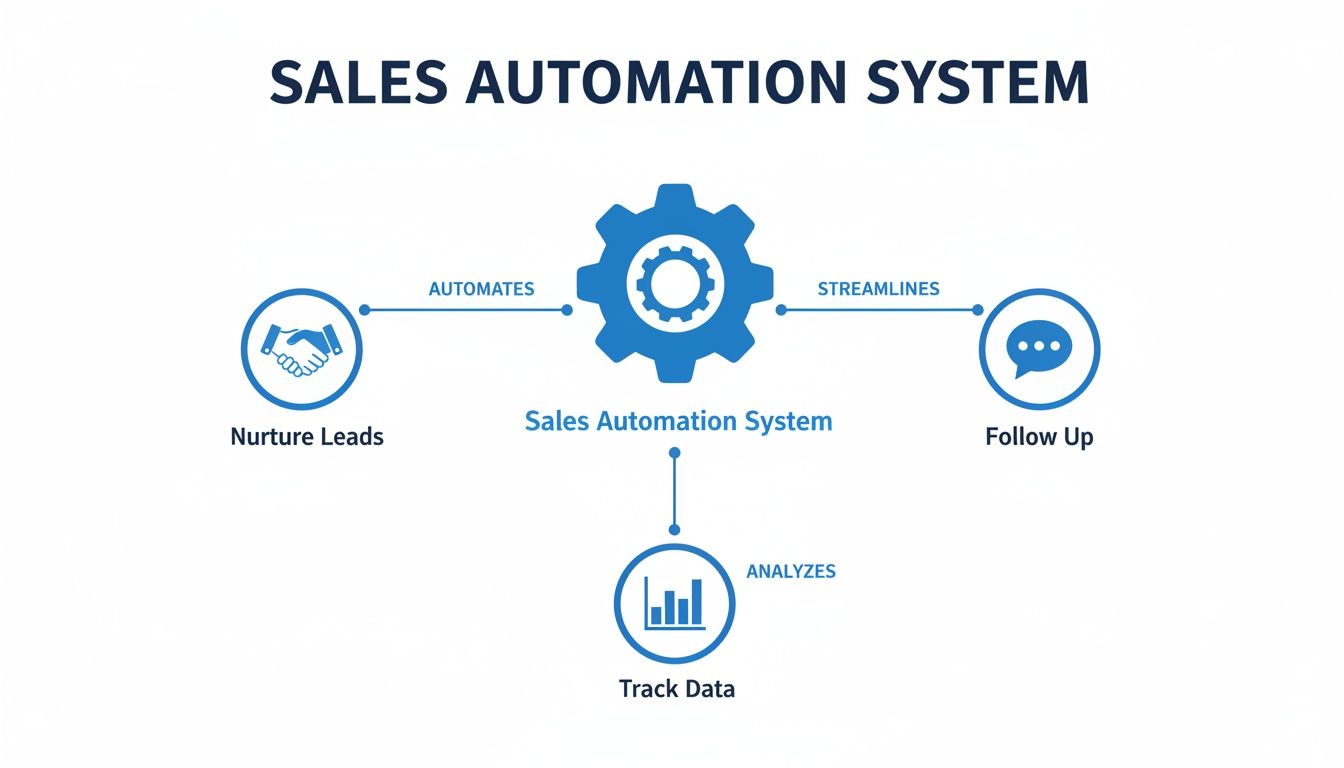
This visual makes it clear that a successful system isn't just one piece of software, but an integrated cycle of actions designed to move a customer forward.
CRM Integration: The Central Brain
Your Customer Relationship Management (CRM) platform is the central brain of your entire sales engine. It’s the single place where all customer data lives—every email, phone call, meeting note, and purchase history. Integrating your automation tools directly with your CRM is non-negotiable if you want a single source of truth.
When your systems are connected, your sales team gets a complete 360-degree view of every customer. They know exactly which emails a lead has opened, which pages they’ve visited on your site, and what products they’re interested in before they even pick up the phone. Our guide on how to choose a CRM system can help you find the right foundation for your sales engine.
This integration is only getting more powerful. AI-powered tools like sales assistants and conversational intelligence are growing at a 24.60% compound annual growth rate. Using a unified platform like GoHighLevel to manage your CRM and automate email sequences can boost pipeline conversion by 20%, upsell rates by 29%, and customer lifetime value by a whopping 30%.
Reporting and Analytics
Finally, you need a dashboard to see how your engine is performing. The reporting and analytics component tracks key metrics in real time. It answers the critical questions:
- Which lead sources are generating the most revenue?
- How long is our average sales cycle?
- Where are deals getting stuck in our pipeline?
This data gives you the insights needed to diagnose problems and optimize your process for better results. Without it, you're guessing. With it, you have an engineering-level view into what works and what doesn't.
How Automation Transforms B2B And Manufacturing Sales
Theory is great, but the real test is how a system performs in the real world. For a B2B manufacturer or a local service business, what does sales automation really look like? This is where you see the transformation from scattered, manual tasks to a predictable, revenue-generating engine.

The impact is clearest when you look at the before-and-after. Before, your sales process probably leans heavily on individual effort and memory. Afterwards, it runs on a reliable system that executes key tasks flawlessly, every single time.
The Manufacturer’s Transformation
For manufacturers, the sales cycle is often long and complex. You’re dealing with detailed quotes, technical specs, and multiple decision-makers. In this environment, manual follow-up isn't just inefficient—it’s a direct threat to your bottom line. Leads get lost, quotes go unanswered, and your team is stuck managing spreadsheets instead of closing deals.
An automated system flips the script entirely.
A Real-World Manufacturing Scenario
Let’s say a potential buyer visits your website and downloads a CAD file for a custom part. Here's how automation turns that single click into a genuine sales opportunity:
- Before (The Manual Way): A notification lands in a generic sales inbox. It might sit there for hours until someone finally sees it, manually enters the contact into a spreadsheet, and then tries to remember to follow up in a few days. By then, the lead’s initial interest has probably gone cold.
- After (The Automated Way): The second that file is downloaded, the system kicks into gear.
- The lead is instantly dropped into your CRM and tagged as a "high-intent" prospect.
- A personalized email fires off automatically, thanking them for their interest and offering a link to a relevant case study.
- A task pops up for the right sales engineer, complete with the lead's contact info and a note about the exact file they downloaded.
- If there’s no response after two days, a second follow-up goes out asking if they have any technical questions.
This automated workflow ensures that a warm lead gets immediate, relevant attention. It dramatically shrinks the time between that first flicker of interest and a real sales conversation. Our complete guide on marketing automation for manufacturing dives deeper into building these kinds of powerful systems.
The Service Business Transformation
Local service businesses—from HVAC contractors to consulting firms—operate differently. Their success often comes down to volume, consistent communication, and building long-term client relationships. Here, automation is less about complex quotes and more about creating a seamless customer experience that keeps people coming back.
For service providers, sales automation is the key to building a predictable business. It handles appointment reminders, review requests, and re-engagement campaigns, allowing you to focus on delivering excellent service while the system works to keep your schedule full.
Think about the entire journey of a new client. An automated system can manage it from start to finish with minimal manual effort.
- Appointment Booking: A client books a consultation on your website. The system automatically adds it to your calendar, sends a confirmation email to the client, and schedules a reminder text for the day before.
- Post-Service Follow-up: The day after the job is done, an automated email goes out asking for a Google review. This simple step is critical for building social proof and boosting your local SEO.
- Client Re-engagement: Six months later, the system sends a friendly check-in email with a special offer for a seasonal tune-up. Your business is top-of-mind again, generating repeat business on autopilot.
In both manufacturing and services, specialized tools can put this process into overdrive. For B2B and manufacturing sales, specialized CPQ software for manufacturing can completely change the game by cutting out errors and getting quotes out the door faster.
At the end of the day, sales automation gives you the structure you need for predictable growth. It takes inconsistent manual effort and turns it into a reliable system that nurtures leads, engages customers, and creates a steady flow of opportunities for your business.
Key Metrics To Measure Your Automation Success
If you can't measure your sales automation system, you can't improve it. That’s an engineering mindset, and it’s exactly how you should approach this. It’s time to move past vanity metrics—like email open rates—and dial in on the Key Performance Indicators (KPIs) that actually reflect business growth.
Tracking the right numbers gives you a clear diagnosis of what’s working and what’s not. It turns automation from a "set it and forget it" tool into a dynamic engine you can constantly tune for better performance. The goal is simple: build a dashboard that gives you an honest, at-a-glance view of your return on investment.
Essential Sales Automation KPIs To Track
To truly understand the impact of your automation, you need to look beyond the surface. This table breaks down the core metrics that reveal the health of your sales pipeline and the direct contribution of your automated systems to your bottom line.
| Metric (KPI) | What It Measures | Why It Matters For Growth |
|---|---|---|
| Lead Conversion Rate | The percentage of leads that become paying customers. | This is the ultimate proof of effectiveness. It tells you if your automated follow-ups and nurturing are actually turning interest into revenue. A low rate points to friction in your process. |
| Sales Cycle Length | The average time it takes for a new lead to sign a contract. | Automation should shrink this timeline. If it’s not getting shorter, your workflows might be creating bottlenecks instead of removing them, slowing down potential deals. |
| Customer Lifetime Value (CLV) | The total revenue you can expect from a single customer over time. | Great automation doesn't just close one deal; it builds a foundation for repeat business and upsells, creating more valuable, long-term customer relationships. |
Let's dig a bit deeper into why these three numbers are so critical for any B2B business.
Lead Conversion Rate
First up is your Lead Conversion Rate. This is the big one. It measures the percentage of leads that become paying customers and serves as the ultimate test of your system's effectiveness. It tells you, in no uncertain terms, if your automated nurturing is turning prospects into revenue.
A low conversion rate could mean anything from poor lead quality to weak messaging or a clunky handoff to your sales team. By tracking this number, you can diagnose where the friction is and make targeted improvements. For a deeper dive into this, you can learn more about marketing analytics in our article.
Sales Cycle Length
How long does it take for a new lead to sign on the dotted line? That's your Sales Cycle Length. A well-oiled automation machine should dramatically shorten this timeline by ensuring prompt follow-ups, delivering the right information at the right time, and teeing up sales-ready leads for your team.
If your sales cycle isn’t getting shorter, it’s a red flag that your automated workflows need tweaking. Perhaps your lead scoring needs refinement to engage hot leads faster, or your nurturing content isn't answering key questions early enough. Monitoring this KPI helps you pinpoint and eliminate the bottlenecks that are slowing down deals.
Customer Lifetime Value (CLV)
Finally, Customer Lifetime Value (CLV) measures the total revenue a single customer account will generate. While it's a longer-term metric, it reveals the true profitability of your automation efforts. A great system doesn’t just help you close the first deal; it builds a foundation for repeat business and future upsells.
Your sales automation system should do more than just generate new customers—it should help you create more valuable customers. By automating onboarding, check-ins, and targeted offers, you can increase retention and boost the long-term value of every client relationship.
This focus on measurement pays off. The ROI for sales automation is significant, with businesses seeing an average of $5.44 for every dollar spent. And it's not uncommon for companies that automate lead management to see a revenue bump of 10% or more within the first 6-9 months. You can discover more sales automation statistics and insights to get the full picture.
By focusing on these three core metrics—Conversion Rate, Sales Cycle Length, and CLV—you can build a performance dashboard that truly measures what matters.
Common Pitfalls And How To Avoid Them
Sales automation isn't a magic wand you wave over a broken process to fix it. It’s a powerful tool, but like any professional tool, you have to use it right. We want to be transparent about the common challenges so you can sidestep them completely.
From an engineering perspective, every system has potential points of failure. With sales automation, those failures almost always happen when you focus too much on the tech and forget about the very people it’s supposed to help. Spotting these pitfalls is the first step to building a system that actually gets the job done.
Pitfall 1: Over-Automating The Human Touch
This is the big one. The most common mistake is trying to automate everything, especially the moments that demand a genuine human connection. An automated system is brilliant for sending follow-up reminders, scheduling meetings, and logging data. It is not a replacement for a real salesperson building rapport with a high-value prospect.
Questions to ask yourself:
- Are we automating a task or a relationship?
- Does this step in the process require empathy or complex problem-solving? If so, a human should be involved.
The Solution:
- Map It Out: Clearly define which steps in your sales process are purely transactional (perfect for automation) and which are relational (where your team needs to step in).
- Use Automation as a Trigger: Instead of having the system send a generic email to a key account, use it to create a task that reminds a salesperson to pick up the phone and make a personal call.
- Personalize at Scale: Use personalization tokens—like name, company, or industry—in your automated messages to make them feel direct and relevant.
Your system should free up your team for more human interaction, not eliminate it. The best automation actually makes your company feel more responsive and personal, not less.
Pitfall 2: Ignoring Data Quality
Your automation system is only as smart as the data you feed it. If your CRM is a graveyard of outdated contacts, duplicate entries, and missing details, your automation will only amplify the chaos. It's the classic "garbage in, garbage out" problem, and it can bring your entire effort to a screeching halt.
Questions to ask yourself:
- Do we have a single source of truth for our customer data?
- Does our sales team trust the information in our CRM?
The Solution:
- Schedule Regular Cleanups: Block off time every quarter to scrub your contact lists, merge duplicates, and archive inactive contacts.
- Mandate Required Fields: Make critical info—like phone numbers and job titles—mandatory fields in your CRM to ensure complete data entry.
- Use Enrichment Tools: Look into tools that can automatically find and fill in missing data for new leads, giving your team the full picture.
Pitfall 3: Misaligning Sales And Marketing
The final major pitfall is a classic disconnect: sales and marketing aren't on the same page. When marketing automates lead generation without a crystal-clear, shared definition of a "qualified" lead, you get chaos. Marketing sends over a flood of prospects, and the sales team wastes its time chasing leads that aren't ready.
This internal friction creates a jarring experience for the customer. To them, you are one company. Your internal process needs to reflect that reality.
Your First Steps: A 90-Day Automation Checklist
Diving into sales automation can feel overwhelming. The secret is to start small. We recommend a tight, 90-day plan designed to score a quick win and prove the concept—to yourself and your team. This isn't about a company-wide overhaul; it's a practical, get-it-done roadmap.

This checklist breaks the process down into manageable steps. The goal is to build momentum by solving one specific, high-impact problem first.
Step 1: Diagnose Your Biggest Bottleneck (Weeks 1-2)
Before you touch any software, you need a clear diagnosis. Where is the most friction in your sales process right now?
Ask your team these direct questions:
- Where do leads fall through the cracks most often? Is it the initial follow-up after a web form submission? Or the check-in on quotes sent weeks ago?
- What repetitive task eats up the most time? Are your people burning hours on manual data entry, scheduling meetings, or sending the same introductory emails over and over?
- What single change would free up the most time for actual selling? Pinpoint the one activity that, if automated, would immediately give your team back a huge chunk of their day.
The answer to these questions is your first target. Don't try to fix everything at once. Just pick one painful, recurring problem and aim squarely at it.
Step 2: Choose Your First Workflow and Tools (Weeks 3-4)
With your bottleneck identified, define your pilot project. For most B2B and manufacturing companies, a fantastic starting point is automating the initial follow-up for new leads. It’s a high-leverage activity that directly impacts conversion rates.
Now, pick your tools. You don't need a sprawling, enterprise-level system for this. You just need a platform that can handle the basics exceptionally well. A unified system like GoHighLevel is often a great fit because it bundles a CRM with email and SMS automation, keeping everything under one roof.
The best tool for your first automation project is one that’s simple enough to get running quickly but powerful enough to solve the specific problem you diagnosed.
Your goal is to choose a tool that fits your 90-day plan, not a five-year vision. Keep it simple.
Step 3: Build and Test Your Pilot Workflow (Weeks 5-8)
This is where you build the engine. Using the tool you selected, map out and create your first simple workflow. For a lead follow-up system, it might look like this:
- Trigger: A new lead submits a form on your website.
- Action 1: The system instantly sends a personalized "Thanks for reaching out" email.
- Action 2: The lead is automatically added to your CRM and tagged as a "New Inquiry."
- Action 3: A task is immediately assigned to the right sales rep to follow up.
- Action 4: If no contact is logged within 48 hours, a second, gentle reminder email is sent automatically.
Before you go live, test it thoroughly. Submit test forms yourself. Make sure every email sends, every tag is applied, and every task shows up exactly as you expect.
Step 4: Go Live and Measure (Weeks 9-12)
Once your workflow is tested and ready, it's time to activate it. For the next 30 days, your only job is to watch and measure.
Track the key metrics you identified at the start. What’s your lead response time now? Has your lead-to-meeting conversion rate improved? This data proves the ROI of your first project and gives you the business case—and the confidence—to tackle the next bottleneck.
Frequently Asked Questions About Sales Automation
We've covered a lot of ground, but you probably still have questions. That's normal. Here are some of the most common ones we hear from business owners who are just starting to figure out what sales automation can do for them.
Is Sales Automation Only For Large Companies?
Absolutely not. That’s an outdated way of thinking. While massive corporations have used complex automation for years, today’s platforms have made these powerful tools affordable and accessible for small and midsize businesses. You don’t need a huge budget or a dedicated IT department to get started.
The key is to start small. Don't try to solve every problem at once. Just pick one high-impact, repetitive task and automate it. For a smaller company, that could be as simple as setting up an instant email reply to every inquiry from your website. That one workflow frees up a surprising amount of time—even for a one-person sales team—and guarantees every new lead gets a prompt, professional response.
Will Sales Automation Make Our Outreach Feel Robotic?
This is a valid concern, but a well-designed system does the opposite. By automating the tedious tasks, you give your sales team more time to spend personalizing their communication with high-value prospects.
The goal of sales automation is to automate the process, not the personality. It handles the logistics so your team can focus on building genuine relationships.
Good automation is built on personalization and smart rules. You can pull in a customer’s name, their company, or a specific interest to tailor the content, making it far more effective than a generic email blast. The machine handles the "when" so your team can perfect the "what."
How Much Technical Skill Is Needed To Set This Up?
The technical hurdle is much lower than you think. Many modern sales automation tools have user-friendly, drag-and-drop builders that don't require a single line of code. You can build a basic follow-up sequence in an afternoon.
But we'll be transparent: the real challenge isn’t in the technical setup—it’s in the strategy. Figuring out the right problems to solve and designing a workflow that moves the needle is where expertise comes in. That's where partnering with a specialist can make all the difference. We handle the technical side, but more importantly, we help you build a strategy that aligns with your business goals so you get a measurable return on your investment.
Ready to diagnose your sales bottlenecks and build a system that works? At Machine Marketing, we specialize in implementing practical automation that delivers real results. Book a discovery call today to get started on your 90-day proof-of-concept plan.
