
Your marketing probably doesn’t feel broken because people are lazy. It feels broken because work enters the system in fragments. Sales promises one thing, leadership wants another, the website team is waiting on copy, and the campaign launches before anyone agrees on what success looks like.
That’s the core problem in marketing project mgmt. Teams often don’t need more hustle. They need a reliable operating system for getting work from idea to execution without losing context, deadlines, or accountability.
Diagnosing the Chaos in Your Marketing
If you’re running a B2B manufacturer, a local service company, or a growing SMB, the symptoms are familiar. Deadlines slip. Messaging changes halfway through production. People ask for “just one more revision” after approvals. Reports arrive late, and nobody trusts the numbers anyway.
Those aren’t isolated issues. They’re system failures.
The demand for better project discipline is growing fast. The global online project management software market was valued at USD 5.6 billion in 2023 and is projected to reach USD 11.4 billion by 2032, while an estimated 70% of projects fail due to poor planning and communication, according to project management market statistics.
What marketing chaos usually looks like
A broken process usually shows up as a few repeat patterns:
- Unclear ownership: Nobody knows who approves messaging, who builds assets, or who pushes launch.
- Reactive scheduling: Work gets prioritized by whoever shouts loudest.
- Disconnected tools: The brief lives in email, tasks live in a spreadsheet, approvals happen in Slack, and reporting sits somewhere else.
- Vague success criteria: Teams celebrate activity, not business outcomes.
- Silent scope creep: A website refresh turns into a positioning rewrite, CRM cleanup, sales collateral update, and new email flow.
When a team says marketing is “busy,” that usually means the workflow is absorbing confusion instead of preventing it.
Trying harder doesn’t solve this. Effort piled onto a weak process just produces more rushed work.
The engineering view of the problem
We look at this the same way we’d diagnose a machine on a shop floor. If output is inconsistent, you inspect the process. You don’t blame the operator first.
That means asking practical questions:
- Where does a request enter the system?
- Who converts that request into a defined scope?
- What has to be approved before production starts?
- Where do handoffs fail?
- Which steps are repeatable, and which still depend on memory?
If your team needs help identifying the usual failure points, this breakdown of how to fix project management problems is useful because it maps common breakdowns to concrete process changes.
You don’t need a heavier process. You need a clearer one.
Build Your Foundation with Bulletproof Briefs and Onboarding
Most marketing failures start before production starts. The team gets asked to “launch a campaign,” but nobody has pinned down the target account, buying trigger, offer, timeline, internal approver, or channel mix. Work begins anyway. That’s where the waste starts.
A better system begins with two assets: a structured onboarding process and a mandatory project brief.

Marketing teams don’t usually fail because they lack creativity. They fail because communication and organization break down under pressure. According to The Drum’s report on campaign delivery problems, 97% of campaigns face delivery issues, and the root cause is often poor communication and organization. That’s why onboarding and briefing are not admin work. They are risk control.
What onboarding needs to accomplish
Onboarding shouldn’t be a welcome email and a folder request. It should force alignment.
For most B2B and SMB teams, onboarding needs to answer five categories of questions:
| Area | Questions to settle early | Why it matters |
|---|---|---|
| Business context | What are you selling, to whom, and why now? | Stops random tactics disconnected from revenue goals |
| Buyer reality | Who buys, who influences, who blocks? | Prevents generic messaging |
| Offer structure | What is the offer, proof, CTA, and follow-up path? | Keeps campaigns tied to conversion |
| Operational constraints | Who approves, what’s the deadline, what systems exist? | Reduces handoff failures |
| Measurement | What result actually matters? | Prevents vanity reporting |
A good onboarding sequence creates one source of truth before any tasks are assigned.
A practical onboarding checklist
Use an onboarding checklist that covers business inputs, technical access, and decision rights. Keep it short enough to finish, but strong enough to stop ambiguity.
- Business goals: Define the business objective in plain language. More qualified leads, better reactivation, cleaner sales follow-up, stronger local visibility.
- Audience definition: Name the primary buyer, the common objections, and the buying process. “Manufacturing owner” is too broad. “Plant manager replacing aging equipment” is better.
- Current assets: Gather website access, CRM status, email lists, sales collateral, brand guidelines, and existing campaign history.
- Approval chain: Name the final approver, the backup approver, and response expectations.
- Technical stack: List every platform in use, including CRM, forms, scheduling, analytics, and email tools.
- Baseline issues: Document what’s already broken. Slow response time, duplicate records, no pipeline stages, weak local search visibility, poor handoff from inquiry to sales.
If you need a practical reference point, these onboarding best practices are useful because they emphasize collecting both strategic and technical inputs up front.
Your project brief should be non-negotiable
Once onboarding is complete, every campaign or initiative needs a brief. Not a casual chat. Not a verbal summary. A brief.
Here’s the structure we recommend.
The core brief template
Project name
Use a name that matches the business objective, not an internal nickname.Business goal
State the outcome in plain English. Example: generate qualified conversations for a specific service line.Audience
Define the target segment, pain points, buying triggers, and likely objections.Offer and CTA
What are you asking people to do, and why would they do it now?Deliverables
Be specific. Landing page, email sequence, CRM pipeline updates, ad creative, follow-up automation, reporting dashboard.Scope boundaries
Write down what is not included. Many teams protect themselves from invisible expansion by doing so.Dependencies
List what must exist first. Approved messaging, photography, compliance review, sales call script, CRM fields.Timeline and approval dates
Include internal review dates, not just launch date.Owner and approvers
One owner. Named approvers. No group accountability.Success criteria
Tie the work to the business objective, not just production completion.
Practical rule: If a project can’t survive being written down in a brief, it isn’t ready to enter production.
Questions to ask before work starts
Before assigning a single task, ask:
- What decision are we helping a buyer make?
- What message are we repeating across channels?
- What would make this project fail operationally?
- Which part depends on one person’s memory?
- What approval can delay launch if we don’t lock it now?
A brief won’t make your team perfect. It will make failure visible sooner, and that alone saves time, budget, and trust.
Design Your Repeatable Marketing Workflow
A brief solves the alignment problem. It doesn’t solve the execution problem. For that, you need a repeatable workflow that handles both structure and change.
Most marketing teams swing between two bad options. They either run a rigid process that slows decisions, or they run a loose process that lets requests mutate during production. Neither works well for manufacturers, sales-led B2B firms, or SMBs with small teams wearing multiple hats.
The better model is a hybrid workflow. Use fixed phases for control. Use short execution cycles for flexibility.
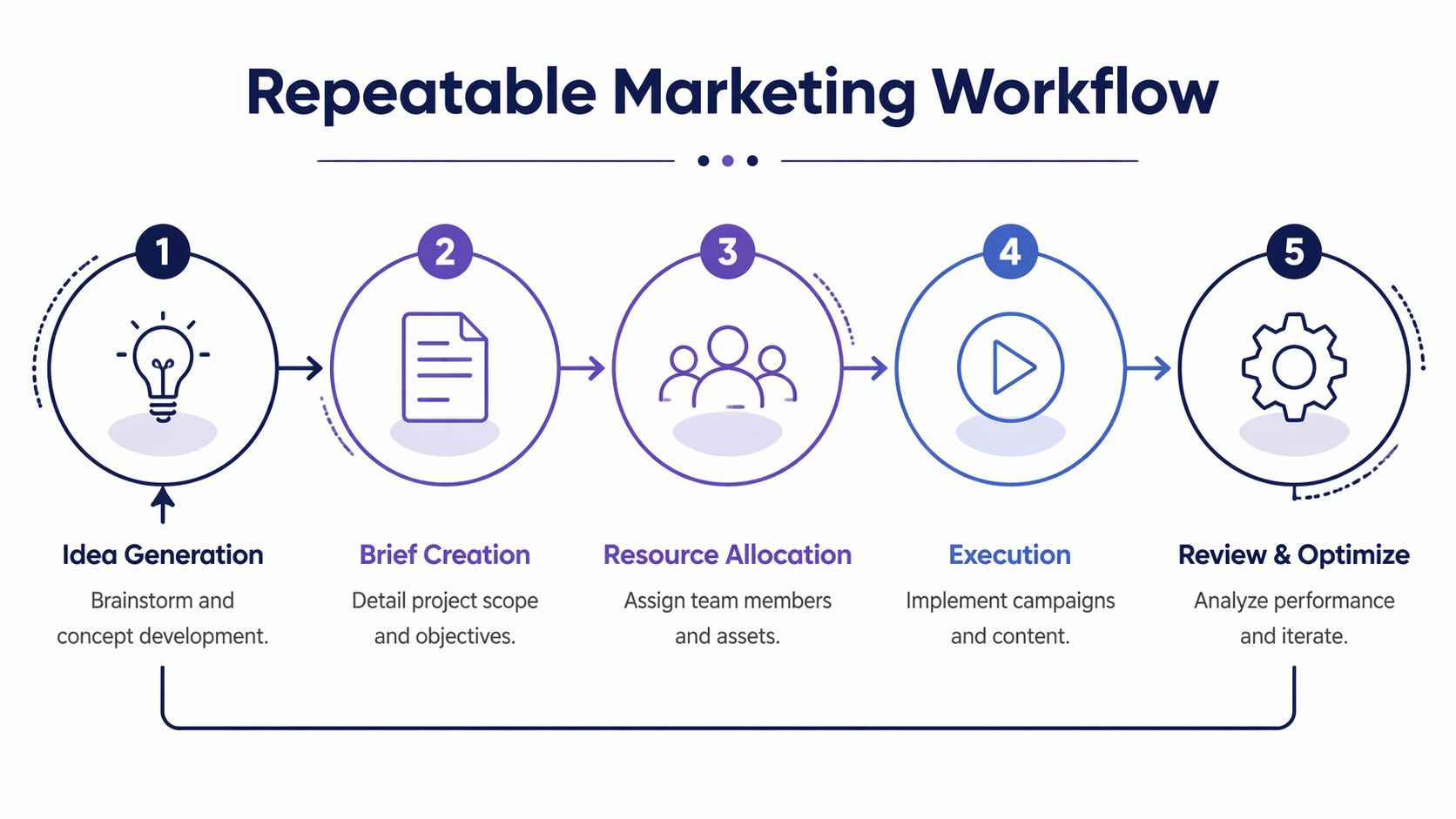
Organizations using a formal project management process perform better. 73% meet goals or intent, 63% complete within budget, and 59% deliver on time, according to project management statistics on formal process adoption.
The five-stage workflow that works in practice
Here’s the version we’ve seen work best for marketing project mgmt.
1. Intake and triage
Every request enters through one channel. Not email plus Slack plus hallway conversations.
At this stage, you decide:
- Is this a campaign, an operational task, or a support request?
- Does it need a brief?
- Who owns it?
- What priority does it have?
If everything is urgent, nothing is prioritized. Intake is where you stop leadership from bypassing the system.
2. Planning and scoping
The brief turns into buildable work.
Break the project into tasks, dependencies, milestones, and approval points. For example, a manufacturer lead generation campaign might require messaging approval before landing page wireframes, and landing page completion before email automation and paid traffic setup.
A small table like this keeps everyone aligned:
| Workflow phase | Main output | Failure if skipped |
|---|---|---|
| Intake | Approved request | Work starts without ownership |
| Planning | Task map and timeline | Teams discover dependencies too late |
| Production | Assets and automations | Execution drifts from brief |
| Launch | Live campaign and handoff | Follow-up breaks at go-live |
| Review | Lessons and KPI readout | The next project repeats the same mistakes |
3. Production in short cycles
Marketing often becomes messy. Creative work needs revision, but it still needs boundaries.
Use short cycles for copy, design, landing pages, CRM setup, and automations. That means the team works in defined batches with review windows, instead of sending work around endlessly.
A useful rule is simple. Revisions should change the asset, not the strategy, unless the owner formally reopens scope.
A late strategic change should trigger a scope decision, not a silent rewrite of the production schedule.
4. Launch and handoff
A campaign isn’t “done” when assets are approved. It’s done when the live system works.
That means checking:
- Forms route correctly
- Notifications fire
- Pipeline stages match the workflow
- Sales knows the follow-up expectation
- Tracking is visible
- Old automations won’t conflict with the new launch
Often, many teams discover they built the campaign but forgot the operating path after the lead arrives.
5. Review and learning capture
This step is often skipped or reduced to “looks good.” That’s a mistake.
Every project should end with three decisions:
- What worked operationally?
- What failed operationally?
- What changes become part of the next SOP?
If the review doesn’t alter your process, it was just a meeting.
What to standardize and what to keep flexible
Not every part of a workflow should be locked down.
Standardize these:
- Intake form
- Brief format
- Approval sequence
- Naming conventions
- Launch checklist
- Reporting format
- Retrospective questions
Keep these flexible:
- Content angles
- Channel mix
- Offer testing
- Sprint priorities
- Creative iteration timing
That balance matters. Modern marketing needs room for adaptation across channels, and teams handling marketing workflow management usually perform better when they centralize process without strangling execution.
For teams building automation into the process, this overview of workflow automation in marketing operations is a helpful reference because it shows where software can remove routine handoffs without replacing judgment.
The kickoff meeting that prevents rework
Don’t let kickoff meetings become status theater. They should produce decisions.
A useful kickoff agenda includes:
- Confirm objective and audience
- Review deliverables and non-deliverables
- Confirm timeline and approval windows
- Identify technical dependencies
- Define launch owner
- Define what happens after lead capture
- Confirm reporting cadence
A weak workflow leaves everyone busy. A strong workflow makes the next step obvious.
Integrate GoHighLevel as Your Project Command Center
A workflow on paper still fails if your tools scatter information across too many places. Marketing project mgmt gets much easier when one platform handles pipeline visibility, task accountability, client communication, and campaign execution in the same system.
That’s where GoHighLevel can do real work. Not as a generic CRM. As the operating layer for your marketing process.
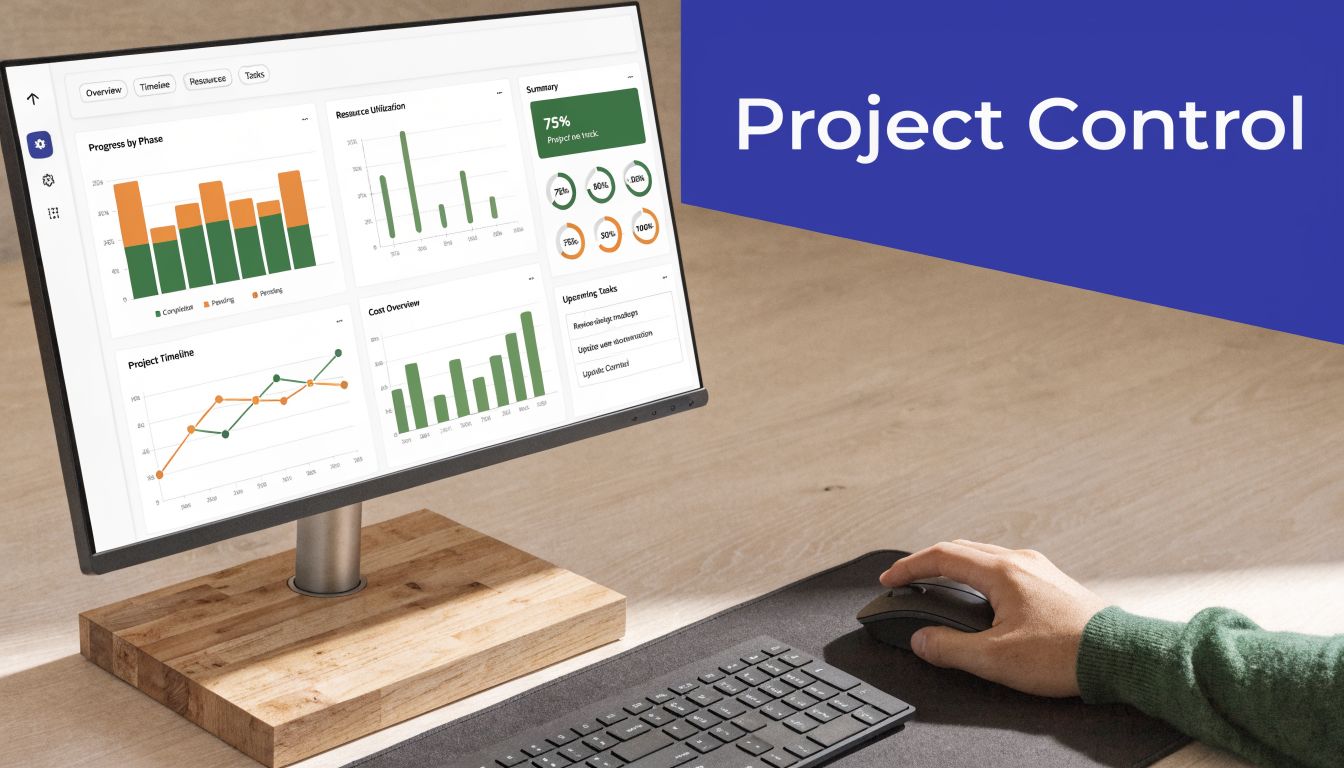
Modern marketing requires teams to manage distributed production and real-time optimization across channels, and overly rigid structures can suppress performance. That’s the practical case for using an integrated platform that centralizes control while still allowing iteration, as discussed in this video on modern campaign operations and adaptive execution.
What GoHighLevel should own
GoHighLevel works best when you define what it is responsible for. Don’t ask it to be everything. Ask it to be the command center.
Use it to manage:
- Pipeline stages: Intake, scoped, in production, awaiting approval, launched, review
- Contact and account records: One place for prospect and client context
- Task accountability: Assigned next actions with visible due dates
- Forms and submissions: Lead capture and internal request intake
- Automations: Notifications, reminders, email sequences, SMS follow-up
- Reporting dashboards: The small set of KPIs that matter
For B2B firms, this is especially valuable because the same platform can connect inquiry, nurture, handoff, and follow-up without forcing the team to jump between systems.
A practical GoHighLevel setup model
Here’s the setup pattern we recommend.
Create two pipelines, not one
One pipeline should track marketing project delivery. The other should track sales opportunity progression.
That separation matters. A landing page moving from draft to approval is not the same thing as a prospect moving from inquiry to quote. If you combine those into one pipeline, reporting becomes noisy and ownership gets blurry.
Build templates around repeat work
Set up templates for recurring workflows such as:
- New campaign launch
- Website page build
- Email reactivation sequence
- Local visibility sprint
- Lead nurture automation cleanup
Each template should include tasks, dependencies, standard messages, and handoff triggers. This reduces reliance on memory and makes onboarding new team members easier.
If you’re evaluating setup options, this guide to Go High Level integration is useful for understanding how connected workflows can reduce tool sprawl.
Use automations to remove routine friction
GoHighLevel becomes powerful when it handles the repetitive communication nobody wants to chase manually.
Examples:
- When a form is submitted, assign the owner and create the first follow-up task.
- When a project changes stage, notify the next approver.
- When a lead replies, pause the nurture sequence and alert sales.
- When a task is overdue, trigger a reminder.
- When a campaign launches, send the internal checklist to the delivery owner.
These aren’t flashy automations. They’re operational safeguards.
A useful implementation example is below.
Where teams misuse GoHighLevel
The common mistake is turning the platform into a dumping ground. Every custom field gets added. Every request gets tracked differently. Every client setup evolves into a one-off.
That usually leads to three problems:
| Misuse | What happens | Better choice |
|---|---|---|
| Over-customization | Nobody follows the same workflow | Start with a standard template |
| Mixing project and sales stages | Reporting loses meaning | Separate delivery and revenue pipelines |
| Automating too early | Bad processes get automated | Stabilize the workflow first |
For companies using the platform across campaigns, CRM, and nurture flows, this perspective on B2B digital marketing systems and execution is helpful because it connects campaign delivery to the full buyer journey.
The software won’t rescue a vague process. But once the workflow is clear, GoHighLevel can make that workflow visible, repeatable, and harder to break.
Measure What Matters with Actionable KPIs
Bad reporting wastes management time. It gives teams charts without decisions.
If you want marketing project mgmt to improve business performance, reporting has to answer a simple question: did this work move the business toward its objective?
A useful way to do that is the Goal/Question/Metric method. Start with the business goal. Turn that goal into a few decision questions. Then pick metrics that answer those questions.
According to this guide to measuring project success with GQM, using a project management tool for monitoring and controlling performance can boost success rates by up to 65%, and a systematic approach like GQM helps connect activities directly to business objectives.
The difference between vanity metrics and operational KPIs
A vanity metric looks interesting but doesn’t change a decision. An operational KPI helps you decide what to keep, fix, or stop.
Here’s a simple comparison:
| If your goal is | Weak metric | Better KPI question |
|---|---|---|
| Generate qualified leads | Page views | Are qualified inquiries entering the pipeline? |
| Improve follow-up | Email opens | Are prospects replying or booking? |
| Increase local demand | Social likes | Are local prospects calling, submitting forms, or requesting estimates? |
| Support sales | Content volume | Is sales using the asset and moving opportunities forward? |
A one-page KPI framework
Use this sequence when building your dashboard.
State the goal
Example: create more qualified conversations with target buyers.Write the decision question
Are campaigns producing inquiries worth sales follow-up?Choose a small metric set
Limit the dashboard to indicators that support action.Assign an owner
Someone has to review the data and recommend the next move.Set a review cadence
Weekly for active campaigns, monthly for trend review.
A dashboard is useful only if someone can look at it and know what to do next.
Questions to ask when selecting KPIs
- Does this metric connect to a business outcome?
- Can someone act on it this week?
- Is the data visible in the system we already use?
- Does this metric reflect buyer movement, not just activity?
- Will leadership understand what action it suggests?
For many B2B teams, the right dashboard is boring in the best way. It shows pipeline movement, response behavior, conversion checkpoints, and follow-up health. It doesn’t drown the team in charts that nobody uses.
Your First 90 Days Two Actionable Plans
A theory deck isn't what's needed. A working first quarter is. The easiest way to implement marketing project mgmt is to run a controlled 90-day proof of concept with a tight scope, fixed cadence, and visible outcomes.
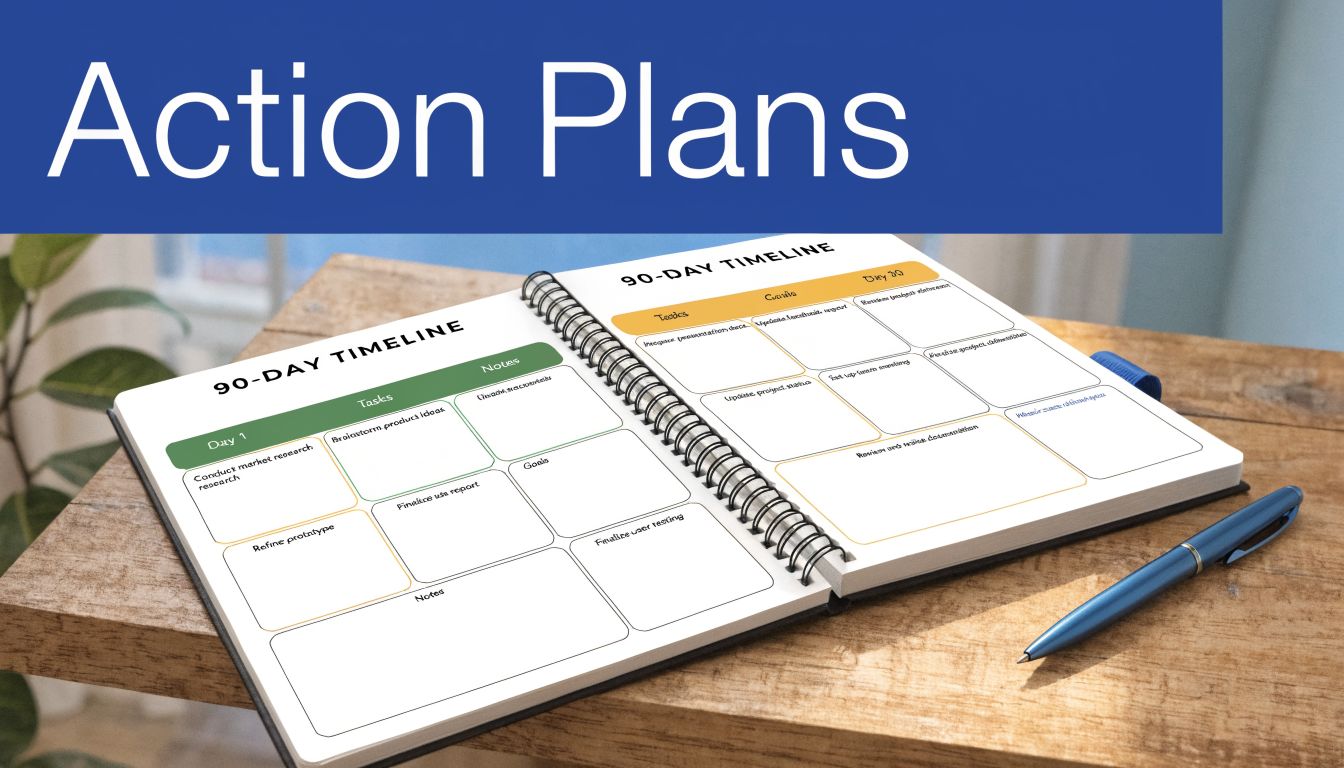
Below are two practical plans. One fits a B2B manufacturer focused on qualified lead flow. The other fits a local SMB that needs stronger visibility and cleaner follow-up.
Plan one for a B2B manufacturer
This plan works well for manufacturers, industrial suppliers, technical service firms, and manufacturers’ reps with long sales cycles and a narrow target market.
Days 1 to 30 foundation and setup
The first month is about diagnosis and system setup, not campaign volume.
Week one
- Run stakeholder onboarding: Interview leadership, sales, and the person closest to customers. Capture buyer segments, sales objections, ideal project types, and geographic priorities.
- Audit current assets: Website pages, forms, CRM records, sales sheets, inquiry routing, and current follow-up emails.
- Name one core offer: Don’t launch with five services. Pick the offer most likely to generate qualified conversations.
Week two
- Write the project brief: Define audience, message, CTA, scope boundaries, dependencies, and approvals.
- Map the buyer path: Identify what happens from first inquiry to booked sales conversation.
- Set up GoHighLevel foundations: Account structure, contact fields, project pipeline, sales pipeline, task templates.
Week three
- Fix handoff points: Form routing, internal notifications, sales ownership, response expectations.
- Create campaign assets list: Landing page, contact form, email sequence, call script, thank-you page, calendar process.
- Prepare reporting view: A simple dashboard tied to inquiry quality and follow-up activity.
Week four
- Review and approve messaging: Headlines, core proof points, FAQs, objections, CTA language.
- Build launch checklist: Technical QA, mobile review, notification tests, sales prep.
- Hold a go/no-go review: If sales isn’t ready to handle responses, delay launch.
The first month should remove uncertainty. If you skip this and jump straight to ads or outbound, the campaign will expose every hidden process flaw.
Days 31 to 60 execution and launch
This month is where production moves quickly, but under control.
Channel setup
Build the landing page, forms, and follow-up automation. Keep the message tight. One audience, one problem, one offer.
Email and outreach
Create a focused email sequence for warm contacts, distributors, dormant prospects, or prior inquiries. If the company has a neglected list, this is often the fastest way to create movement without adding media spend.
Sales alignment
Give sales a short response guide. It should include lead source context, the buyer problem the campaign addresses, and the first-call objective.
Launch cadence
Don’t release everything on one day if the team is unprepared. A staged launch is often better:
- Soft launch to internal and known contacts
- Fix routing and response issues
- Open to broader traffic and outreach
Days 61 to 90 optimization and reporting
The final month is for tightening the system.
Review lead quality
Look at actual inquiries, not just submission count. Are the right buyers responding? Are sales conversations happening? Are irrelevant inquiries slipping through because the message is too broad?
Adjust weak points
If inquiries are weak, refine the message or form logic. If follow-up is weak, improve task triggers, notifications, or ownership. If sales response is slow, shorten the process.
Document the operating model
By the end of day 90, you should have:
- A reusable project brief
- A repeatable launch checklist
- A standard follow-up sequence
- A dashboard format
- A short lessons-learned SOP
Plan two for a local SMB
This plan fits service businesses that need better local visibility, stronger follow-up, and less lead leakage.
Days 1 to 30 clean up the basics
Most local SMBs don’t need more channels first. They need a cleaner operating system.
Start with customer path mapping
How does someone find you, contact you, and get a response? Map every path from search result or social profile to call, form, or booked appointment.
Fix the profile layer
Review your website contact flow, Google Business Profile process, form routing, call handling expectations, and response templates. If the business gets inquiries but loses them during follow-up, that’s your first project.
Set up GoHighLevel for visibility
Use the platform to centralize lead capture, text follow-up, missed-call text back where appropriate, appointment reminders, and basic pipeline tracking.
Write one local campaign brief
Don’t spread effort across every service line. Choose one service, one area, and one conversion path.
Days 31 to 60 launch a focused service-area campaign
The goal in month two is not complexity. It’s consistency.
Publish the core assets
- One service page or landing page
- One short email or text reactivation sequence for old contacts
- One clear offer or booking CTA
- One review request or follow-up workflow if service quality supports it
Create an internal response routine
Who answers first? How fast? What happens after a missed call? What happens after a form submission on evenings or weekends? Good marketing can’t outrun a weak response process.
Use short review loops
Meet weekly. Look at actual inquiries. Listen to call outcomes. Check whether appointments are getting booked or whether the handoff is failing.
Days 61 to 90 standardize what worked
At this point, the business should resist the urge to add too much.
Instead:
- Keep the winning offer: Don’t replace it just because the team is bored.
- Expand only after control: Add another service area or audience only when the current process is stable.
- Document the follow-up SOP: Who responds, what template gets used, when reminders fire, when a lead gets marked inactive.
- Build a monthly reporting habit: Short, visible, tied to actual inquiries and booked work.
What both plans have in common
Even though the audiences differ, both 90-day plans rely on the same operating principles:
| Shared principle | Manufacturer version | Local SMB version |
|---|---|---|
| One clear offer | Specific industrial solution or capability | Specific service and service area |
| One source of truth | Project brief plus CRM workflow | Campaign brief plus lead pipeline |
| Controlled launch | Staged release with sales prep | Focused launch with response prep |
| Tight review loop | Weekly lead quality and handoff review | Weekly inquiry and booking review |
| SOP capture | Reusable campaign and sales handoff process | Reusable follow-up and appointment process |
If your first 90 days feel modest, that’s usually a good sign. A proof of concept should produce control before it produces complexity.
From Chaos to Control Your Next Step
Marketing doesn’t become predictable when you add more tools or more meetings. It becomes predictable when you define the system. Clear onboarding. A real brief. A repeatable workflow. One command center. Reporting tied to decisions. A 90-day rollout that proves the process under real conditions.
That’s the practical promise of strong marketing project mgmt. It gives you fewer surprises, cleaner handoffs, and a better shot at turning marketing effort into business results.
You don’t need a giant department to do this. You need discipline around intake, scope, execution, and measurement. That’s achievable for manufacturers, service businesses, and growing SMBs alike.
If your team is stuck in reactive mode, don’t start by demanding better performance from people working inside a broken process. Fix the process first. Then ask the team to perform inside a system that supports them.
If you want help diagnosing your current workflow and building a practical marketing system around CRM, automation, and execution discipline, talk with Machine Marketing. We can help you identify the bottlenecks, structure your first 90-day plan, and turn scattered activity into a process your team can effectively run.
